


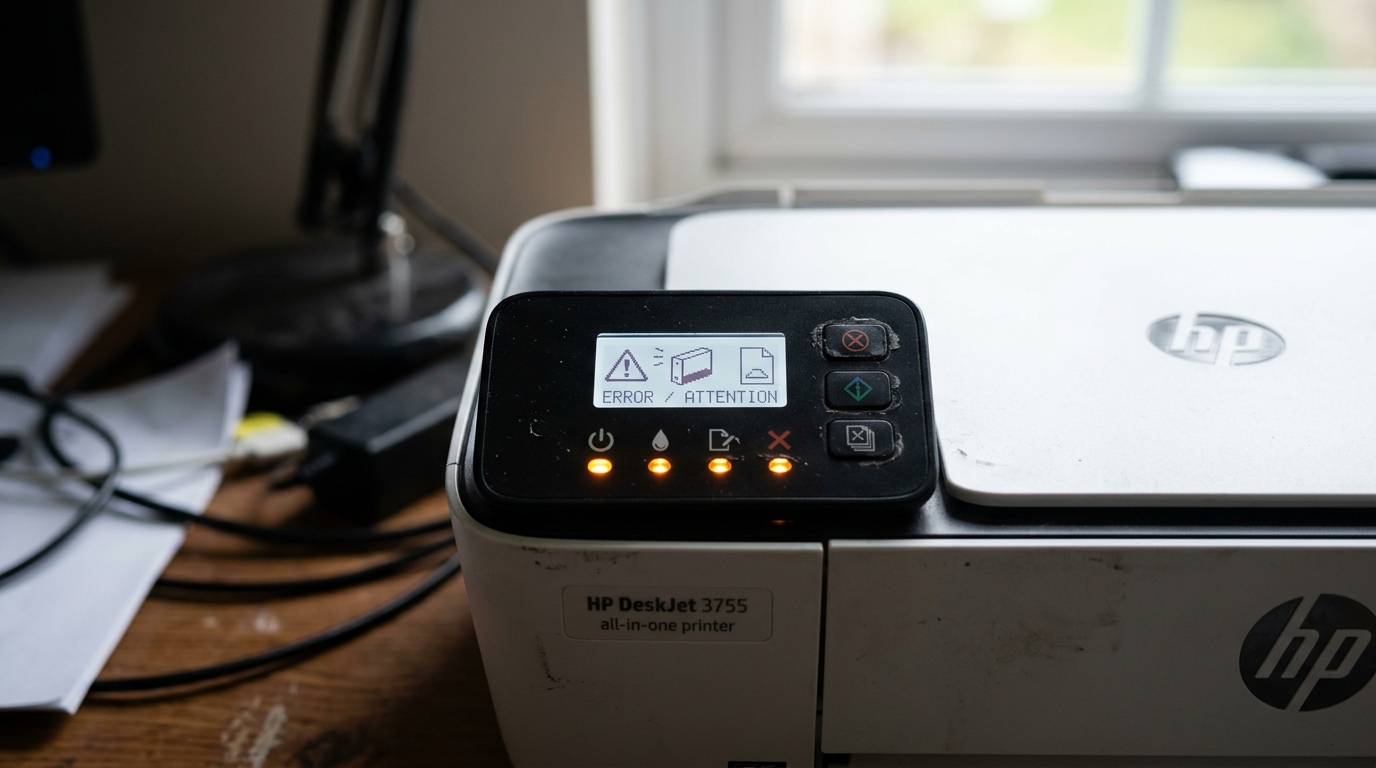
How to Read HP DeskJet 3755 Blinking Light Codes
The HP DeskJet 3755 communicates its status through a set of LED indicators on its control panel. Unlike newer HP printers with LCD screens, the 3755 relies entirely on light patterns to tell you what is wrong.
Learning to read these patterns saves time and eliminates the need to guess at the problem.
The 3755 has three main indicator lights: the Power/Resume light (the circular arrow button), the Ink/Warning light (the exclamation mark), and the Wireless light (the Wi-Fi signal bars).
Resume Button (Circular Arrow) Light Patterns
- 1 blink, pause, 1 blink: Paper jam detected. Check the input tray, rear access door, and output path for jammed paper.
- 2 blinks: Carriage jam or carriage obstruction. Open the access door and check for paper or debris blocking the printhead carriage from moving.
- 3 blinks: Out of paper, or the paper tray is not fully inserted. Load paper and push the tray in firmly until it clicks.
- 4 blinks: Printhead error. The printer cannot communicate with one of the ink cartridges or the printhead assembly. Remove and reseat both ink cartridges.
- 5 blinks: Ink system failure. Usually indicates an empty cartridge that needs replacing, or a cartridge installed in the wrong slot.
Ink/Warning (Exclamation Mark) Light Patterns
- 1 blink: Ink level is low in one or more cartridges. The printer will continue printing — this is an advisory warning only.
- 2 blinks: Wrong cartridge installed. Check that you have the correct HP ink cartridge model (HP 65 or HP 65XL for the DeskJet 3755). The tri-color goes in the left slot and the black in the right slot.
- 3 blinks: Cartridge is missing or not detected. Open the access door, remove the cartridge, check the copper contacts for debris, and firmly reinsert it until it clicks.
- Solid on: Ink cartridge is completely empty and must be replaced immediately. The printer will not print in this state.
Wireless (Wi-Fi Signal) Light Patterns
- Blinking slowly: The printer is searching for a Wi-Fi network or attempting to connect.
- Solid on: The printer is connected to your Wi-Fi network and ready to print wirelessly.
- Off: The wireless function is disabled. Press the Wireless button on the printer to turn it on.
All Lights Blinking Simultaneously (Firmware Crash)
If all three lights blink together in unison, the printer has experienced a firmware crash or an unrecoverable error. This is the printer's equivalent of a computer blue screen. The fix is a forced factory reset:
- With the printer powered ON, press and hold the Power button and the Cancel/Resume button simultaneously.
- Hold both for 3 seconds until all lights flash once and the printer restarts.
- Alternatively: unplug the printer's power cord from the back of the printer (not from the wall), wait 60 seconds, then plug it back in. This forces a complete hardware re-initialization.
Running the Built-In Self-Test / Diagnostic Print
If you're not sure what's wrong, print a diagnostic test page directly from the printer without a computer:
- Press and hold the Resume button (circular arrow) for 3 seconds while the printer is on.
- Release the button. The printer will print a test page showing ink nozzle patterns, ink levels, and a list of the printer's current configuration.
- If the test page prints successfully, the hardware is fine and the issue is software or driver-related on your PC.
- If the test page itself has gaps, streaks, or wrong colors, the cartridge or printhead has a physical issue.
DeskJet 3755 vs 3755e Light Differences
The standard DeskJet 3755 uses the LED button indicators described above. The newer DeskJet 3755e (HP+) replaced the LED buttons with an edge lighting strip similar to the Envy 6055e.
The e-model's light patterns are color-based (purple=setup mode, cyan=connecting, blue=ready) rather than blink-count based. Ensure you know which model you have before interpreting light codes — the model number is on the sticker on the bottom of the printer.
Frequently Asked Questions
What does it mean when all the lights are on but nothing prints?
If all lights are on solid (not blinking), the printer is in a ready state but a print job is stuck in the Windows print queue. Open the Windows print queue (Control Panel > Devices and Printers > right-click your HP 3755 > See what's printing) and cancel all pending jobs.
How do I know which cartridge is triggering the 2-blink Ink Warning?
The HP Smart app will tell you exactly which cartridge is low, missing, or incorrect. Open HP Smart, select your 3755, and tap Supplies.
My DeskJet 3755 blinks lights even when idle and no errors are shown — what's happening?
Slow random blinking when idle usually means the printer is receiving a firmware update automatically (if connected to Wi-Fi). Wait 5 minutes.
Can I disable the wireless light to save power?
Yes. Press the Wireless button on the control panel once to turn off the wireless radio.
When to Contact HP Support
If you performed the forced reset and the all-lights-blinking pattern persists on every startup, the printer's firmware is corrupted and may require a factory firmware re-flash, which HP Support can guide you through remotely. Contact HP Support at support.hp.com.
