


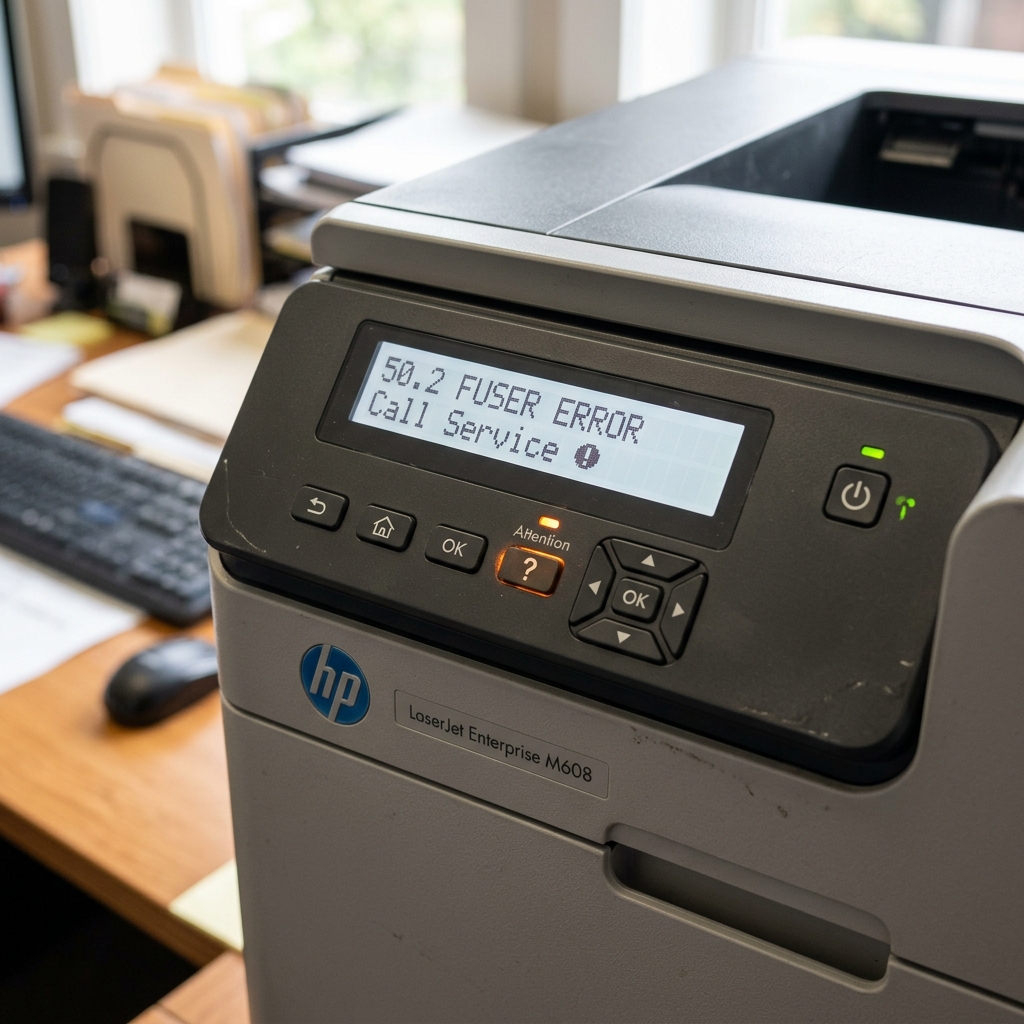
The Quick Answer
An HP LaserJet 50.2 fuser error means the fusing assembly failed to warm up to its required operating temperature within the expected time window.
If this error appeared right after you moved or relocated your printer, the fuser unit was almost certainly jarred loose from its high-voltage power connector, or the printer was moved from a cold vehicle/room into a warm office causing thermal condensation.
Before buying an expensive replacement fuser, reseat the assembly levers, bypass surge protectors by plugging directly into a wall outlet, and give cold units 30 minutes to acclimate.
Quick-Fix Summary
- Reseat the fuser assembly: Open the rear door, unlock both blue levers, pull the fuser out 2 inches, and firmly press it back in until both levers click.
- Let the printer acclimate: If the printer was moved in cold weather or transported in a car, leave it powered off in the warm room for 30–45 minutes before turning it on.
- Bypass power strips and surge protectors: Plug the AC cord directly into a dedicated 120V/240V wall socket. Fusers draw 600–1000 watts during warm-up.
- Check the fuser paper entry area: Clear any tiny accordion scraps or labels wrapped around the pressure roller.
- Perform a true capacitor reset: Unplug the AC cord while powered on, wait 60 seconds, and reconnect directly to power.
What HP LaserJet 50.2 Fuser Error Means
In HP LaserJet printers, the fuser bonds dry toner powder into the paper fibers using intense heat and mechanical pressure.
When the printer powers on or wakes from sleep, the DC controller sends high current to the ceramic heating element. An onboard thermistor tracks the temperature rise curve.
If the surface does not hit its threshold within roughly 30 to 45 seconds, the printer halts with 50.2 Fuser Error (Slow Warm-Up) to prevent paper fires and incomplete fusing.
Fix 1: Reseat the Fuser Assembly and Check Locking Levers
Turn off the printer, unplug the power cord, and allow the rear fuser area to cool for 20 minutes before touching any internal metal.
Physical movement or vibration during transit commonly wiggles the heavy fuser assembly outward by just 1–2 millimeters.
- Open the rear access door: Lower the fold-down rear output bin or open the fuser door.
- Inspect the blue locking levers: Locate the two blue or orange release levers on the left and right sides of the fuser frame.
- Release and slide out: Squeeze or flip the levers downward, then slide the fuser out 2 to 3 inches along its guide rails.
- Inspect the high-voltage male pins: Check that the electrical contact prongs on the printer chassis are clean, unbent, and free of melted toner dust.
- Firmly reseat the fuser: Slide the fuser unit straight in with even two-handed pressure until it stops, then push both locking levers up until they lock firmly into place.
Fix 2: Let Cold-Shocked Printers Acclimate
If you moved your LaserJet from a garage, warehouse, moving van, or cold vehicle, do not turn it on immediately.
Cold printer frames develop microscopic moisture condensation on the internal ceramic heating element and thermistor sensors when brought into a heated room.
Moisture absorbs thermal energy and skews thermistor resistance readings. This tricks the printer engine into reporting a slow warm-up timeout.
Let the printer stand in your conditioned room for at least 45 minutes with the top and rear doors cracked open before connecting power.
Fix 3: Plug Directly Into the Wall Outlet
Disconnect your HP LaserJet from any surge suppressor, uninterruptible power supply (UPS), extension cord, or power strip.
LaserJet fusers draw massive bursts of electrical current—frequently exceeding 800 to 1,200 watts for several seconds during startup.
Power strips and consumer-grade UPS units clamp or throttle voltage during peak draw cycles. This starvation prevents the ceramic element from heating up at the required speed.
Plugging directly into a dedicated wall receptacle resolves approximately 30% of sudden 50.2 errors in home and satellite offices.
Fix 4: Check the Paper Path Near the Fuser
Power the printer off, let the fuser cool, and inspect the delivery rollers and fuser entrance throat for obstructions.
Look for accordion-folded paper scraps, peeled adhesive shipping labels, or plastic packing clips left over from the move.
Even a lightweight scrap resting against the thermistor sensor bulb can insulate it from the ceramic heater, causing a false 50.2 temperature delay report.
Fix 5: Replace the Fuser Assembly
If reseating the assembly, direct wall power, and thermal acclimation fail to clear 50.2, the internal ceramic heater or thermal fuse has reached end-of-life.
Fusers are rated for approximately 100,000 to 200,000 pages depending on your LaserJet model (such as Enterprise M506, M507, M605, or Pro M402/M404).
Replacing the fuser is a tool-less, 5-minute operation: purchase the correct OEM maintenance kit part number, slide out the old unit, and insert the new one.
When to Call a Professional
If a brand-new replacement fuser also immediately displays 50.2, the low-voltage power supply (LVPS) or engine controller board triac circuit has failed to deliver AC voltage to the fuser socket.
At that point, board-level component testing or an authorized HP service depot repair is required.
FAQ
What does HP LaserJet error 50.2 mean?
Error 50.2 indicates a fuser warm-up timeout. The heating element did not reach normal operating temperature within the expected timeframe due to an unseated connector, low line voltage, or a worn element.
Why did moving my printer cause a 50.2 fuser error?
Moving a printer often dislodges the locking tabs or disconnects the high-voltage electrical prongs at the rear. Cold temperature shock during transit can also cause temporary thermistor condensation.
Can a surge protector cause HP fuser error 50.2?
Yes. Fusers require heavy electrical current (800W+) during warmup. Surge protectors and power strips often throttle line voltage, causing the printer to time out and throw error 50.2.
How do I know if I need a new fuser?
If reseating the fuser levers, plugging directly into a verified wall outlet, and acclimating to room temperature do not fix the error, the internal heating element has failed and requires replacement.
