


PageWide vs Traditional Moving-Carriage Inkjets
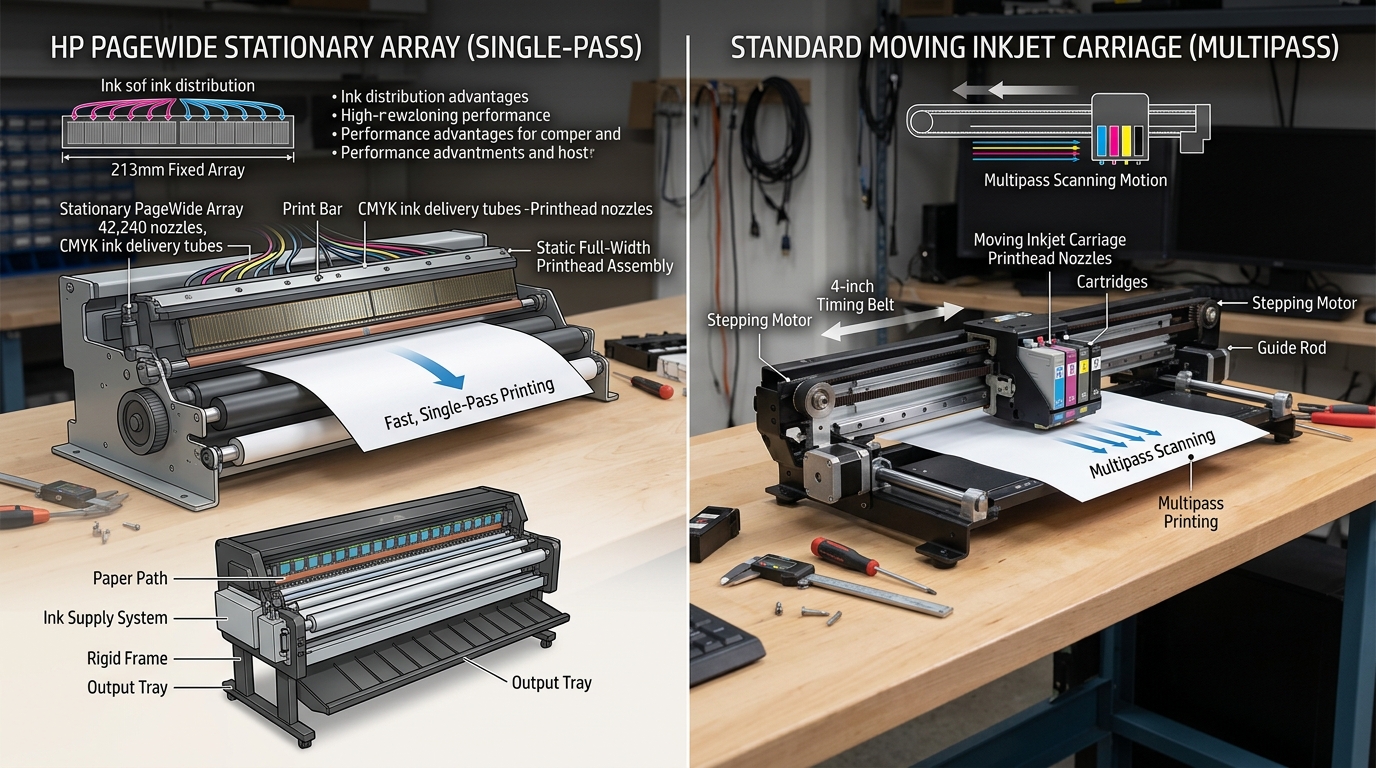
Traditional inkjet printers use a small printhead that zips back and forth across the page on a metal rail, printing one narrow stripe at a time.
HP PageWide technology eliminates the moving carriage entirely. It uses a stationary print bar containing over 40,000 nozzles that spans the full page width, printing the entire sheet in a single continuous pass.
Core Architecture Comparison
The structural differences between PageWide and conventional inkjets dictate their performance, speed, and durability:
| Feature | HP PageWide Printers | Standard Serial Inkjets (OfficeJet / ENVY) |
|---|---|---|
| Printhead Mechanism | Stationary bar spanning full 8.5" width | Moving carriage sliding back and forth on rails |
| Print Speed | 40 to 75 pages per minute (laser-class) | 10 to 24 pages per minute |
| Nozzle Count | 42,240 microscopic nozzles (10 dies) | 1,000 to 4,000 nozzles |
| Ink Chemistry | All-Pigment Inks (CMYK) — smear & highlighter proof | Dye color inks + Pigment black (fades in moisture) |
| Mechanical Wear Parts | Paper feed belt only (no carriage belt or carriage motor) | Carriage belt, encoder strip, guide rods, carriage motor |
| Cartridge Capacity | 3,000 to 10,000 pages per cartridge | 300 to 1,500 pages per cartridge |
| Energy Consumption | Up to 84% less power than comparable color lasers | Low power, but slower output per watt |
Key Advantages of HP PageWide
PageWide technology was engineered to replace mid-volume enterprise color laser printers:
- Blazing print speed: PageWide models print up to 75 pages per minute in General Office mode because the printhead never slows down to reverse direction.
- Water and smear resistance: All 4 colors (Cyan, Magenta, Yellow, Black) use durable pigment chemistry that withstands highlighters and water droplets.
- Fewer moving parts: Without a carriage motor, carriage belt, or optical encoder strip, PageWide eliminates the most common mechanical jam and wear points.
- Lower cost per page: Extra-high-yield PageWide cartridges deliver enterprise-level running costs under 1.5 cents per black page.
Key Advantages of Standard Inkjets
Traditional moving-carriage inkjets remain superior in specific consumer and photo scenarios:
- Affordable initial hardware cost: Standard desktop inkjets cost a fraction of PageWide enterprise machines.
- True borderless photo printing: Standard inkjets can overspray edges to produce 4x6 and 8.5x11 borderless glossy photos. PageWide requires small margins.
- Easier maintenance: If a consumer printhead clogs permanently, replacing an inexpensive printhead carriage is simple. Replacing a PageWide print bar requires complex technician disassembly.
Frequently Asked Questions
Why did HP discontinue consumer PageWide desktop printers?
HP discontinued desktop PageWide models in 2021 to focus on LaserJet enterprise copiers, though thousands of PageWide Pro and Enterprise units remain in active service.
Can PageWide printers print on glossy photo paper?
Yes, but with dedicated PageWide photo or brochure paper. Standard consumer glossy photo paper can slip on the high-speed paper transport belt.
Do PageWide printers use heat like laser printers?
No. PageWide uses thermal inkjet technology to eject cold ink droplets. It requires zero warmup time and produces no ozone or fuser heat.
