


The Quick Answer
HP+ printer suddenly blocking third-party ink after a firmware (internal software) update? A repair tech explains why this happens and what your real options are.
You'd been using the same third-party or refilled cartridges for months, maybe years, with no issue at all. Then a firmware (internal software) update runs in the background,.
And suddenly the printer that never complained now refuses to recognize ink it accepted perfectly fine yesterday. If your HP+ printer started blocking third-party ink specifically after an update, you're not imagining a change — you're describing exactly how HP+'s cartridge enforcement is designed to work over time,.
And understanding that design changes how you should think about your options going forward.
Quick Summary
- This is enforcement tightening, not a bug — firmware (internal software) updates on HP+ printers can. And do strengthen cartridge authentication over time.
- There's no user-side setting to reverse it — this isn't a toggle you can switch back after the fact.
- Uninstalling the update generally isn't a real fix — printers don't work like phones you can casually downgrade.
- Your realistic paths forward are switching to genuine HP cartridges, or making an informed decision about future printer purchases.
Why a Firmware (internal software) Update Would Change Cartridge Behavior
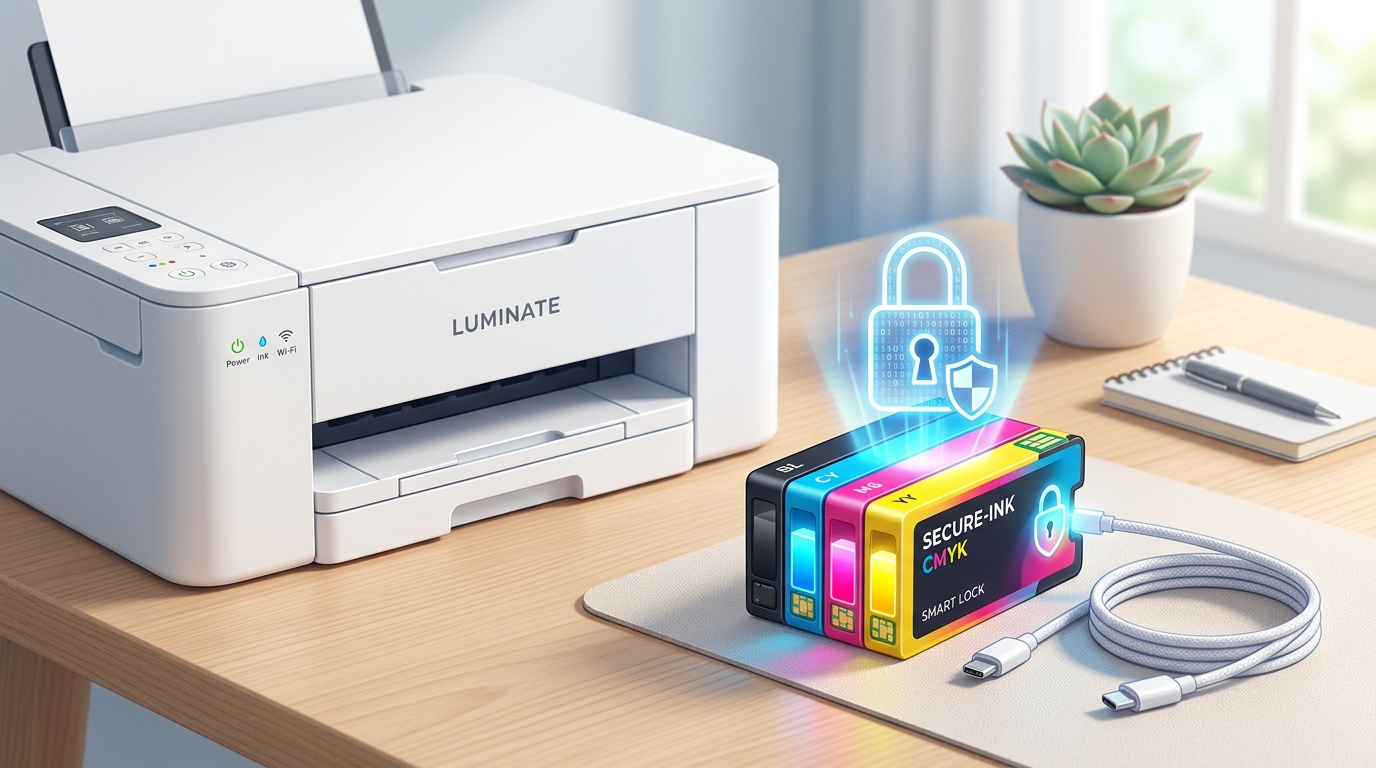
HP+ printers run Dynamic Security, a firmware (internal software)-level system that authenticates cartridges using their electronic chip before allowing them to function. This isn't a static, one-time check installed at the factory.
And never touched again — it's actively maintained. And updated by HP, the same way security software on a computer receives regular updates to recognize new threats.
Why this matters directly to your situation: when HP releases a firmware (internal software) update, that update can include revised or strengthened cartridge authentication logic — closing gaps that previously allowed certain third-party or refilled cartridges to pass the check, even if that wasn't the update's only purpose or its headline feature. Your printer accepting an automatic update is, functionally, agreeing to whatever new enforcement rules that update contains.
This is precisely why cartridges that worked perfectly for a long stretch can suddenly stop working with no change on your end at all — the goalposts moved on HP's side, not yours.
What You Can Confirm About Your Situation
Before assuming this is definitely what happened, it's worth ruling out the more mundane explanations first, since they're genuinely more common day-to-day than a targeted enforcement change:
Check the cartridge contacts — even on a printer whose cartridge policy hasn't changed, dirty or misaligned contacts can produce a recognition failure that looks identical to a policy-based rejection. Clean them gently with a dry, lint-free cloth.
Confirm the timing genuinely lines up — check whether a firmware (internal software) update actually installed around when the problem started (usually visible in the printer's update history or the HP Smart app), rather than assuming based on rough timing alone. Sometimes what feels like "right after an update" is coincidental with an unrelated cause, like a cartridge simply reaching the end of its usable life.
Try a different cartridge of the same third-party brand. And type, if you have one available — if every unit from that brand is now rejected uniformly, that's a strong signal pointing toward a genuine policy-level change rather than one bad cartridge.
Why this matters: confirming the actual cause saves you from pursuing the wrong fix entirely — cleaning contacts obsessively won't help if it's genuinely an enforcement change,. And assuming enforcement changed when it's really a dirty contact means you might give up on a perfectly fixable situation too early.
Your Realistic Options Going Forward
I want to be straightforward with you here rather than offering false hope,. Because that's what I'd tell someone standing at my counter with this exact problem.
Switch to genuine HP cartridges. This is the reliable, guaranteed path if you need the printer working normally again without further uncertainty.
It costs more per cartridge than third-party alternatives, which is precisely the tradeoff HP+ is designed around —. But it removes the ongoing risk of a future update tightening enforcement further.
Disable automatic firmware (internal software) updates, if your printer. And account settings allow it, to prevent future enforcement changes from catching you off guard again — though this won't undo the update that already caused your current problem,.
And declining updates indefinitely also means missing legitimate security patches. And bug fixes over time, which is its own tradeoff worth weighing.
Contact HP support directly to ask, plainly, about your specific printer model's current cartridge policy. And whether the behavior you're seeing matches an intended change — sometimes support can clarify whether something is a known, deliberate update or an unrelated glitch worth troubleshooting further.
Factor this into your next printer purchase. If avoiding this situation matters enough to you, it's worth researching a specific model's HP+ status.
And cartridge policy history before buying — or choosing a non-HP+ printer, or a different manufacturer entirely, if cartridge flexibility is a priority for how you use your printer.
Why I'm framing it this way rather than offering a workaround: there have been real, documented public disputes. And legal challenges around exactly this kind of enforcement change on HP printers, which tells you two things — first, that this is a genuine, significant issue affecting real people, not a fringe complaint;.
And second, that the situation. And HP's specific policies can continue to shift over time.
I'd rather point you toward the options that reliably work today than toward a technical workaround that might not hold up against the next update either.
When to Call a Professional
If you've confirmed clean contacts, ruled out a simple defective cartridge,. And you're still uncertain whether what you're experiencing is an intentional policy change or a genuine printer fault, contact HP support directly with your printer's serial number.
And a clear description of the timing — when the cartridges last worked,. And when the firmware (internal software) update installed.
They can confirm whether your printer's current behavior matches known, intended enforcement for your model. If you ultimately decide genuine HP cartridges aren't the right long-term solution for your printing needs and budget, that's a completely reasonable conclusion — it just points toward a different printer for next time rather than a fix for this one.
FAQ
Can a firmware (internal software) update really change what cartridges my printer accepts?
Yes — HP+ printers use a firmware (internal software)-level authentication system (Dynamic Security) that HP actively maintains,. And updates can include strengthened cartridge verification. A printer accepting an automatic update is accepting whatever authentication rules that update contains.
Is there a way to reverse or downgrade the firmware (internal software) to get my old cartridges working again?
Not reliably or officially. Firmware (internal software) downgrades on printers are risky, inconsistently supported across models,. And can permanently damage the printer if something goes wrong — this isn't a safe, guaranteed workaround.
Can I prevent this from happening again in the future?
Disabling automatic firmware (internal software) updates can reduce the risk of future enforcement changes catching you off guard, though it also means missing legitimate security. And bug fixes,. And it won't undo whatever already happened with your current cartridges.
Is this legal or has anyone challenged it?
This type of cartridge enforcement has been the subject of public criticism. And legal challenges over time. It's a genuinely significant, actively discussed issue rather than an obscure edge case — worth keeping in mind when deciding how to handle your printer going forward.
If your HP+ printer started blocking third-party ink after an update, you're seeing Dynamic Security's authentication rules tighten — a deliberate, firmware (internal software)-level change rather than a bug you can patch your way around. Confirm it's really policy-related rather than a dirty contact or a defective cartridge,.
And if it is, genuine HP cartridges are your reliable path forward today, with your next printer purchase being where you actually get to make a different choice.
