


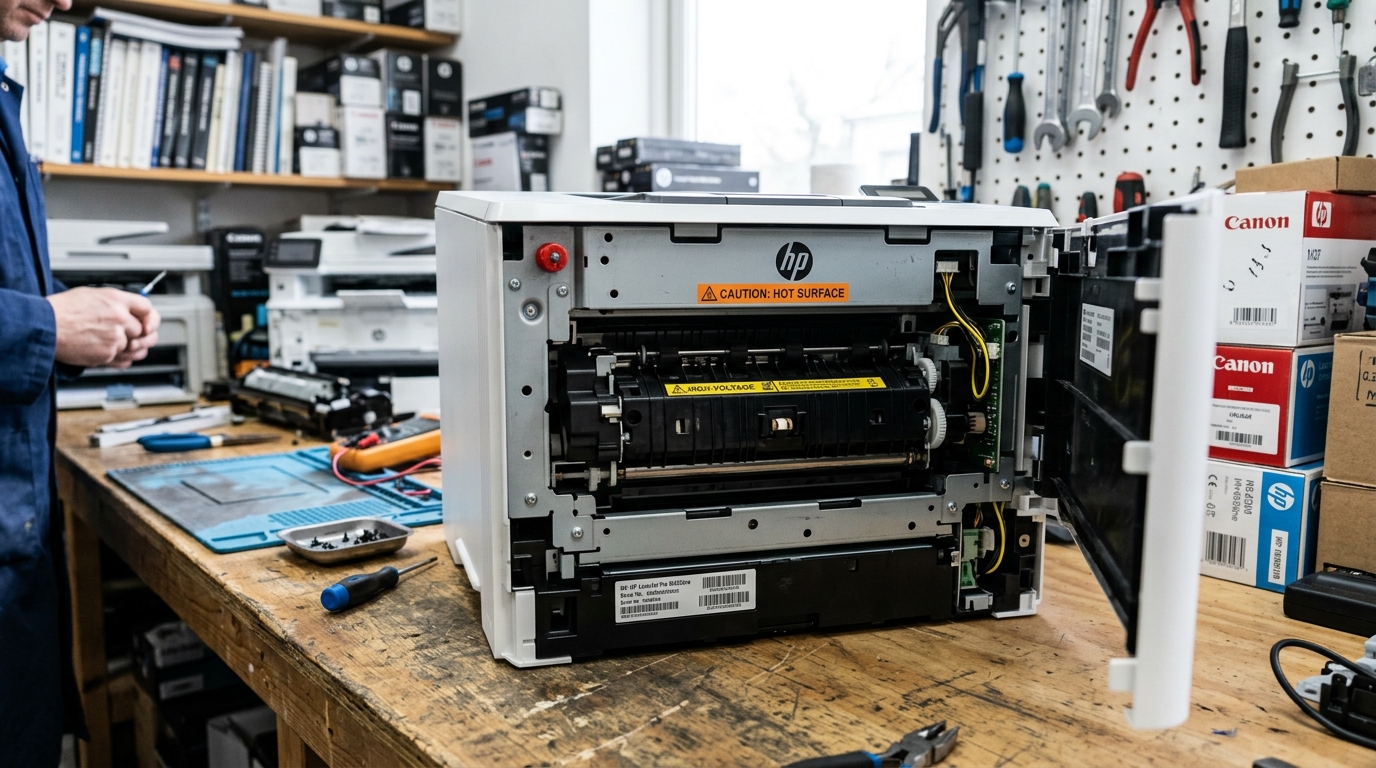
What Is a 50.xx Fuser Error on HP LaserJet Pro M404dn?
The HP LaserJet Pro M404dn is a monochrome laser printer. The fuser melts toner powder onto the paper using heat and pressure.
The fuser's temperature can fall outside its operational window. It might be too cold to melt toner.
It might be too hot and risk damage. The printer halts and displays a 50.xx error code.
This error is a self-protection mechanism. It is not a random software glitch. It means the printer's thermistor has detected a real temperature problem.
Decoding the 50.xx Sub-Codes
The two digits after "50." tell you exactly which fuser fault was detected:
- 50.1 — Low Fuser Temperature: The fuser is not heating up to the target temperature (around 200°C). This is usually caused by a failing fuser heating element. A weak power supply can also cause this.
- 50.2 — Slow Fuser Warm-Up: The fuser reached operating temperature, but took too long. A dying power supply can cause this. A weak heating element early in its failure curve is another cause.
- 50.3 — High Fuser Temperature: The fuser exceeded its maximum safe temperature. The thermistor detected a runaway heating event. This is most commonly caused by a shorted relay on the fuser control board. A stuck relay can also cause this.
- 50.4 — Fuser Drive Circuit Error: The logic board cannot communicate with the fuser's drive circuit. This may indicate a loose connection. It could also mean a failed fuser control board.
- 50.5 — Fuser Open Circuit: An electrical open circuit was detected in the fuser. This is usually a broken heating element. The fuser is physically dead.
Step-by-Step Fix Procedure
- Turn the printer completely off. Do not just press the power button. Switch off the physical power switch (if your model has one). Pull the power cord from the wall outlet.
- Wait a full 30 minutes. The fuser operates at near 200°C. Allow it to cool fully before attempting any troubleshooting. This step is mandatory. Rushing this step can make the problem appear worse.
- Check your power outlet. Laser printers draw very high amperage during fuser warm-up. The M404dn draws up to 8.8 amps at 120V. Do not plug it into a shared power strip. The voltage may sag and trigger a 50.2 error. Plug the printer directly into a dedicated 15-amp wall outlet.
- Remove and reseat the fuser. The fuser may not have been re-engaged properly after clearing a jam. Open the rear door. Press the two green fuser-release levers downward. Slide the fuser out. Slide it back in firmly until it clicks into the locked position.
- Power on and test. Reconnect the power cord and turn the printer on. Allow it to go through the full warm-up cycle. The error might not return on a fresh print. The issue was likely a thermal anomaly or loose seating.
If the Error Returns After Resetting
The 50.xx code might come back after the reset procedure. This means the fuser assembly needs to be replaced. The M404dn uses a specific fuser kit designed for its engine.
- Compatible fuser kit part numbers: RM2-5679 (110V) or RM2-5683 (220V). Check the voltage when ordering.
- Cost: A genuine HP fuser kit costs $80–$130. A compatible third-party kit costs $40–$70.
- Replacement difficulty: The M404dn fuser is a tool-free replacement. You do not need screwdrivers. The entire procedure takes under 10 minutes.
Repair vs Replace: The Economics
The HP LaserJet Pro M404dn typically costs $250–$350 new. A fuser kit costs $80–$130. Your printer might have fewer than 50,000 pages on it. Replacing the fuser makes strong economic sense. It might have 100,000+ pages and previous fuser failures. Replacing the entire printer may be more practical.
Check the printer's page count. Print a Configuration Page via the control panel. Go to Reports > Configuration Page. The total page count appears near the top.
Frequently Asked Questions
Can I continue printing if I ignore the 50.xx error?
No. The fuser error locks the printer from printing.
Is a 50.xx error always a dead fuser?
Not always. xx errors.
Will HP replace the fuser under warranty?
The M404dn comes with a 1-year onsite warranty. The fuser might fail within the warranty period.
Does a power surge cause fuser errors?
Yes. A sudden power surge can damage the fuser thermistor or control circuit.
When to Contact HP Support
The 50.xx error might persist after replacing the fuser. The issue has moved upstream.
It could be the high-voltage power supply board. It could be the DC controller board inside the printer.
These are major repairs requiring HP Certified service technicians. Contact HP Support at support.hp.com.
You can also call 1-800-474-6836 to arrange a service appointment.
