


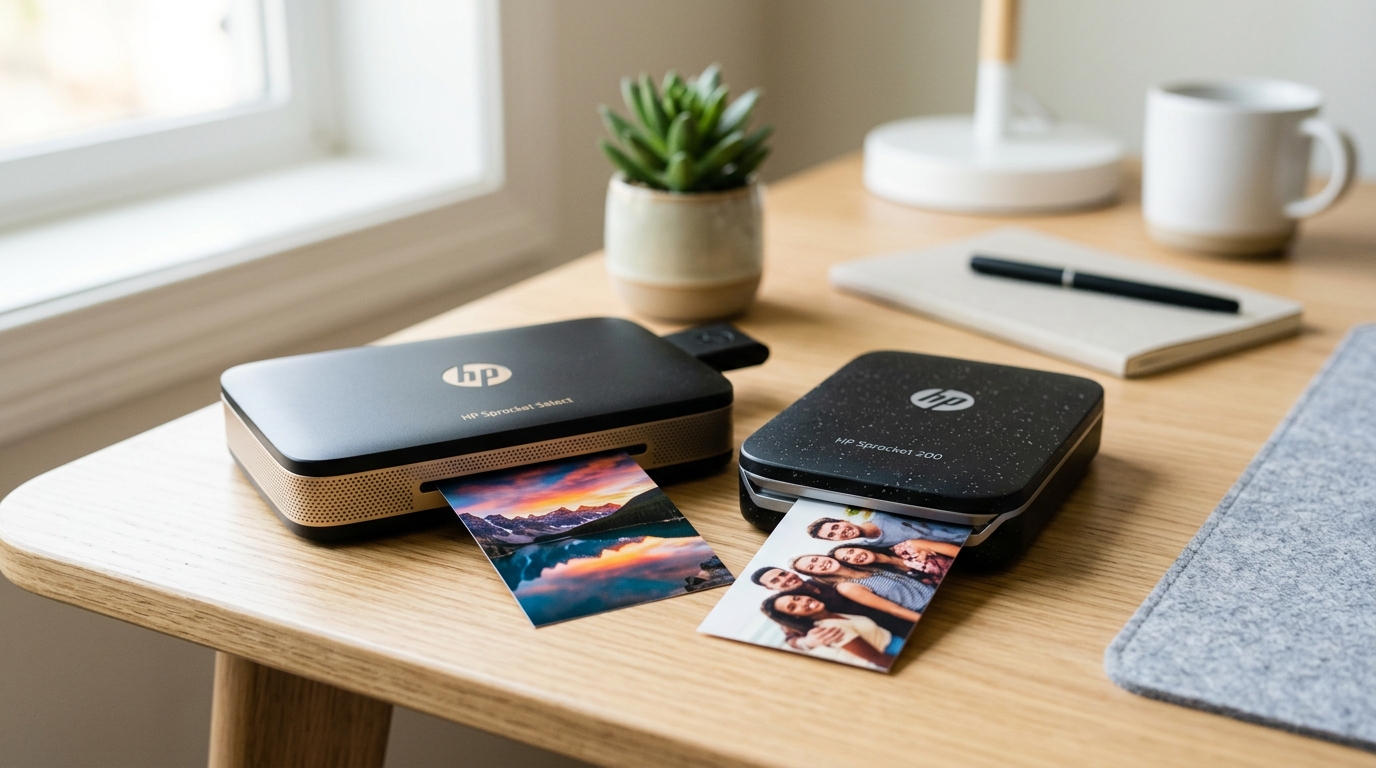
When evaluating mobile printing solutions, the HP Sprocket series frequently dominates the conversation among consumers and professionals alike. However, the exact differences between the HP Sprocket Select, the Sprocket 200 (also known as the 2nd Edition),.
The Sprocket 2-in-1 are often poorly documented. At a fundamental level.
All three devices utilize ZINK (Zero Ink) thermal printing technology, bypassing the need for liquid ink cartridges or toner. Instead.
Heat-activated dye crystals embedded directly in the specialized paper produce the final image when subjected to precise thermal pulses from the print head. Despite this shared underlying technology, the hardware implementation, physical footprints, media handling,.
Specific use cases for these three models diverge significantly. We spend our days diagnosing, breaking down,.
Comparing printing hardware, and we have put all three of these pocket printers through rigorous testing. In this detailed comparison, we outline the exact specifications, limitations,.
Advantages of each model, helping you determine which device aligns best with your specific requirements and operational workflow.
Model Overview: Understanding the Hardware Generations
Before diving into the direct component-by-component comparison. It is helpful to establish a baseline understanding of what each device is designed to do.
HP did not release these simultaneously; they represent different generations and distinct branches of the Sprocket family tree. Understanding the engineering intent behind each model makes their disparate feature sets much more logical to comprehend.
HP Sprocket 200 (2nd Edition)
The HP Sprocket 200 is the direct successor to the original HP Sprocket. It serves as the baseline model of the current generation.
HP engineered this unit to be as small and pocketable as physical constraints would allow. It functions strictly as a Bluetooth receiver and thermal printer.
There is no camera, no onboard storage, and no complicated physical interface. You pair it with your smartphone, open the HP Sprocket application, select an image file, and execute the print command.
The footprint is roughly the size of a modern smartphone. Albeit significantly thicker, making it the most portable option in this hardware comparison.
If your primary goal is bringing a printer to a party. Wedding, or outdoor event without needing a dedicated bag or backpack, the Sprocket 200 is the hardware specifically intended for that scenario.
HP Sprocket Select
The HP Sprocket Select was introduced to address the primary complaint users had with the. Sprocket 200: the restrictive print size.
While maintaining a relatively slim profile, the chassis of the Select is wider. Taller to accommodate a noticeably larger media format.
HP also positioned this model for a slightly more creative demographic. It leans heavily into software features within the HP Sprocket app, specifically designed around creating detailed photo journals, complex scrapbooking,.
Utilizing exclusive frames, overlays, and digital stickers. The hardware itself feels slightly more premium in the hand, utilizing speckled recycled plastics.
A refined exterior finish, but the core functionality remains exactly the same as the 200: it is a dedicated Bluetooth printer with no standalone capture capabilities.
HP Sprocket 2-in-1
The HP Sprocket 2-in-1 represents a completely different hardware philosophy and operational paradigm. As the name implies, it is a hybrid device that combines a ZINK printer with a built-in digital camera module.
It features a physical tactile shutter button, a pop-up optical viewfinder, and an integrated flash for low-light environments. You can shoot a photo.
The device will print it immediately without ever needing to touch your smartphone, mimicking the experience of a traditional analog instant camera. However.
It still retains the Bluetooth receiver functionality of the other models, meaning you can also pair it with your mobile device to print existing photos from your camera roll. Because it must house an entire optical lens assembly, a digital image sensor,.
A flash module alongside the thermal printing mechanism, it is significantly bulkier, heavier, and less pocketable than both the Sprocket 200 and the Select.
Detailed Hardware Comparison Table
To provide a clear, side-by-side view of the technical specifications, we have compiled the following comparison table. Pay close attention to the media sizes, Bluetooth versions,. Battery capacities, as these specific metrics dictate the day-to-day usability and limitations of each device.
| Specification | Sprocket 200 | Sprocket Select | Sprocket 2-in-1 |
|---|---|---|---|
| Print Size | 2 x 3 inches | 2. 3 x 3. | 2 x 3 inches |
| Print Technology | ZINK Thermal | ZINK Thermal | ZINK Thermal |
| Built-in Camera | No | No | Yes (5 Megapixel) |
| Bluetooth Version | Bluetooth 5. | Bluetooth 5. | Bluetooth 4. |
| Battery Capacity | 550 mAh | 700 mAh | 700 mAh |
| Prints per Charge | Approx. | Approx. | Approx. |
| Weight | 6. | 6. | 6. |
| Dimensions (in) | 4. 63 x 3. 15 x 0. | 5. 13 x 3. 48 x 0. | 4. 80 x 3. 05 x 1. |
| Onboard Storage | None | None | MicroSD Slot (Up to 256GB) |
Print Size Differences and ZINK Paper Compatibility
The single most critical hardware distinction between these models is the physical print media they accept. We cannot stress this operational constraint enough: ZINK paper is strictly not universally cross-compatible across all Sprocket devices.
Purchasing the wrong media type is the number one troubleshooting issue we see when repairing and assessing these printers.
The Sprocket 200 and the Sprocket 2-in-1 both utilize the standard 2x3 inch ZINK paper. This is the most ubiquitous size in the mobile printing ecosystem,.
It is widely available from HP and even third-party manufacturers (though we strongly advise sticking to HP-branded media to prevent thermal calibration errors associated with the blue Smartsheet). The 2x3 format is compact, roughly the size of a standard business card,.
Features a peel-and-stick adhesive backing, making them excellent sticker paper for decorating laptops or notebooks. The Sprocket 2-in-1 also technically supports a specific variation of this media that includes a pre-printed physical border.
Mimicking vintage instant film margins, though standard edge-to-edge 2x3 paper works flawlessly through its feed mechanism.
The Sprocket Select, conversely, requires a completely different and built-in media size: 2. 3x3.
4 inches. This size is substantially larger, offering approximately 30 percent more printable surface area per sheet.
The visual difference is immediately noticeable when holding the prints side-by-side. The Select prints feel much closer to traditional wallet-sized photographs.
Making them significantly better suited for framing, detailed scrapbooking, or professional journaling. Because the internal feed mechanism, the roller assembly,.
The thermal print head in the Sprocket Select are physically engineered to be wider, you absolutely cannot feed standard 2x3 paper into it. If you attempt to do so, the printer will either fail to grip the paper entirely, or it will misalign the print as it passes over the thermal elements, potentially jamming the internal rollers.
Requiring physical disassembly to clear. Conversely, the larger 2.
3x3. 4 inch paper physically will not fit into the narrower loading bays of the Sprocket 200 or the 2-in-1.
Always verify the exact model name printed on the chassis of your device before purchasing replacement media. If the chassis says "Select," you must secure the 2. 3x3. 4 inch paper.
Battery Capacity, Power Draw, and True Portability
When assessing portable hardware, the balance between internal battery capacity, component power draw,. Physical weight is always an engineering compromise.
The Sprocket 200 is the lightest unit in the lineup, weighing just over 6 ounces. It houses a 550 mAh internal lithium-ion polymer battery.
In our bench testing, this yields roughly 35 prints from a 100 percent charge in standard room temperature conditions. If you are operating the printer in cold environments.
Expect that yield to drop significantly due to predictable voltage sag inherent to lithium battery chemistry.
The Sprocket Select features a larger 700 mAh internal battery. This increase in capacity is necessary to drive the wider thermal print head.
Pull the larger media through the chassis assembly. Despite the larger battery, the overall print yield is slightly lower, averaging around 30 prints per charge.
The electrical energy required to heat the wider array of microscopic thermal elements Draws. More sustained current during the printing cycle.
Interestingly, the Select manages to maintain a very slim profile—it is actually thinner on the Z-axis than the 200, though wider. Taller—weighing in at 6.
38 ounces. It easily slides into a standard pocket.
The Sprocket 2-in-1 is the bulkiest of the trio. It also utilizes a 700 mAh battery, but.
It must power the image sensor, the flash capacitor, and the optical viewfinder assembly in addition to the print mechanism, real-world battery life can fluctuate wildly. If you use it purely as a Bluetooth receiver printer.
Bypassing the camera, you will see about 35 prints per charge. If you are actively using the built-in camera.
Firing the flash for every shot, expect to deplete the battery rapidly, often yielding under 20 prints. The additional hardware pushes the weight to nearly 7 ounces, and it is nearly a quarter-inch thicker than the Select.
It requires a dedicated jacket pocket or a bag; it is not comfortable to carry in standard denim pants.
Bluetooth Connectivity, firmware (internal software), and App Features
Both the Sprocket 200 and the Sprocket Select utilize updated Bluetooth 5. 0 hardware radios.
This protocol provides a very stable connection, fast image transfer speeds,. The crucial ability to maintain simultaneous active connections with multiple smartphones.
This multipoint connection architecture is a fantastic feature for social settings, allowing several people to queue up print jobs without constantly pairing, disconnecting,. Repairing devices.
The HP Sprocket app manages this data queue dynamically in the background.
The Sprocket 2-in-1 utilizes older generation hardware and relies on the legacy Bluetooth 4. 2 protocol.
While perfectly functional for basic tasks, data transfers are slightly slower,. The effective connection range is noticeably shorter before dropping packets.
It lacks the robust multipoint queuing features found on the newer 5. 0 hardware equipped in the other two models.
The software experience also differs slightly depending on which hardware you connect to the app. The Sprocket Select unlocks specific software modules within the HP ecosystem, most notably the advanced "Photo Book" layout feature.
This software tool helps you arrange images specifically for scrapbooking, taking full advantage of the larger 2. 3x3.
4 inch media format. While you can still edit, crop,.
Apply digital stickers to photos with the Sprocket 200, the software interface is streamlined and geared more toward quick, single-image printing operations.
Price Tiers and Long-Term Value Proposition
The pricing strategy for these devices typically follows a predictable structure based on hardware complexity. The Sprocket 200 is usually the most affordable entry point into the ecosystem, positioned for casual users.
The initial hardware cost is low,. You must factor in the ongoing operational cost of purchasing 2x3 ZINK paper packs.
The Sprocket Select sits at a higher premium tier. You are paying a hardware premium for the wider thermal print head array and the slightly more refined chassis design.
Furthermore, the specialized 2. 3x3.
4 inch ZINK paper is significantly more expensive per sheet than the standard 2x3 media. The Select is a calculated investment for users who truly value the larger physical print format.
Are willing to absorb a higher cost for every photo output.
The Sprocket 2-in-1 occupies a strange middle ground. Because it includes complex optical and sensor components, its original retail price was higher than the standard 200.
However, because it utilizes older silicon (Bluetooth 4. 2,.
A relatively low-resolution 5MP camera sensor by modern standards), it can often be acquired on clearance or on the secondhand market for less than a new Select unit. It uses the cheaper 2x3 standard paper, making long-term operating costs identical to the baseline Sprocket 200.
Which Hardware is Right For You?
Choosing the correct model requires an honest technical assessment of your workflow and operational requirements.
If you require the absolute smallest, most pocketable hardware for spontaneous printing at events,. You mandate keeping your per-print operational costs as low as possible, the HP Sprocket 200 is the most logical choice.
It is mechanically reliable, transfers data quickly via Bluetooth 5. 0, and utilizes the most ubiquitous ZINK media available on the market.
If print quality. Physical dimension are your primary concerns, and your workflow involves framing the output, creating detailed scrapbooks, or utilizing the specific Photo Book software features, the HP Sprocket Select is the superior hardware.
You must Be prepared for the higher initial hardware cost and the increased price of the built-in 2. 3x3.
4 inch media.
If you require a standalone piece of hardware that can operate completely independently of a smartphone, allowing you to hand the device to a child or deploy it as a party camera where users can shoot. Print instantly without downloading an app, the HP Sprocket 2-in-1 is the only model that fits the requirement.
You must be aware of its bulkier physical dimensions, higher power draw, and older Bluetooth protocol.
Frequently Asked Questions
Can we use the larger Select paper in the Sprocket 200 if we manually trim it down to size?
No. We strongly advise against attempting this modification.
Does the Sprocket 2-in-1 hardware save digital copies of the photographs it captures?
Yes, but only if you install external storage. The hardware chassis features a MicroSD slot that supports cards up to 256GB in capacity.
Why are the prints from these models coming out with a severe blue tint or horizontal streaks?
This is almost always a thermal calibration issue or a physically contaminated thermal print head. Every sealed pack of ZINK paper contains a blue barcode card known as a Smartsheet.
Can we connect the Sprocket hardware directly to a laptop or desktop workstation?
Technically, no. HP designed the entire Sprocket hardware and software ecosystem strictly around the iOS and Android mobile operating systems.
Are the prints generated from these models water-resistant or smudge-proof after printing?
Yes. Because ZINK (Zero Ink) technology does not utilize liquid ink that requires drying time.
