


"Laser unit" sounds like a component you can't. Do anything about yourself.
And that's exactly why Brother printer error 51. Causes more panic than it should.
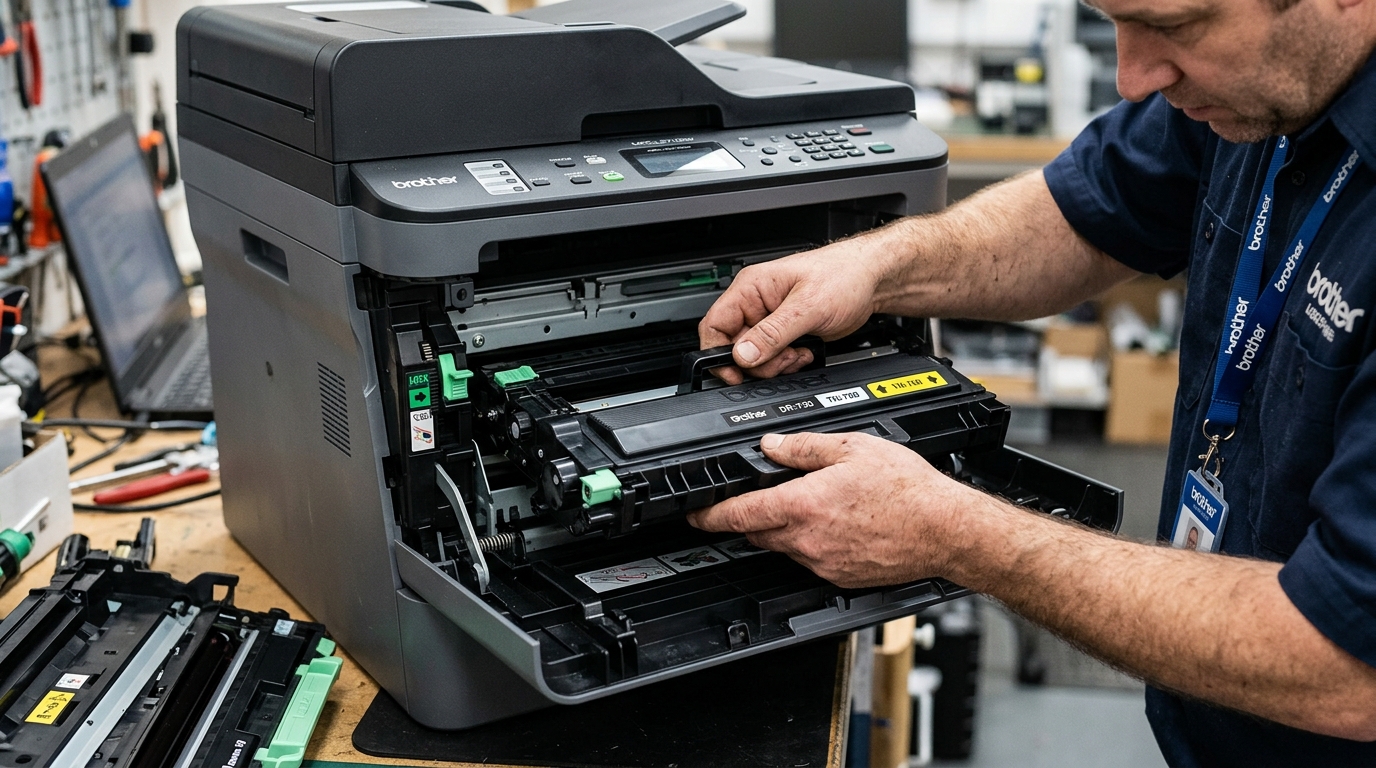
In my experience, this error shows up most. Often right after someone changes a toner cartridge —.
And the actual cause is almost never the laser itself.
What Error 51 Actually Means
The laser unit inside your Brother printer is. Responsible for drawing the image onto the drum.
Before toner ever gets. Applied, and error 51 fires.
When the printer detects something wrong with. That system's normal operation.
But here's the pattern worth knowing: this error. Is disproportionately common right after a cartridge.
Change, and in that specific. Timing, it's almost always about how the cartridge.
Or the cover was. Reseated, not a genuinely failed laser component.
Why this matters:if this happened right after you opened the. Printer for any reason, start with reseating before. Assuming you need a repair.
Fix 1: Reopen and Properly Reseat Everything
Open the front cover. Fully, remove the toner.
And drum assembly completely. And reinstall it — making sure it slides.
In straight and clicks fully into its seated. Position, not just resting partway in.
Close the cover firmly until you feel. And hear it latch on both.
Sides, not just the middle.
Why this works:the laser unit's beam path. And related sensors depend on the drum.
And toner assembly sitting in an exact. Position, and a cover that's not fully.
Latched, or an assembly that's sitting even slightly. Crooked, can trigger error 51 even though the.
Laser component itself is completely fine. This single fix resolves the majority of error.
51 cases that appear right after a cartridge swap.
Fix 2: Full Power Cycle
Turn the printer off, unplug it from the. Wall for a full 60. Seconds, then plug back in and power on.
Why this works:this clears a temporary confused state in the. Printer's internal monitoring, giving it a genuine fresh. Read on the laser system rather than continuing. To display an error. That was triggered by a momentary glitch during. The last power-on sequence.
Fix 3: Check the Cover Latches mainly
Even if the cover looks. Closed, press firmly on both front corners to. Confirm it's genuinely latched on each. Side, not just appearing shut.
Why this works:several Brother models won't allow the laser system. To operate normally with the cover in anything.
But a fully confirmed closed. State, as a safety measure — a cover.
That's closed on one side. But not fully seated on the other can.
Produce exactly this error with no other symptom. Pointing you toward the actual cause.
When to Call a Professional
If you've reseated the toner. And drum assembly, confirmed the cover is genuinely.
Latched on both sides. And performed a full power cycle —.
And error 51 still. Appears, particularly if it wasn't triggered by a.
Recent cartridge change at all — a genuine. Laser unit fault becomes the more likely explanation.
This is a component-level. Repair, not something to attempt at home; get.
A repair quote and weigh it against your. Printer's age and a replacement unit's cost before committing.
How the Laser Scanner Unit (LSU) Operates in Brother Printers
Inside every Brother laser. Printer, the Laser Scanner Unit (LSU) houses a.
High-frequency solid-state laser diode, a multi-faceted rotating polygon. Mirror spinning on precision fluid.
Or magnetic bearings at over 20,000 RPM, and focusing lenses. When you print, the laser beams pulses millions.
Of times per second across the spinning polygon. Mirror to expose the electrostatic drum unit.
Error 51is triggered when the Beam Detect (BD) sensor. Fails to register the horizontal sweep of the.
Laser within a set millisecond threshold after the. Polygon motor starts.
Advanced test & Recovery Steps
- Acoustic Motor Test:When you power on the. Printer, listen closely to the upper portion of the chassis. You should hear a characteristic high-pitched acoustic "whine". Pitch rising as the polygon mirror accelerates. If you hear a grinding. Noise, a vibrating hum. Or complete silence followed by Error. 51, the polygon motor bearings have seized. Or suffered driver IC failure.
- Laser Shutter Mechanism Inspection:Brother printers incorporate a machine laser shutter. That physically blocks the laser aperture. When the front or top cover is opened. (a safety interlock). A plastic actuator tab on the cover pushes. This shutter open when closed. If the plastic tab is. Bent, broken, or misaligned, the shutter remains. Closed, blocking the laser beam from the BD sensor. And generating a false Error 51.
- Cleaning the Polygon Optics & Mirror Dust:
Toner particulate and ozone residue can accumulate on. The LSU dust glass over time. Remove the drum and toner. Assembly, locate the laser beam exit window inside. The top ceiling of the inner. Cavity, and wipe the glass strip with a. Clean, dry microfiber cloth.
- Check Low Voltage DC Rails:The LSU motor requires a stable +24V DC. Supply from the low-voltage power supply (LVPS). In buildings with severe electrical voltage. Dips, an insufficient DC rail will prevent the. Motor from reaching target angular velocity, throwing Error 51. Always test with the printer connected directly to. A wall socket.
often Asked Questions
Can I clean the inside of the sealed. Laser Scanner Unit myself?
The LSU is factory-sealed to prevent airborne dust contamination. Opening the black plastic LSU casing exposes the.
Does replacing the drum unit or toner fix Error 51?
No. Error 51 is strictly isolated to the laser optical system.
