


The fuser is the part of your laser printer that permanently bonds toner to paper using heat,. Brother printer error 50 is the machine telling you something's off with that specific component.
Before you assume the worst, there's a real order of checks worth running,. This error covers a range of possible causes, not all of which mean the fuser itself has failed.
What Error 50 Actually Means
Your printer's fuser has to reach. Hold a precise operating temperature to work correctly, and it monitors this closely because a fuser running too hot or too cold — or one that isn't heating at the expected rate — creates both quality problems and a genuine safety concern.
Error 50 fires when the fuser's temperature reading falls outside what the printer expects,. Can stem from a temporary glitch, a power delivery issue, or a genuinely failing heating element inside the unit.
Why this matters:treating this as an automatic "buy a new fuser" signal skips several free,. Fast checks that resolve a real share of error 50 cases without spending anything.
Fix 1: Full Power Cycle
Turn the printer off, unplug it from the wall completely,. Wait a full 60 seconds before plugging back in and powering on.
Why this works:this clears a transient temperature-reading glitch that a simple power-button restart doesn't always fully reset, giving the. Fuser's monitoring system a genuine fresh start rather than continuing from whatever confused state triggered the error.
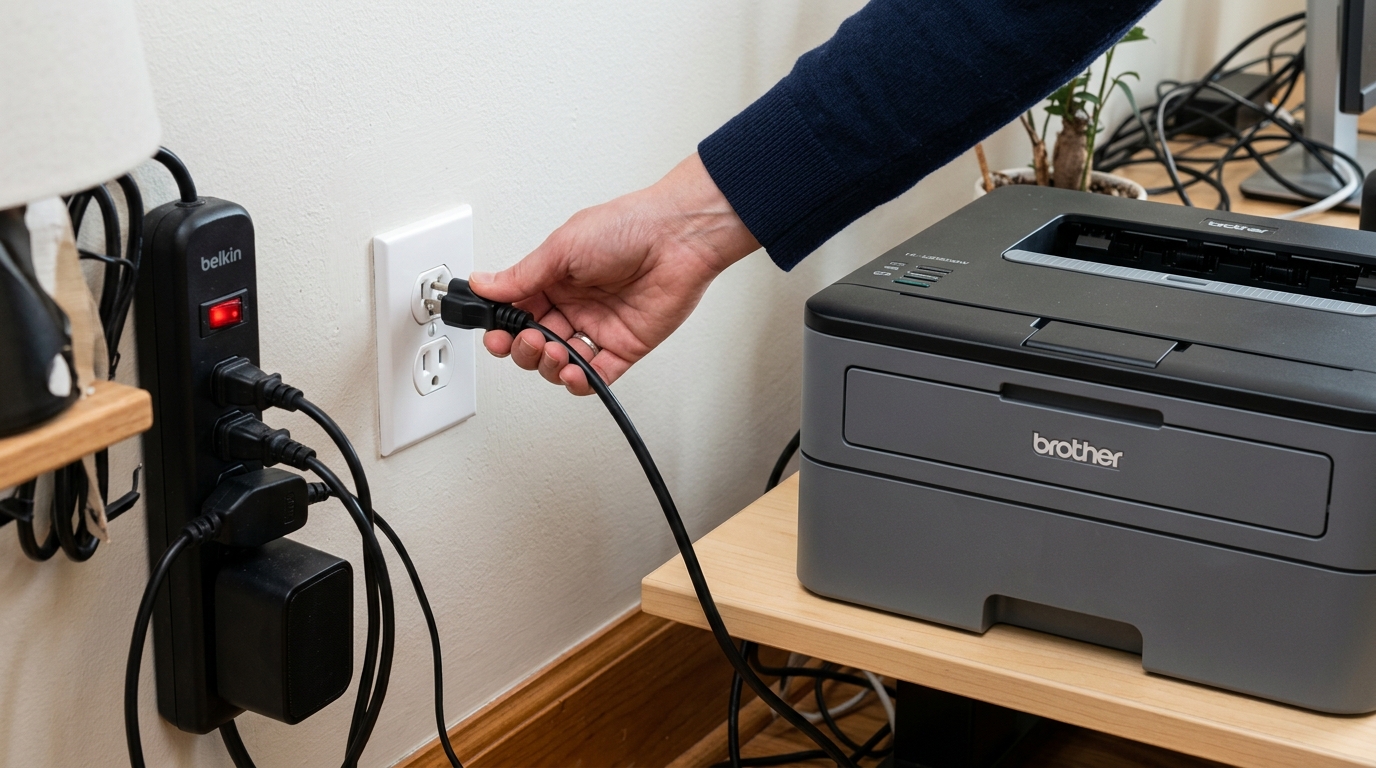
Fix 2: Plug Directly Into the Wall
If the printer is running through a surge protector, power strip, or extension cord, connect it directly to a wall outlet instead. Test again.
Why this works:the fuser draws a significant burst of current the moment it starts heating,. Some surge protectors and power strips limit or smooth current flow in ways that can interfere with that demand, producing exactly the kind of temperature-reading inconsistency error 50 describes — without anything inside the fuser actually being broken.
Fix 3: Let It Cool, Then Retest
If the printer has just finished a large, sustained print job, give it 15 to 20 minutes to cool completely before powering back on. Testing again.
Why this works:a fuser that's been running hard for an extended stretch can briefly report a temperature reading outside normal range as it's cooling,. This settles on its own with time — testing immediately after heavy use risks catching the fuser mid-transition rather than in a genuinely faulty state.
Fix 4: Check for Obstruction Near the Fuser
With the printer powered off. The area confirmed cool, open the rear access panel if your model has one, and check for any paper scraps or debris near the fuser rollers specifically.
Why this works:debris resting against the fuser can interfere with its normal heat cycling. Produce a related temperature fault, and clearing it removes a physical cause that has nothing to do with the fuser's own internal health.
When to Call a Professional
If you've power cycled properly, confirmed a direct wall connection, allowed cooldown time,. Checked for obstruction — and error 50 persists or returns consistently — the fuser's heating element has likely genuinely failed.
Fusers are a normal wear item on laser printers and are sold as standalone replacement parts for most Brother models. Search your exact model plus "fuser unit replacement" to check part cost,.
Weigh that against the price of a comparable new printer before committing, particularly on an older machine.
In-Depth Technical Analysis of Brother Error 50
Error 50 indicates a Fuser Unit MalfunctionThe fuser assembly is responsible for using heat (approx. 180°C to 200°C) and mechanical pressure to fuse loose plastic toner particles into the fibers of the paper.
Error 50 is triggered when the central halogen lamp or ceramic heating element fails to heat the. Roller to its target temperature within the specified time window, or when the safety thermoprotector (thermal fuse) blows.
Step-by-Step Diagnostic & Reset Protocols
- The Thermal Cool-Down & Power Drain Reset:
- Turn the printer completely OFF.
- Disconnect the power cord from both the wall and the printer.
- Press and hold the physical power button for 30 seconds while unplugged to drain power supply capacitors.
- Wait at least 25 minutes to allow the fuser roller and thermistors to cool completely to room temperature.
- Plug directly into a heavy-duty wall outlet (never use power strips or battery backups with laser printers).
- Power on. If the error was a transient software lock, the printer will warm up normally.
- Physical Inspection of the Fuser Assembly:
- Open the rear access door of the laser printer.
- Look at the exposed heat roller (typically coated in orange or brown Teflon).
- Check for shredded paper wrapped tightly around the roller, torn Teflon coating, or a crushed pressure roller.
- If paper is wrapped around the roller, wait until it is cool. Carefully peel it away without scratching the delicate roller surface with metal tools.
- Clearing Latched Fuser Errors via Maintenance Mode:
Brother firmware (internal software) locks fuser errors in non-volatile memory for safety reasons.
- Enter Maintenance Mode: Power on while holding Menu or enter
*2864on the keypad. - Enter function code
01to initialize parameters. - Enter function code
99to reboot.
- Enter Maintenance Mode: Power on while holding Menu or enter
Frequently Asked Questions
Is it safe to clear Error 50 through Maintenance Mode without replacing the fuser?
If Error 50 was triggered by an electrical brownout or cold ambient room temperature, resetting it once is safe. However, if the error immediately returns after resetting, the halogen heater or thermal fuse is physically damaged.
What is the average lifespan of a Brother fuser unit?
Brother fusers are engineered for approximately 50,000 to 100,000 printed pages depending on the printer tier (consumer desktop vs. workgroup MFC).
