


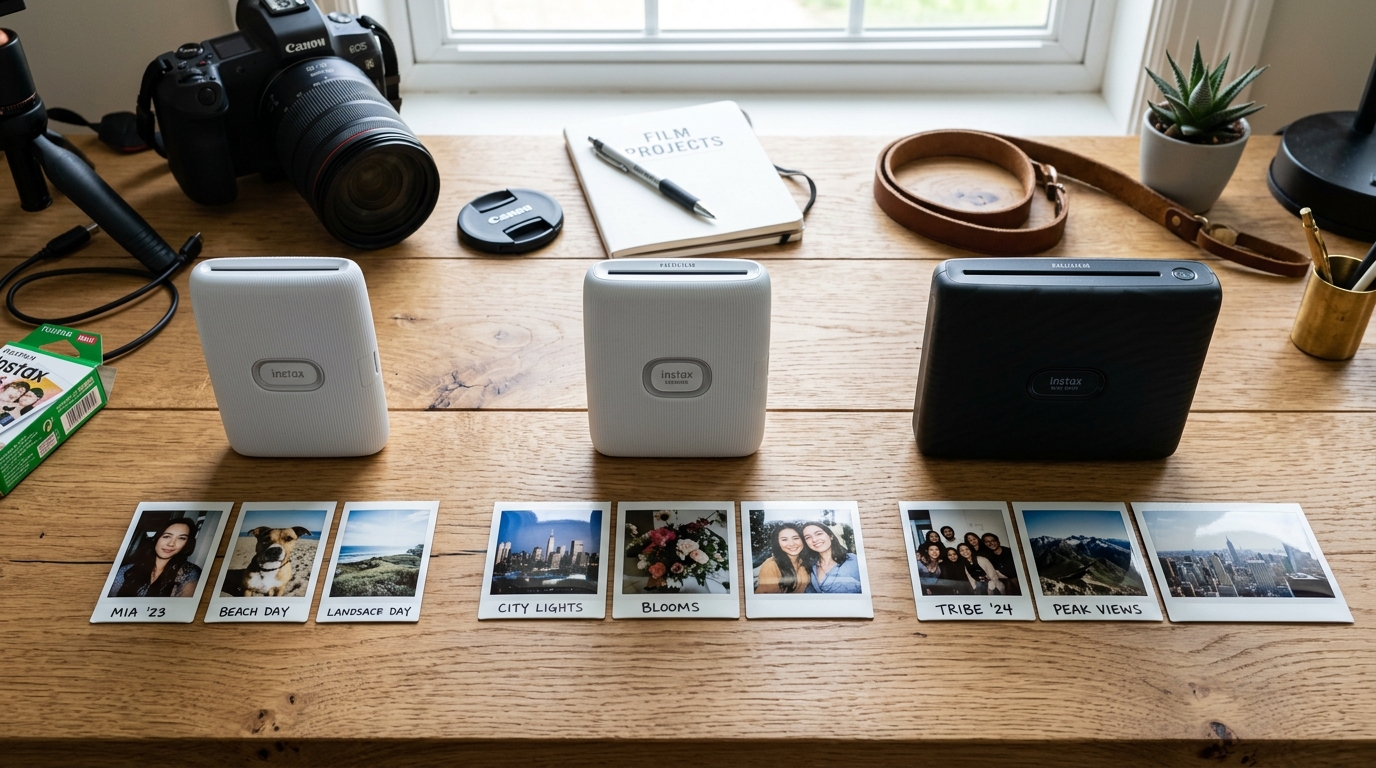
The Fujifilm Instax ecosystem has revitalized the medium of instant photography. Offering a tangible, nostalgic aesthetic that digital screens simply cannot replicate.
However, for newcomers and seasoned enthusiasts alike, navigating the complex landscape of Instax film formats—namely Mini, Square. Also, Wide—can be an incredibly confusing endeavor.
Purchasing the incorrect film format is not merely an inconvenience; attempting to force incompatible film into a printer. Or camera can cause severe, sometimes irreparable, mechanical damage to the delicate internal ejection gears and chemical roller systems.
This comprehensive compatibility guide serves as the ultimate technical resource for understanding the physical dimensions, chemical development processes. Also, Hardware compatibility across the entire spectrum of Instax devices.
We will dissect the architectural differences of each film type, explain the engineering reasons behind their non-interchangeability. Also, Provide exhaustive troubleshooting steps for the most common film-related malfunctions, ensuring you achieve perfect, fully developed exposures every single time.
Why This Happens: The Physics and Chemistry of Instax Formats
The strict incompatibility between Instax Mini, Square. Also, Wide films is rooted in the precise engineering required for instant film development.
Instant film is not just paper; it is a complex, multi-layered chemical sandwich. At the bottom edge of every single Instax photo is a small pod containing a highly caustic developing reagent paste.
When a photo is taken (or printed via a smartphone printer like the Instax Link series). The film is mechanically driven out of the device through a pair of precision-machined steel rollers.
These rollers apply exact, uniform pressure to burst the reagent pod. Also, Spread the chemical paste evenly between the positive and negative layers of the film.
The dimensions of these rollers, the torque of the ejection motor. Also, The spacing of the internal film guides are calibrated with micrometer precision for one specific film size.
Instax Mini film measures 54mm x 86mm, making it credit-card sized and requiring a relatively narrow roller mechanism. Instax Square film measures 72mm x 86mm, demanding a wider roller path.
Also, A stronger motor to evenly distribute a larger volume of chemical reagent. Instax Wide film is a massive 108mm x 86mm—essentially two Mini photos placed side-by-side.
If you were to somehow wedge a Mini cartridge into a Square printer, the internal. Pick-arm mechanism (which grabs the top piece of film) would fail to engage the film properly.
Furthermore, even if the film were engaged, the rollers designed for the wider Square format would not apply the correct, even. Pressure across the narrower Mini film, resulting in uneven chemical spread, massive chemical leaks inside your device, or incomplete image development.
The cartridges themselves feature built-in physical keying—plastic tabs. Also, Grooves—designed to mechanically block insertion into the wrong device, acting as a physical failsafe.
Step-by-Step Fix: Resolving Film Jams and Development Issues
If you encounter a flashing error light, a stuck photo, or photos developing with large black or. White anomalies, follow this rigorous diagnostic procedure to safely resolve the issue without damaging your Instax hardware.
- Halt All Operation Immediately: The moment you hear a grinding noise or see a film getting stuck. Halfway out of the ejection slot, immediately turn off the camera or printer. Do not forcefully yank the film out, as this can strip. The nylon gears connecting the ejection motor to the spread rollers.
- Attempt a Soft Ejection Reset: With the power off, replace the batteries with brand new, high-quality alkaline. AA or CR2 batteries (depending on your model), or fully charge your printer. Often, a jam is caused by a voltage drop during ejection. Turn the device back on; many Instax devices will perform an automatic self-diagnostic. Also, Attempt to eject the jammed film upon receiving adequate power.
- Safely Remove the Jammed Film: If the soft reset fails, you must remove the film manually. In a completely dark room (a closet with no light leaks). Open the film door, carefully unlatch the cartridge, and gently pull the stuck photo simultaneously with the cartridge. Exposure to light will ruin the remaining shots, which is why a darkroom environment is critical.
- Clean the Developer Rollers: Once the jam is cleared, inspect the steel ejection rollers. If a chemical pod burst prematurely, there will be a crusty, white or yellowish residue on the rollers. Dampen a cotton swab with distilled water and gently clean the rollers as you manually rotate them. Residual chemicals will cause repeating defects on all future photos.
- Verify Cartridge Alignment: When inserting a new cartridge, ensure the yellow line on the. Cartridge perfectly aligns with the yellow line inside the film compartment. Do not press on the center of the cartridge, especially where the dark slide (the. Black protective plastic cover) is located, as this can bend the film and cause immediate jamming.
- Diagnose Temperature Variations: If your photos are consistently developing with a blue/green tint, the ambient temperature is too cold. If they are developing with a red/orange tint, the environment is too hot. Instax film chemistry is optimized for temperatures between 5°C and 40°C (41°F - 104°F). During development, keep the photo in a pocket close to your body heat in cold weather.
- Check the Pick-Arm Spring: If the printer makes noise but no film comes out, the internal pick-arm spring may be dislodged or broken. This is a common failure point in heavily used Instax Mini Link printers. Unfortunately, this requires complex disassembly and often necessitates professional repair or replacement of the device.
Advanced Troubleshooting: Decoding Image Artifacts and Light Leaks
Advanced diagnosis of Instax film issues involves analyzing the visual artifacts on developed photos. A highly common issue is the presence of vertical white streaks or bands running across the image.
This is a classic symptom of dirty or uneven developer rollers. As the rollers push the chemical paste upwards, any microscopic piece of grit or dried chemical on the roller.
Will block the paste from spreading in that specific track, leaving the film undeveloped (white) in that vertical line. The only solution is an incredibly thorough cleaning of the roller.
Assembly, sometimes requiring a mild solvent like isopropyl alcohol if water fails.
Another prevalent advanced issue is the "light leak," characterized by large. Blown-out white or orange flares encroaching from the edges of the photo.
Light leaks occur when the light-tight seal of the film compartment is compromised. This can happen if the back door of the camera/printer is slightly warped, or if the user.
Accidentally pops the door open for even a fraction of a second while a loaded cartridge is inside. The top few photos in the cartridge will be ruined, acting as a shield for the photos beneath them.
If you suspect a warped door, you can use high-density black gaffer tape to seal the seams. Of the film door after loading a new cartridge, acting as a temporary fix for compromised hardware.
FAQ: Frequently Asked Questions
Can I cut Instax Wide film to fit in an Instax Mini printer?
Absolutely not. Cutting instant film breaches the chemical pods located at the bottom and the borders containing the chemicals.
Why is the first photo always just a black piece of plastic?
That is not a photo; it is the dark slide. The dark slide is a protective plastic cover designed to protect.
Does Instax film expire, and what happens if I use it?
Yes, Instax film has an expiration date, usually about two years from manufacturing. The chemical reagents dry out and lose potency over time.
Are Leica Sofort films compatible with Instax Mini?
Yes. The Leica Sofort system uses re-branded Fujifilm Instax Mini film.
Why are there tiny white dots spread across my developed photo?
Tiny white dots scattered randomly across an image are typically caused by. Applying pressure to the film during the crucial first 90 seconds of development.
