


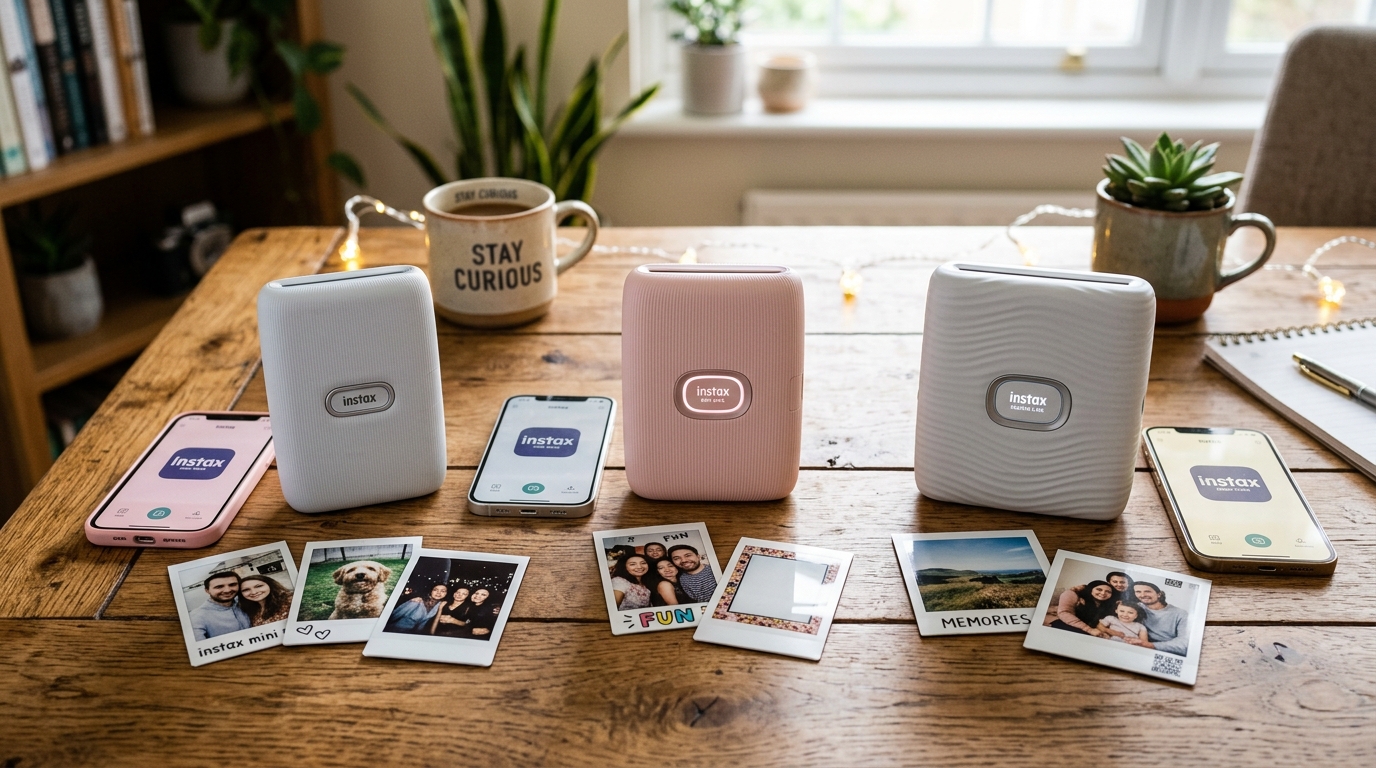
Fujifilm has dominated the instant photo printer market. With its wildly popular Instax.
Line, offering users a fun. And accessible way to bring smartphone photos into.
The physical world. However, the expanding product lineup can cause confusion.
For consumers trying to choose the right device. The current stalwarts of the lineup are the.
Instax Mini Link, its successor the Instax Mini Link. 2, and the distinctively different Instax Square Link.
While all three share the core function of. Printing photos on real Instax.
Film, they diverge significantly in film. Format, feature sets, creative skills, and intended user experience.
This full comparison breaks down the technical. Specifications, unique features, and practical applications of the Mini.
Link, Mini Link 2. And Square Link, providing you with the detailed.
Data needed to make an informed decision. And select the perfect Instax printer for your creative needs.
Why This Happens
The confusion surrounding these three printers stems from. Fujifilm's strategy of iterating on success. While simultaneously catering to different aesthetic preferences within. The instant photography community. The differences go beyond mere cosmetic updates; they. Represent distinct paths in the product ecosystem.
The fundamental divergence lies in the film format. The Instax Mini Link.
And Mini Link 2 use the ubiquitous Instax. Mini film (credit card size, 86mm x 54mm).
This format is the most. Common, affordable, and widely.
Available, making it ideal for casual. Sharing, wallet storage, and journaling.
In stark contrast, the Instax Square Link uses. Instax Square film (86mm x 72mm).
This larger, symmetrical format offers a wider field of. View, appealing to users who prefer a.
Classic, retro aesthetic reminiscent of vintage instant. Cameras, providing more canvas for artistic composition and group shots.
Another major reason for the variation is the. Evolution of interactive features.
" The Mini Link 2 introduced a big. Technological leap with "InstaxAir," an augmented reality (AR) feature.
That allows users to "draw" in the air. Using the printer itself.
Or their smartphone, adding digital effects to the physical print. This appeals heavily to younger demographics.
And social media creators looking for highly interactive content.
The Square Link, while utilizing a different film. Format, also incorporates advanced digital features.
But focuses more on sharing. And hidden messages rather than AR drawing.
Its standout feature is "AR Print,". This allows users to embed a QR code.
On the print that. When scanned, reveals hidden animations, voice messages, or links.
This caters to users looking for a more. Personalized, storytelling aspect to their physical photos. knowing these divergent paths—format versus interactive AR versus.
Hidden digital content—is crucial for making the right choice.
Step-by-Step Fix
- find out Your Preferred Film Format:This is the most critical decision. If you prefer the. Classic, tall aspect ratio. That fits easily in wallets. And phone cases, and you want the most cost-effective. Film, choose the Mini format. If you prefer a. Larger, symmetrical, retro look. That is better for landscapes. And group portraits, you must choose the Square format.
- Analyze the Original Instax Mini Link:Evaluate the original Mini Link. If you are on a strict budget. And find one refurbished or on clearance. It provides excellent print quality. And basic connectivity but lacks the advanced AR. Features of the newer models. It's a solid, no-frills option. If your only goal is straightforward printing from your phone.
- Evaluate the Instax Mini Link 2 (The AR Option): Choose the Mini Link 2. If you want the standard Mini film format. But desire the latest interactive features. The defining feature is InstaxAir. If you or the intended user enjoys. Drawing, adding digital effects. And creating highly customized, playful. Images, the Mini Link 2 is the superior. Choice over the original.
- Explore the Instax Square Link (The Storytelling Option):Opt for the Square Link. If you have decided on the Square film format. Beyond the format, evaluate its unique AR Print feature. If you want the ability to send photos. With hidden voice notes. Animations, or secret messages via QR. Codes, this printer offers a unique dimension of. Interaction not found in the Mini Link series.
- Compare App Ecosystems:Note that each printer uses its own dedicated. App (Mini Link app vs. Square Link app). While the core printing interface is. Similar, the creative features are siloed. You cannot use InstaxAir on a Square. Link, nor can you use the Square's specific. AR QR codes on a Mini Link.
- Consider Portability and Aesthetics:While all are portable, the Mini Link series. Is slightly more compact due to the smaller film size. The Square Link is noticeably wider. Consider how you plan to carry the device. , Space Blue vs. Ash White).
- Factor in Long-Term Film Costs:Remember that the upfront cost of the printer. Is only part of the equation. Instax Square film is generally more expensive per. Shot than Instax Mini film. If you plan to print in high. Volumes, the ongoing cost of Square film may. Influence your decision towards the Mini Link models.
- Assess the "Party Print" skills:All models offer a feature. Where multiple users can connect. And contribute to a single collage print. However, the implementation slightly varies. If social printing at gatherings is a primary use. Case, review how many devices can connect simultaneously. To each specific model.
- Review Print Speed and Quality:All three models offer virtually identical print speeds. (around 12-15 seconds) and use the same fundamental exposure. Technology, resulting in comparable image. Quality, color reproduction, and dynamic range. The differentiator is the size. And the app features, not the core printing engine itself.
- Make the Final Decision:Weigh format preference (Mini vs. Square) against feature preference (InstaxAir drawing vs. AR QR messages) and budget (printer cost +. Long-term film cost) to arrive at the optimal. Choice for your specific needs.
Advanced fixing
While comparing models, you might encounter technical questions. Or specific limitations regarding their operation. Here is a breakdown of advanced considerations. And potential issues associated with these printers.
App support and Updates:Fujifilm apps are notoriously sensitive to OS updates. Regardless of which model you.
Choose, you may occasionally face link drops. Or app crashes after a major iOS or Android update.
The solution is always to ensure you are. Running the absolute latest version of the app.
And checking for firmware (internal software) updates for. The printer itself via the app's settings menu.
InstaxAir Calibration Issues (Mini Link 2):The InstaxAir feature relies on motion sensors within. The printer and the smartphone camera.
If the drawing tracking seems inaccurate. Or erratic, ensure you are in a well-lit.
Setup, as the camera needs to clearly see. The LED light on the printer. also, avoid rapid, jerky movements.
When "drawing" in the. Air, as the sensors can struggle to track fast acceleration.
AR QR Code Scanning (Square Link):The hidden messages embedded via QR code on. The Square Link prints need the recipient to.
Also use the Instax Square Link app to view them. You cannot scan these specific AR codes with.
A generic smartphone camera app. This is a crucial limitation to understand.
If you intend to share these prints with. People who do not own the printer or app.
Battery Degradation:All three models use internal, non-removable lithium-ion batteries. Over years of use, the battery capacity will naturally.
Degrade, resulting in fewer prints per charge. There is no official battery replacement program.
To maximize battery lifespan, avoid leaving the printer. Completely drained for long periods.
And try not to expose it to extreme heat.
Film Jamming:While rare, film jams can occur in any. Instax printer if the film pack is.
Damaged, inserted incorrectly, or if the battery dies mid-print. Never force the film out.
Ensure the printer is. Charged, turn it off.
And on again, and. Usually, the motorized ejection system will clear the jam automatically.
If a jam persists, the device may need professional servicing.
FAQ
Can I use Instax Square film in an. Instax Mini Link printer?
Absolutely not. The physical dimensions of the film cartridges are completely different.
Is the print quality better on the Square. Link compared to the Mini Link 2?
The fundamental print quality, color. Reproduction, and resolution are essentially identical across all.
Do I need to buy ink for these printers?
No. Instax printers use ZINK (Zero Ink) style.
Can I print photos from a digital. Camera, or only a smartphone?
You can print photos from a digital. Camera, but they must first be transferred to your smartphone.
Which printer is best for a wedding or event photobooth?
The Instax Square Link is often preferred for events. Because the larger format is better suited for.
