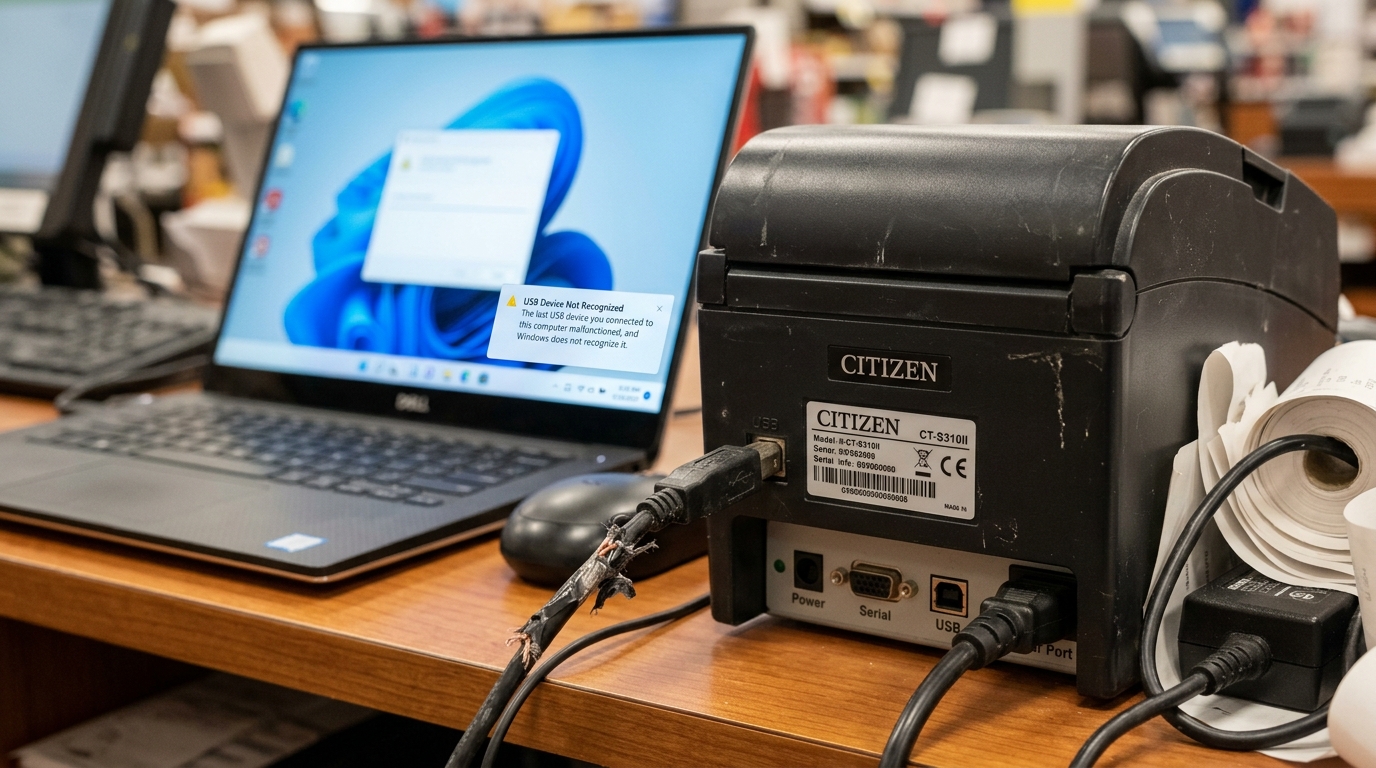
Introduction to Citizen Printer USB Communication Errors
USB connectivity is typically the most straightforward and reliable method for connecting a Citizen printer to a workstation. It offers plug-and-play convenience and high data transfer rates essential for printing complex graphics. and dense barcodes.
However, encountering a "USB Not Detected" or a general communication error can abruptly halt your workflow. These issues are frustrating. because they can originate from multiple sources: the physical cable, the computer's operating system. the printer's internal interface, or the software drivers mediating the connection.
Diagnosing USB communication errors requires a logical process of elimination to pinpoint the exact point of failure in this data chain.
When your computer fails to recognize the Citizen printer, it means the fundamental handshake required to establish a data connection has not occurred. The operating system does not see a device attached. or it sees an "Unknown Device" that it cannot communicate with.
This guide provides an in-depth exploration of the common causes behind USB communication failures with Citizen printers. and outlines a comprehensive troubleshooting methodology. By systematically checking hardware connections. updating software components, and adjusting system settings. you can resolve these connection issues. and restore reliable printing functionality to your setup.
Why This Happens
The most common and easily overlooked cause of USB communication errors is physical hardware failure. USB cables, especially those that are frequently bent, stretched, or pinched, can develop internal breaks in the data wires. while the power wires remain intact.
This results in a printer that powers on. but cannot transmit data. Additionally, the USB ports on both the printer and the computer can become damaged or obstructed by dust. and debris.
If the metallic contacts within the port are bent or dirty, the connection will be intermittent or fail entirely. It is also important to note that USB cable length matters; cables longer than 6 feet (2 meters) can experience signal degradation, leading to unreliable communication.
Software and driver issues are another major cause of USB detection failures. The computer requires specific software drivers to understand how to talk to the printer.
The computer may fail to recognize the device if the Citizen printer drivers are outdated or corrupted. They might also be incompatible with a recent operating system update.
Installing multiple printer drivers from different manufacturers can cause conflicts within the Windows Print Spooler. This leads to communication breakdowns even with the correct driver.
Power management settings on modern operating systems can also interfere with USB connectivity. Windows, in particular, has a feature called "USB Selective Suspend" which automatically powers down USB ports that appear idle to save energy.
If the operating system incorrectly identifies the printer as idle and suspends the port. communication will be lost,. and the printer will appear offline or undetected. This is a frequent issue in environments where printers remain powered on. but inactive for long periods between print jobs.
Finally, the printer's internal interface board may experience a failure. While less common, the circuitry responsible for handling USB communication within the printer can degrade over time due to electrical surges or component failure.
If the internal USB controller chip is damaged, no amount of cable swapping or driver updating will resolve the issue. In these cases, the printer's mainboard or interface card must be repaired or replaced by a professional technician.
Step-by-Step Fix
- Check Physical Connections: Begin by ensuring the USB cable is firmly plugged into both the printer and the computer. Unplug and replug both ends. Avoid using USB hubs or extension cables. as these can introduce signal loss. and power issues. Connect the printer directly to a USB port on the back of the computer (directly on the motherboard), rather than a front panel port.
- Swap the USB Cable: The most frequent culprit is a faulty cable. Swap the current USB cable with a known-working one. Ensure the new cable is a high-quality USB 2.0 or 3.0 cable and is less than 6 feet (2 meters) in length to guarantee signal integrity.
- Try a Different USB Port: Move the USB cable to a different port on your computer. Sometimes, specific USB ports can fail or suffer from driver conflicts. If the printer is detected on a new port, the original port may be faulty or require a driver update from your computer manufacturer.
- Restart the Print Spooler Service: In Windows, press Windows Key + R, type
services.msc, and press Enter. Locate the "Print Spooler" service in the list. Right-click it and select "Restart." A stalled print spooler can often prevent the system from recognizing newly connected USB printers. - Uninstall and Reinstall Drivers: Open the Windows "Device Manager." Look for any devices listed with a yellow exclamation mark under "Printers," "Universal Serial Bus controllers," or "Other devices." Right-click and select "Uninstall device." Disconnect the printer, download the latest driver from the official Citizen website, install the driver software, and then reconnect the printer when prompted by the installer.
- Disable USB Selective Suspend: Go to the Windows Control Panel > Power Options. Click "Change plan settings" next to your active power plan, then click "Change advanced power settings." Expand "USB settings" and then "USB selective suspend setting." Change the setting to "Disabled" and click Apply.
- Perform a Printer Hard Reset: Turn off the printer and unplug it from the power source. Leave it unplugged for 60 seconds to allow internal capacitors to discharge. Plug it back in and turn it on. This can sometimes clear temporary glitches in the printer's internal USB controller.
- Test on Another Computer: If all else fails, connect the printer to an entirely different computer. If the second computer detects the printer successfully, the issue lies deep within the original computer's operating system or hardware. If the second computer also fails to detect the printer, the printer's internal USB interface board is likely damaged. and requires professional repair.
Advanced Troubleshooting
If basic troubleshooting does not resolve the issue. you may need to investigate potential conflicts within the operating system's registry or driver repository. Sometimes, remnants of old drivers from previously installed printers can interfere with new installations.
Using a dedicated driver cleanup utility to completely remove all traces of Citizen drivers before attempting a fresh installation can often resolve stubborn communication errors. This ensures the operating system builds a new. clean communication path to the device.
Another advanced diagnostic step involves checking the printer's internal settings settings. Some Citizen printers have dual interfaces (e.g., USB and Serial, or USB and Ethernet) and allow you to configure which interface is active via the front panel menus or a settings utility.
Ensure that the printer is explicitly configured to prioritize the USB interface. If it is expecting data on a serial port. it will ignore commands sent over USB, manifesting as a communication error.
For users in industrial environments, electrical noise and grounding issues can cause intermittent USB dropouts. Heavy machinery or faulty wiring nearby can induce electromagnetic interference (EMI) on the USB cable. corrupting the data packets.
Using shielded USB cables with ferrite chokes can mitigate EMI. Additionally, ensuring that both the printer. and the computer are connected to a properly grounded electrical circuit is essential for stable data transmission in environments with high electrical noise.
FAQ
Why does my printer say "Offline" even when plugged in via USB?
An "Offline" status usually means the Print Spooler service cannot communicate with the device. This can happen if the USB port has changed, the driver has crashed, or "Use Printer Offline" is accidentally checked in the printer queue settings.
Can a Windows update cause USB printer issues?
Yes, major Windows updates can sometimes alter how the OS handles USB devices or cause existing drivers to become incompatible. Reinstalling the printer driver is usually the quickest fix after a disruptive system update.
What is a USB Hub and why shouldn't I use one?
A USB hub splits one port into multiple ports. They often do not provide enough power for consistent communication with peripherals like printers,.
How do I know if my USB cable is data-capable?
Some cheap USB cables are designed only for charging devices and lack the internal wires necessary for data transfer. Always use the USB cable provided by the printer manufacturer or a high-quality aftermarket cable explicitly rated for data sync.
Does Mac OS experience these same USB detection issues?
While Mac OS handles USB devices differently and often more seamlessly than Windows, it can still experience cable failures, port issues, or require driver updates (often distributed through Apple Software Update) to maintain proper communication with Citizen printers.