


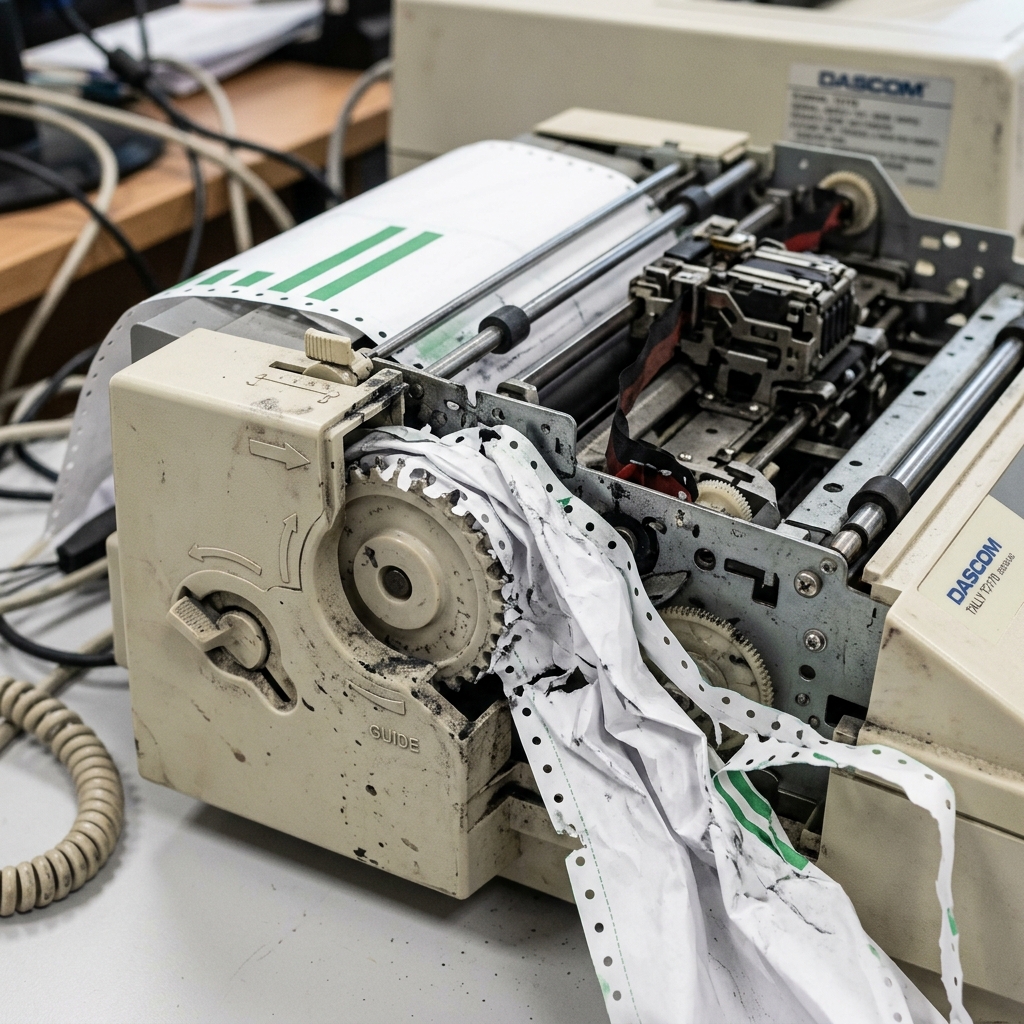
Dot matrix printers utilize a continuous tractor feed mechanism to push or pull multipart forms through the printhead. When alignment is even slightly off, it inevitably leads to catastrophic paper jams, tearing of the perforations,. Misaligned data on critical invoice forms.
## Why This Happens Understanding the underlying mechanisms of the Dascom Tractor Feed Printer is crucial for effective troubleshooting. The paper jam. Alignment issue typically doesn't happen out of nowhere; it is usually the result of a specific sequence of events or a gradual degradation of system harmony. Let's explore the technical reasons why you might be experiencing this.The tractor feed sprockets must be perfectly synchronized. If one tractor is locked into place slightly ahead of or behind the other, the continuous paper will feed at a diagonal angle, causing tension to build until the paper tears. Jams inside the platen.
Debris, such as chad (the small circles of paper punched out for the sprockets) or dust. Can accumulate in the tractor gears. This debris alters the gear ratio slightly, causing microscopic misalignments that accumulate over hundreds of pages.
Incorrect tension settings. If the tractors are spread too far apart, the paper holes are stretched and tear. If they are too close, the paper bows in the middle, catching on the printhead or the ribbon mask.
## Step-by-Step Fix Now that we have established the theoretical background, it's time to roll up our sleeves. Apply practical solutions. Follow these steps meticulously, and do not skip any, as sometimes the most obvious fix is the correct one.- Power Down and Open Cover: Turn off the printer immediately to prevent damage to the printhead motors. Open the acoustic cover and access the tractor feed mechanism.
- Release Tractor Locks: Unlock both the left and right tractor mechanisms so they can slide freely along the horizontal shaft.
- Align the Left Tractor: Position the left tractor based on the margin requirements of your form, and lock it securely in place. This serves as your primary anchor point.
- Load the Paper: Feed the continuous paper over the sprockets of the left tractor and close the tractor flap. Then, stretch the paper to the right tractor, ensuring the holes align perfectly with the sprockets.
- Set Tension and Lock Right Tractor: Slide the right tractor outward until the paper is taut but not stretching the holes. Lock the right tractor firmly in place and manually rotate the platen knob to test the feed.
If you have completed all the steps above. The paper jam and alignment issue persists, it indicates that the problem might be more deeply rooted in the system architecture or requires a more intrusive intervention.
Do not panic; the standard troubleshooting phase resolves the issue for the vast majority of users,. There are still further avenues to explore.
## Advanced Troubleshooting When standard procedures fall short, we must employ advanced diagnostics. These steps are intended for users who are comfortable navigating deeper system settings or performing careful hardware inspections on the Dascom Tractor Feed Printer.Inspect the platen roller for deep grooves or sticky residue left by carbonless forms. A degraded platen will unevenly grip the paper, fighting against the tractor feed and causing micro-jams. Cleaning with a specialized rubber rejuvenator might be necessary.
Check the printhead gap adjustment lever. If set too close for the thickness of the multipart form you are using, the printhead will physically drag against the paper, causing it to buckle. Jam. Adjust the lever to a wider setting (e. g. , from 1 to 3 or 4).
Examine the tractor gears for cracked teeth. Dot matrix printers are subject to heavy vibrations. A single cracked gear tooth on the tractor assembly will cause an intermittent skip. Leading to misalignment that cannot be fixed by simply adjusting the width.
## FAQ Here are some of the most frequently asked questions regarding the Dascom Tractor Feed Printer. The paper jam and alignment issue.Why does the paper only jam after printing 10 pages?
This is classic symptom of slight tractor misalignment. A tiny angle deviation accumulates over length until the tension exceeds the paper strength.
Can I pull the jammed paper out backwards?
Never pull continuous forms backward through the paper path if you can avoid it, as this can damage the delicate ribbon mask. Printhead pins.
Why is the print gradually shifting down the page?
This is usually a software issue where the page length defined in the driver or software (e. g.
Furthermore, network topology can indirectly impact peripheral performance. If your device relies on wireless connectivity, interference from overlapping Wi-Fi channels.
Physical obstructions, or even microwave ovens can disrupt the data packet transmission. This packet loss can sometimes be misinterpreted by the print controller as a data corruption error.
Causing the device to halt unexpectedly. Ensuring a strong, dedicated connection, or opting for a direct USB connection during critical tasks.
Can mitigate these invisible environmental factors.
