


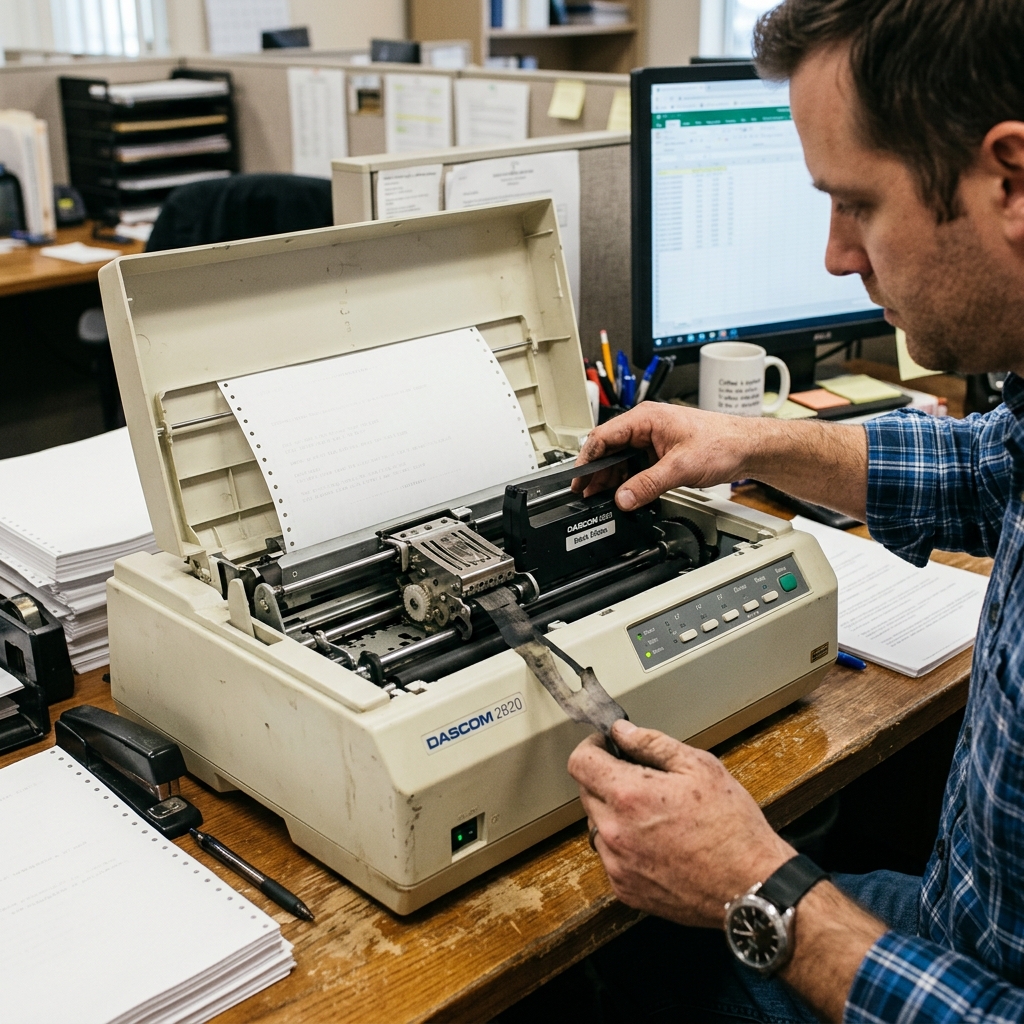
Dot matrix technology relies on physical impact. A matrix of tiny pins strikes an ink-soaked ribbon against the paper. When the output becomes faint or illegible. The workflow is entirely compromised, especially when dealing with multipart carbonless forms that require heavy impact.
## Why This Happens Understanding the underlying mechanisms of the Dascom Dot Matrix Printer is crucial for effective troubleshooting. The faint print and ribbon issues typically doesn't happen out of nowhere; it is usually the. Result of a specific sequence of events or a gradual degradation of system harmony. Let's explore the technical reasons why you might be experiencing this.The most obvious cause is a depleted ribbon. However, the rate of depletion can be abnormal if the ribbon advance mechanism fails. If the ribbon does not cycle continuously, the printhead strikes the exact same spot on the fabric. Drying it out instantly and causing localized faintness.
The printhead gap lever might be incorrectly positioned. This lever adjusts the distance between the printhead and the platen. If the gap is too wide, the pins cannot strike the ribbon. With sufficient force to transfer ink effectively to the paper.
Accumulation of ink sludge and paper dust on the printhead pins. Over time, this mixture creates a sticky residue that impedes the rapid firing of the electromagnetic pins. Reducing their impact force and resulting in light or missing characters.
## Step-by-Step Fix Now that we have established the theoretical background. It's time to roll up our sleeves and apply practical solutions. Follow these steps meticulously, and do not skip any, as sometimes the most obvious fix is the correct one.- Check the Ribbon Cartridge: Open the cover and inspect the ribbon. Turn the manual advance knob on the cartridge. If it is extremely tight or does not move, the cartridge gears are jammed and the cartridge must be replaced.
- Adjust Printhead Gap: Locate the gap adjustment lever (usually numbered 1-7). Move it to a lower number to bring the printhead closer to the paper. Test print and adjust until the print is dark without smudging.
- Ensure Proper Ribbon Seating: Sometimes the ribbon mask (the thin metal shield) is not properly seated between the printhead and the paper. Or the ribbon itself is riding up over the printhead. Re-seat the cartridge firmly until it clicks.
- Clean the Platen: Use a damp cloth to clean the black rubber platen roller. A slick, dirty platen will not provide a solid backing for the impact pins, leading to lighter print.
- Run a Self-Test: Hold the appropriate button combination (usually Line Feed + Power) to print a hardware self-test. If the self-test is dark, the issue lies in your software settings or driver, not the printer hardware.
If you have completed all the steps above and the faint print and ribbon issues persists. It indicates that the problem might be more deeply rooted in the system architecture or requires a more intrusive intervention.
Do not panic; the standard troubleshooting phase resolves the issue for the vast majority of users. But there are still further avenues to explore.
## Advanced Troubleshooting When standard procedures fall short, we must employ advanced diagnostics. These steps are intended for users who are comfortable navigating deeper system settings. Or performing careful hardware inspections on the Dascom Dot Matrix Printer.If the ribbon advance gear in the printer chassis (not the cartridge) is stripped, the ribbon will never turn. You can test this by marking the ribbon with a pen, printing a page, and seeing if the mark moved. Replacing the chassis gear requires dismantling the drive assembly.
Removing and soaking the printhead. In severe cases of ink sludge, the printhead can be carefully removed. And the tip soaked in isopropyl alcohol to dissolve the built-up grime, freeing the pins. *Warning: This is delicate and can permanently damage the printhead if done improperly.*
Check the power supply voltage to the printhead. If the internal power supply capacitors are failing, the electromagnetic coils driving the pins will. Not receive enough voltage to fire with full force, necessitating a logic board repair.
## FAQ Here are some of the most frequently asked questions regarding the. Dascom Dot Matrix Printer and the faint print and ribbon issues.Can I re-ink a dried out ribbon?
While third-party re-inking sprays exist, they are generally not recommended. They often use incorrect ink viscosity that can permanently clog and destroy the delicate printhead pins.
Why are only the top halves of the letters printing?
This indicates that either the ribbon is riding too low and the top pins are missing it. Or a specific bank of pins in the printhead has failed (either electronically or physically jammed).
How long should a ribbon typically last?
, 3 million). In a high-volume environment, a ribbon might last a few weeks, whereas in low-volume, it could last months.
Furthermore, network topology can indirectly impact peripheral performance. If your device relies on wireless connectivity, interference from overlapping Wi-Fi channels.
Physical obstructions, or even microwave ovens can disrupt the data packet transmission. This packet loss can sometimes be misinterpreted by the print controller as.
A data corruption error, causing the device to halt unexpectedly. Ensuring a strong, dedicated connection, or opting for a direct USB.
Connection during critical tasks, can mitigate these invisible environmental factors.
