


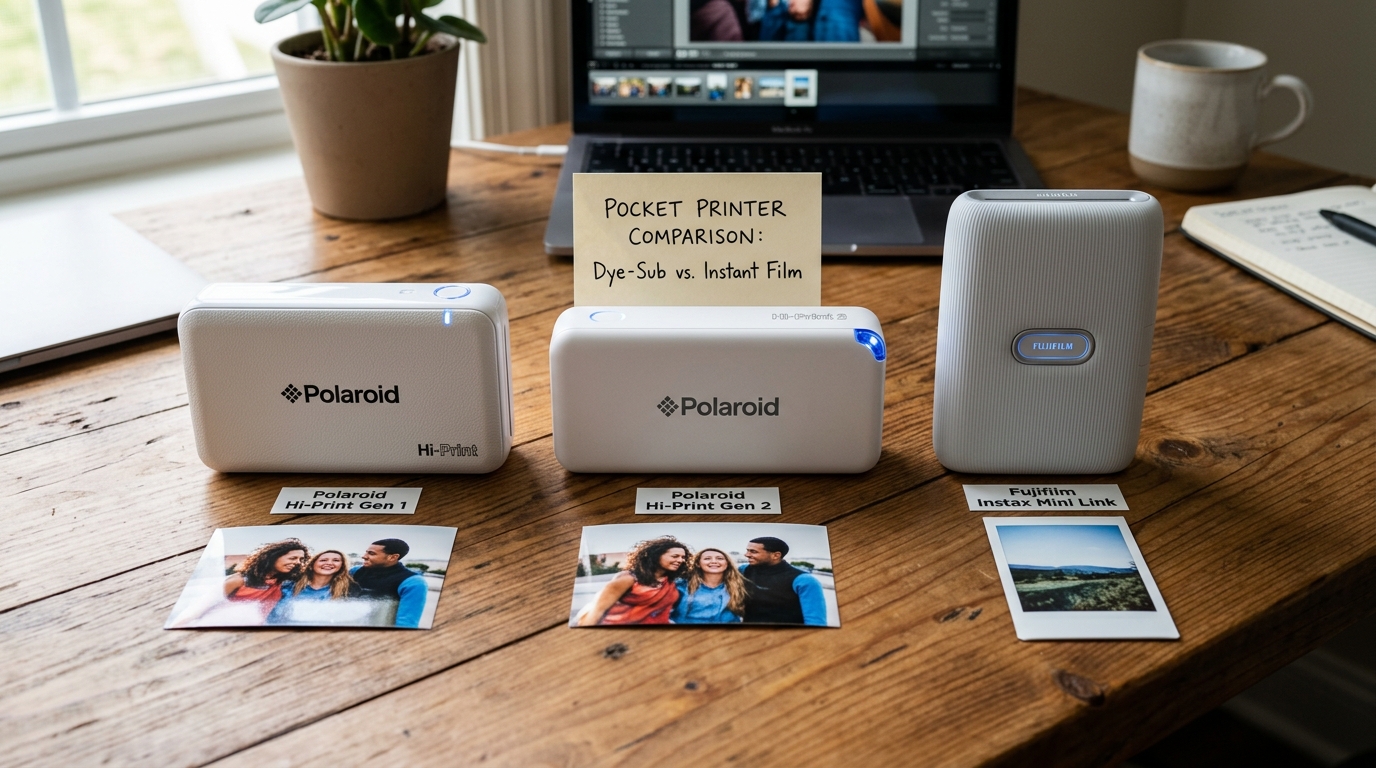
Welcome to the ultimate comparative analysis between the Polaroid Hi-Print (focusing on the differences between Gen 1 and Gen 2) and the Fujifilm Instax Mini Link. In the rapidly expanding market of portable smartphone photo printers. consumers are constantly searching for the perfect device to bring their digital memories into the physical world.
Both Polaroid and Fujifilm are legendary brands with decades of photographic history,. but they employ vastly different technologies to achieve the final print. The Polaroid Hi-Print utilizes dye-sublimation technology, laying down distinct layers of yellow. magenta,. and cyan dye, followed by a protective clear overcoat.
Conversely, the Fujifilm Instax Mini Link relies on traditional analog instant film chemistry, where the printer exposes the light-sensitive film using internal LEDs,. and the photo develops chemically right before your eyes. Choosing between these devices is not merely a matter of brand preference; it is a fundamental choice between digital precision. and analog charm.
In this comprehensive article, we will dissect the Polaroid Hi-Print Gen 1 versus the newly refined Gen 2, highlighting the subtle but important upgrades in build quality. battery efficiency,.
and material usage. We will then pivot to a deep dive comparison against the formidable Instax Mini Link, evaluating crucial factors such as print resolution.
color accuracy, cost per print, portability, battery life,. and the overall user experience provided by their respective companion mobile applications.
By the end of this guide, you will possess all the technical knowledge and practical insights needed to make an informed purchasing decision tailored precisely to your photographic style. aesthetic preferences,. and budget.
Why This Happens
Understanding the nuances between these printers requires examining their underlying printing technologies and the iterations of their hardware. Why These Differences Matter: Firstly, let us look at the evolution of the Polaroid Hi-Print.
The transition from Gen 1 to Gen 2 was not a massive overhaul in printing technology—both use the exact same dye-sublimation 2x3 inch cartridge system. The primary differences lie in the external housing. and sustainability efforts.
The Gen 2 model features a chassis constructed from a significant percentage of recycled plastics, reflecting a modern shift towards eco-conscious manufacturing. Additionally, the Gen 2 incorporates an upgraded USB-C charging port. replacing the antiquated Micro-USB found on the Gen 1.
This change alone makes the Gen 2 vastly more convenient, aligning with the charging standards of modern smartphones and laptops,. and offering slightly faster charging times. Now, comparing the dye-sublimation of the Polaroid to the analog chemistry of the Instax Mini Link is where the true divergence occurs.
Dye-sublimation (Polaroid) works by using heat to transfer dye from a ribbon directly onto the paper in continuous tones. This results in prints that are incredibly sharp, highly detailed, and resistant to water. and smudging thanks to the final clear coat layer.
Furthermore, Polaroid Hi-Print paper features a peel-and-stick adhesive back, turning every photo into a versatile sticker. On the other hand, the Instax Mini Link uses real instant film.
The printer houses a tiny OLED screen that essentially 'takes a picture' of your digital file. and projects it onto the unexposed film. The film is then squeezed through rollers, crushing chemical pods that spread developer across the image.
This analog process results in softer images, lower resolution, and the iconic, unpredictable color shifts. and high contrast that define the vintage 'Polaroid look' (ironically, now championed by Fujifilm). The Instax prints also feature the classic thick white borders, whereas the Polaroid Hi-Print offers edge-to-edge borderless printing.
Step-by-Step Fix
- Evaluate Print Quality vs. Aesthetic: Choose the Polaroid Hi-Print for sharp and colorful smartphone photos. It uses dye-sublimation to print crisp details. This is great for journals or scrapbooks. Pick the Instax Mini Link for a vintage and nostalgic look. It provides an authentic analog feel with softer focus.
- Compare Cost Per Print and Consumables: Analyze your long-term running costs. Polaroid Hi-Print cartridges include paper and dye ribbon in one unit. Buy Instax Mini film in packs of 10 or 20 sheets. Instax film is often cheaper when you buy in bulk. However, film prices can change. Calculate your monthly print volume to find the real cost.
- Assess Portability and Form Factor: The Instax Mini Link is generally smaller, lighter, and easier to slip into a small bag or even a large pocket. The Polaroid Hi-Print is noticeably longer and slightly heavier to accommodate the complex dye-sublimation thermal head and the cartridge mechanism that requires the paper to pass in. and out of the printer four times during a single print job.
- Analyze the Companion Apps: Download both the 'Polaroid Hi-Print' app and the 'Instax Mini Link' app (you can explore them in demo mode before buying the hardware). The Instax app is often praised for its playful features, augmented reality additions,. and 'Match Test' party modes. The Polaroid app is generally more straightforward, focusing on robust photo editing. filters,. and layout adjustments before printing.
- Consider Charging Standards (Gen 1 vs Gen 2): If you decide on the Polaroid. strongly consider whether you can tolerate a Micro-USB cable in your life. If you have fully transitioned to USB-C for your phone, tablet,. and laptop, spending slightly more for the Polaroid Hi-Print Gen 2 is highly recommended simply to avoid carrying an outdated. dedicated charging cable.
- Check Battery Capacity and Print Yield: The Instax Mini Link typically boasts a longer battery life per charge, often yielding up to 100 prints. because exposing film with LEDs uses very little power. The Polaroid Hi-Print uses a thermal head that requires significant energy to heat the dye ribbon. This results in a lower yield per charge (usually around 20-30 prints) before needing to be plugged in.
- Think About the Physical Output: Do you want a thick, rigid photo card to hand to friends or pin to a corkboard? The Instax Mini is perfect for this. Do you want a thinner, flexible photo that can be peeled. and stuck into a planner, onto a laptop, or used for custom labeling? The adhesive backing of the Polaroid Hi-Print makes it the clear winner for that specific use case.
Advanced Troubleshooting
For the advanced user or professional photographer looking to integrate these portable printers into their workflow. color management is the primary concern. Neither printer supports custom ICC profiles.
This means you are at the mercy of their respective app's internal image processing pipelines. The Polaroid Hi-Print tends to crush shadow details slightly. and shift skin tones warmer.
To compensate, advanced users often pre-edit their photos in Adobe Lightroom Mobile, lifting the black point. and slightly desaturating oranges before exporting to the Hi-Print app. The Instax Mini Link is even more unpredictable due to the nature of chemical film.
It has a very narrow dynamic range. This means highlights blow out quickly. and shadows turn pitch black.
When preparing an image for the Instax. drastically reducing contrast. and lifting shadows in your editing software will yield a more balanced final exposure. Furthermore, temperature plays a massive role in the Instax process.
Developing film in a cold environment (below 50°F/10°C) will result in pale. low-contrast images with a blue color cast. Developing in extreme heat can cause an intense red/orange shift.
The Polaroid Hi-Print, being a dry thermal process. is largely immune to environmental temperature fluctuations during printing. offering much more consistent results regardless of the weather, though the printer itself may overheat. and pause if you attempt to print 10 photos consecutively in a warm room.
FAQ
Does the Polaroid Hi-Print Gen 2 use different cartridges than the Gen 1?
No, both the Gen 1 and Gen 2 Polaroid Hi-Print models use the exact same 2x3 inch dye-sublimation paper cartridges. Your ongoing consumable costs.
Why does the Polaroid printer eject the photo out and pull it back in multiple times?
This is the nature of dye-sublimation printing. The printer lays down one color layer at a time.
Will Instax Mini film fade over time compared to Polaroid Hi-Print photos?
Both mediums are relatively stable if stored correctly. However, Instax analog film is susceptible to UV degradation.
Can I connect multiple phones to the Instax Mini Link at a party?
Yes, the Instax Mini Link is designed with social settings in mind. While it uses a standard Bluetooth connection, the app facilitates a 'Party Print' mode where multiple users can connect and contribute pieces of a photo to form a collage, or simply queue up their own individual prints sequentially without needing to constantly unpair.
