Welcome to our in-depth troubleshooting and maintenance guide dedicated to power management issues in Nelko portable thermal label printers. Nelko has rapidly gained popularity for producing compact, affordable.
And Highly efficient Bluetooth label makers, perfect for everything from small business shipping to intricate home organization. However, as with any compact device relying on a rechargeable lithium-ion power source.
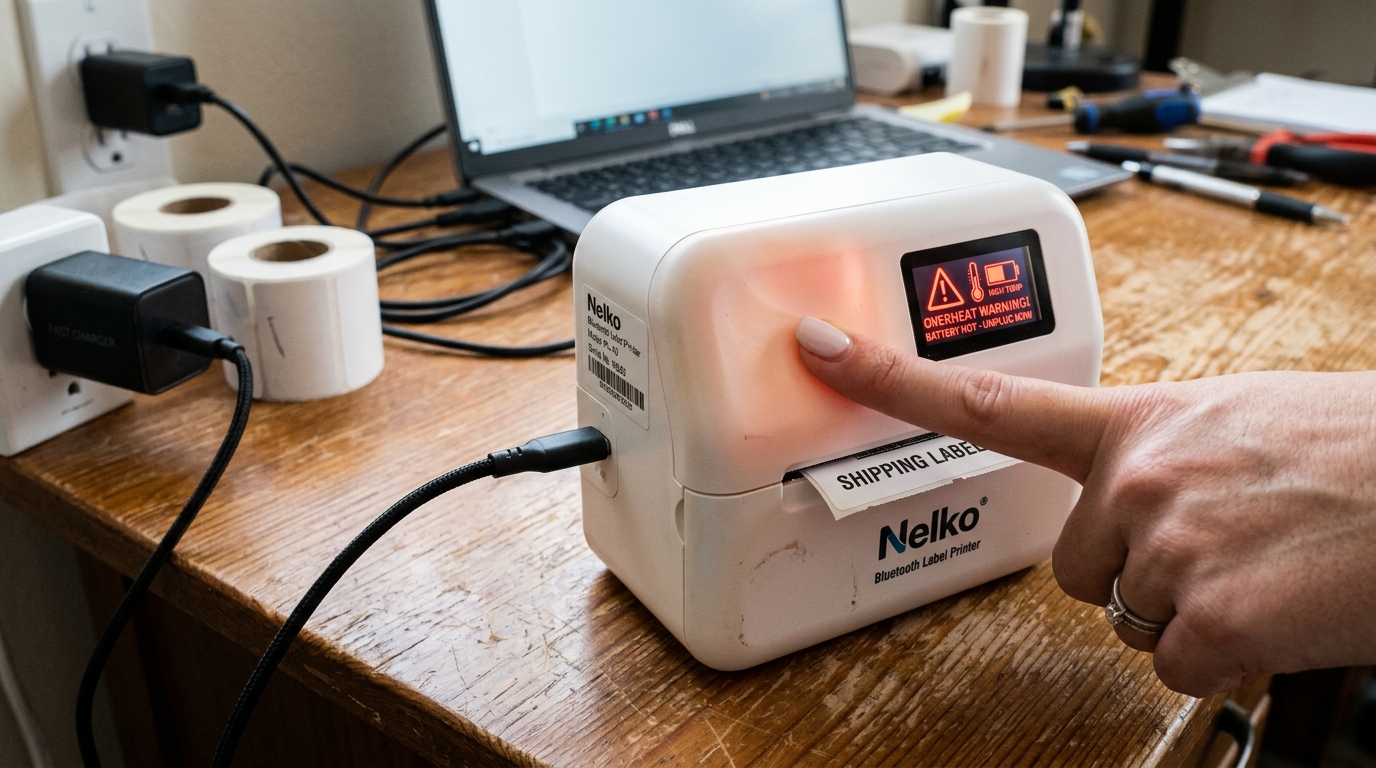
And High-draw thermal printing components, users frequently encounter concerns regarding rapid battery drain, unexpected overheating during operation. And Confusion surrounding the various states of the LED charging indicator light.
Discovering that your printer is dead just as you need to print a batch of critical barcodes. Or Feeling the device become alarmingly hot in your hand, can be a stressful experience.
In this extensive article, we will thoroughly explore the power architecture of Nelko printers. We will explain exactly what the solid, flashing, red, and green lights mean on different Nelko models.
More importantly, we will dissect the underlying causes of rapid battery depletion—ranging from degraded lithium cells. And Improper charging habits to software bugs keeping the Bluetooth radio constantly active.
We will also address the thermal dynamics of the print head. And Motor, explaining why overheating occurs during bulk printing.
And How the device's internal safety mechanisms respond. By applying the practical solutions.
And Battery care best practices outlined in this guide, you will be able to maximize the lifespan of your Nelko printer, ensure it is always charged when you need it. And Operate it safely without fear of thermal damage.
Why This Happens
Understanding the root causes of power and thermal issues requires a basic knowledge of battery chemistry and thermal printing mechanics. Why This Happens: Rapid battery drain in Nelko printers is most commonly attributed to natural lithium-ion cell degradation or poor charging hygiene.
Lithium batteries have a finite number of charge cycles. If you frequently let the printer drain completely to 0% before recharging.
Or If you leave it plugged in for weeks at 100%, you accelerate the degradation of the cell's internal chemistry, permanently reducing its total capacity. Additionally, background power draw is a significant factor.
If the printer's firmware (internal software) fails to enter deep sleep mode, the Bluetooth Low Energy (BLE) module remains fully active, broadcasting a pairing signal. And Draining the battery overnight even when the device appears turned off.
Overheating is a separate but related issue. Thermal printers work by passing a ceramic print head—which contains hundreds of microscopic heating elements—over heat-sensitive paper.
When you print a label with dense, solid black graphics or print 50 labels continuously, these elements generate an immense amount of localized heat. The compact plastic chassis of the Nelko printer has limited capability to dissipate this thermal energy.
If the internal temperature sensor detects a threshold has been breached, it will halt printing to prevent melting the chassis or damaging the delicate print head. Lastly, confusion over the charging lights occurs because Nelko uses a simple LED system to communicate complex battery states.
A user might misinterpret a flashing red light (which could indicate a charging error or extreme low voltage) for a standard charging status, leading to situations where the printer is left plugged in. But Isn't actually accumulating a charge due to a faulty cable or incompatible power adapter.
Step-by-Step Fix
- Decode the LED Indicator Lights: Familiarize yourself with your specific model's manual, but generally: Solid Red means charging is in progress. Solid Green or light turning off entirely means the battery is fully charged (100%). Flashing Red usually indicates a critical low battery state requiring immediate charge, or a hardware error such as the print head being dangerously overheated or the paper cover being open.
- Implement Proper Charging Habits: To maximize the lifespan of the lithium-ion battery, avoid letting the printer drain to 0%. Try to recharge it when it reaches 20-30%. Furthermore, do not leave it plugged into the charger permanently. Once the indicator shows a full charge, unplug it. Storing lithium batteries at 100% voltage for extended periods causes premature chemical aging.
- Use the Correct Power Adapter and Cable: Many Nelko printers ship only with a USB cable. Users often plug this into high-wattage fast chargers designed for modern smartphones (e.g., 30W or 65W PD chargers). The printer's internal power management IC may not negotiate this high voltage properly, leading to extreme heat generation during charging or a refusal to charge entirely. Always use a standard, low-output 5V/1A or 5V/2A charging brick.
- Manage Print Volume to Prevent Overheating: If you are printing a massive batch of labels (e.g., 100 address labels), do not print them all in one continuous stream. Break the job into smaller batches of 20-25 labels. Allow the printer to rest for 3 to 5 minutes between batches to let the thermal print head cool down naturally and dissipate heat through the chassis.
- Optimize Label Design for Power Efficiency: Printing solid black blocks, thick borders, or inverted text (white text on a black background) requires all thermal elements to heat up simultaneously, drawing massive current from the battery and generating peak heat. Designing cleaner labels with standard black text on a white background significantly reduces battery drain and thermal load.
- Perform a Hard Reset to Clear firmware (internal software) Glitches: If the battery is draining overnight while the printer is off, the firmware might be stuck in a loop keeping the Bluetooth radio active. Locate the tiny reset pinhole (usually near the charging port or under the paper cover) and press it with a paperclip for 5 seconds, or hold the power button for 15 seconds until the device forces a hard reboot.
- Update firmware (internal software) via the App: Connect the printer to the Nelko mobile application and check the settings menu for a firmware update. Manufacturers frequently release patches that optimize sleep states, refine the Bluetooth broadcasting interval, and recalibrate the thermal safety thresholds, which can permanently resolve both fast draining and premature overheating warnings.
Advanced Troubleshooting
For advanced diagnosis of power issues, you can utilize external hardware. If you suspect the battery is failing to take a charge, insert a USB digital multimeter between your charging brick and the printer's cable.
This device will display the exact voltage and amperage being drawn. A healthy Nelko printer should pull a steady 5V at approximately 0.5A to 1.0A during the bulk charging phase.
If the meter shows 0.0A draw despite the red light being on, the internal battery management system (BMS) may have triggered a permanent safety lockout due to an internal cell short, meaning the printer is essentially bricked. And Requires a warranty replacement.
If the printer only powers on while plugged in. And Dies immediately upon being disconnected, the lithium-ion cell has completely failed or the internal solder joint connecting the battery to the mainboard has broken.
Regarding thermal issues, if the printer consistently halts mid-print citing overheating. But The external chassis feels entirely cool to the touch, the internal thermistor (the tiny temperature sensor glued to the print head) may be defective or dislodged.
The firmware (internal software) is receiving a false reading of extreme heat and triggering a shutdown. Unfortunately, repairing a faulty thermistor requires disassembling the printer.
And Performing micro-soldering. This Is generally not feasible for standard users, making a warranty claim the only viable path forward.
FAQ
Why does the printer get hot specifically around the bottom near the battery?
While the top of the printer gets warm due to the thermal print head, the bottom houses the lithium-ion battery. And The power delivery circuitry.
Can I replace the battery in my Nelko printer myself?
Nelko portable printers are generally sealed units containing a custom-sized lithium pouch cell soldered directly to the mainboard. They are not designed to be user-replaceable like AA batteries.
Does leaving the Bluetooth on drain the battery when the printer is off?
When you formally power down the printer using the physical power button, the Bluetooth module should also shut down completely, drawing near-zero power. However, if you simply disconnect from the app.
My charging light flashes red rapidly as soon as I plug it in. What is wrong?
A rapidly flashing red light upon connecting a charger usually indicates a power fault. The most common cause is using an incompatible, high-wattage fast charger (like a laptop charger).