


Why This Happens
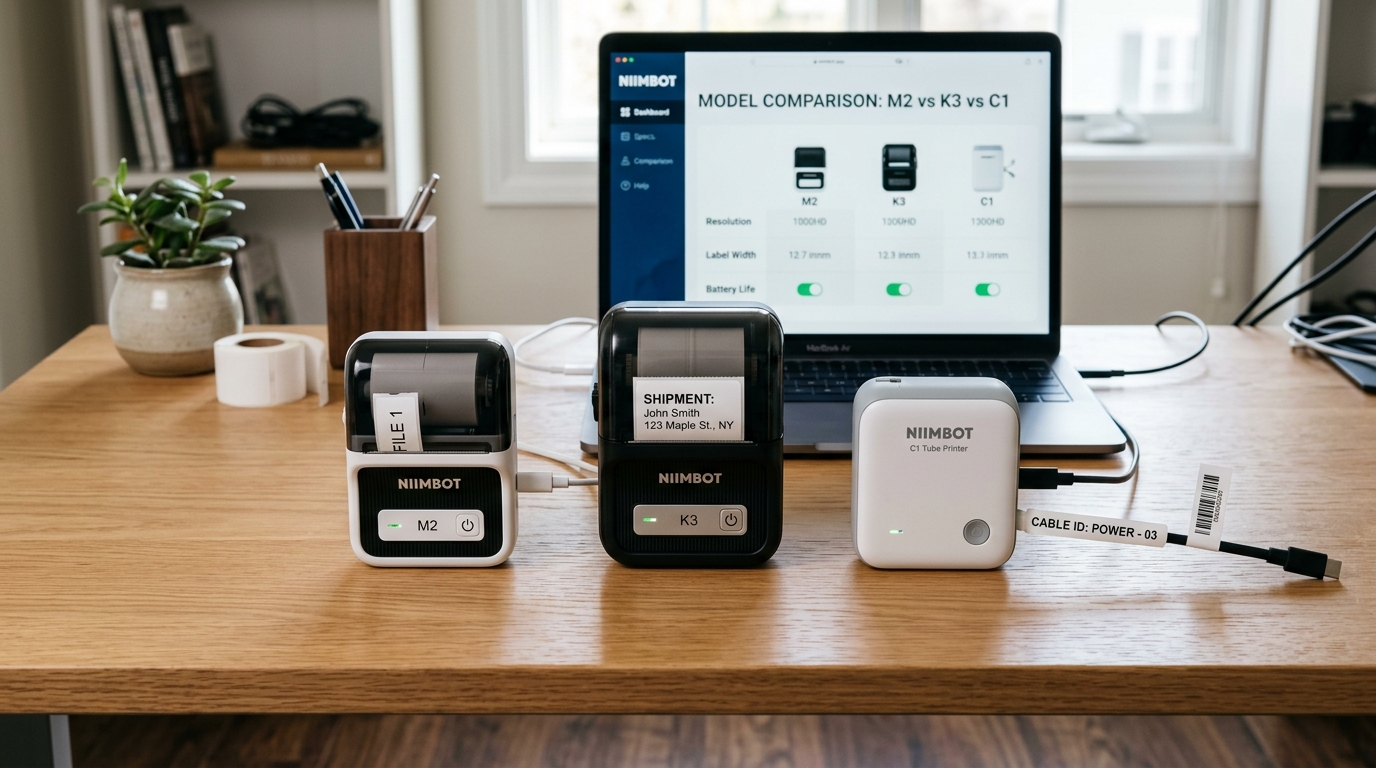
The proliferation of similar-sounding models is a result of Niimbot attempting to segment the market based on precise user needs, primarily revolving around print resolution (DPI), maximum print width, and the physical mechanism of the printer. The M2 and M3 are evolutions of the popular portable series. The primary differentiator here is often the maximum width of the label roll they can accept. While the M2 is excellent for standard 15mm or 20mm organizational labels, the M3 might support wider formats, making it more suitable for larger shipping labels or complex barcodes that require more real estate to remain scannable. Furthermore, differences in battery capacity and Bluetooth chipsets can affect connectivity range and how long the printer lasts during a busy inventory session. The K2 and K3 represent a shift towards higher volume or slightly more specialized commercial use. These models often feature upgraded thermal print heads that boast better durability or higher resolution (e.g., 300 DPI instead of 203 DPI), which is critical when printing very small text for jewelry tags or intricate QR codes. The K-series might also introduce different label loading mechanisms or support for more rigid label materials (like PET or silver synthetic paper) used in asset tracking, which standard home printers struggle to feed correctly. The C1 stands entirely apart. While the M and K series print on flat adhesive backed paper, the C1 is a specialized heat-shrink tube printer. It is designed specifically for electricians, network engineers, and AV technicians who need to label cylindrical cables and wires. The internal mechanism of the C1 includes a powerful cutter capable of slicing through tough PVC tubing, and a heating element designed to handle thicker, non-adhesive materials. Understanding these mechanical and material incompatibilities is crucial, as you absolutely cannot put C1 tubing into an M2, nor can the C1 effectively print standard mailing labels.Step-by-Step Fix
- Assess Your Primary Material Needs: Determine exactly what you are labeling. If you are labeling flat surfaces like jars, folders, or boxes, you need a standard adhesive label printer (M or K series). If you are labeling network cables, electrical wires, or anything cylindrical where you need a sleeve, the C1 is your only option among this specific group.
- Determine Your Required Print Width: Measure the largest label you foresee needing. If you only need small 12-15mm labels for file tabs, the M2 is sufficient and highly portable. If you need 50mm wide labels for ingredient lists or large barcodes, you must look at the specifications of the M3 or K3 to ensure they support wider feed paths. Buying an M2 and hoping to print large labels will not work.
- Evaluate Resolution (DPI) Requirements: Consider what you are printing. Standard text and basic logos are perfectly fine at 203 DPI (common in base models). However, if you are a jeweler printing tiny prices, or if you need to print dense, small QR codes for inventory management, seek out a model (often in the K series) that explicitly offers 300 DPI. A 203 DPI printer will render tiny barcodes blurry and unscannable.
- Consider Connectivity and Software: All these models utilize Bluetooth and the Niimbot app. However, some advanced models offer PC connectivity via USB and dedicated Windows software, allowing for integration with Excel databases for bulk printing. If you need to print hundreds of serialized labels from a spreadsheet, ensure the model you choose officially supports PC connection (often the K3 or higher-end M models), as relying purely on a mobile app for massive batches is inefficient.
- Factor in the Cutter Mechanism: Most basic M-series printers feature a manual tear bar (a serrated edge where you rip the label). If you are printing continuous tape or high volumes of individual tags, a manual tear bar is tedious and leads to jagged edges. Look for models that feature an automatic internal cutter, which provides a clean slice after every print. The C1 inherently includes a heavy-duty cutter for tubing.
Advanced Troubleshooting
When selecting between these models, a critical advanced consideration is RFID chip integration. Niimbot utilizes proprietary label rolls equipped with small RFID chips embedded in the cardboard core. The printer reads this chip to automatically detect the label size and material, adjusting the app settings instantly. However, this also acts as a DRM (Digital Rights Management) system. You cannot easily use generic, third-party thermal labels in these printers because the printer will throw an "Unrecognized Label" error if the RFID chip is missing. When comparing models, factor in the ongoing cost of genuine Niimbot consumables for that specific model line, as larger/specialty labels for the K3 or C1 will be significantly more expensive than basic M2 tape. Another advanced technical nuance is the handling of continuous vs. die-cut labels. Die-cut labels are pre-cut to a specific size (e.g., 40x30mm) with a gap between them. The printer uses an optical sensor to detect this gap and align the print perfectly. Continuous tape is one long un-cut strip. If you plan to use continuous tape to make custom-length banners, ensure the model you choose (and its accompanying app features) supports disabling the gap sensor and utilizing an internal cutter, otherwise the printer will feed endlessly looking for a gap that doesn't exist. For the C1 tube printer, advanced usage requires understanding shrink ratios. Heat shrink tubing comes in ratios like 2:1 or 3:1 (meaning it shrinks to half or a third of its original diameter). You must select tubing that fits loosely over your cable before heating, but shrinks tightly enough to grip it. The C1 must be calibrated to print clearly on the un-shrunk diameter, ensuring the text remains legible after you apply a heat gun.FAQ
Can I use M2 labels in the K3 printer?
Usually, no. While Niimbot sometimes shares label formats across minor model variations, the physical width of the spool holder, the position of the RFID reader, and the optical sensor alignment often vary between the M and K series.
Why does my 300 DPI K-series printer look blurry?
High resolution hardware requires high resolution source files. If you import a low-quality, highly compressed JPEG logo into the Niimbot app, a 300 DPI printer will accurately print the blurriness of the image.
Is the C1 only for heat shrink tubing?
While designed for tubing, some specialized wire/cable flag labels (which are adhesive but wrap around a wire) may be compatible depending on the feed mechanism, but its primary, optimized function is handling thick, continuous PVC or heat-shrink tubing.
Do any of these models support Wi-Fi printing?
Generally, the M, K, and C series are exclusively Bluetooth and/or USB devices. Direct Wi-Fi network printing is usually reserved for larger desktop shipping label printers, not portable handheld units.
