


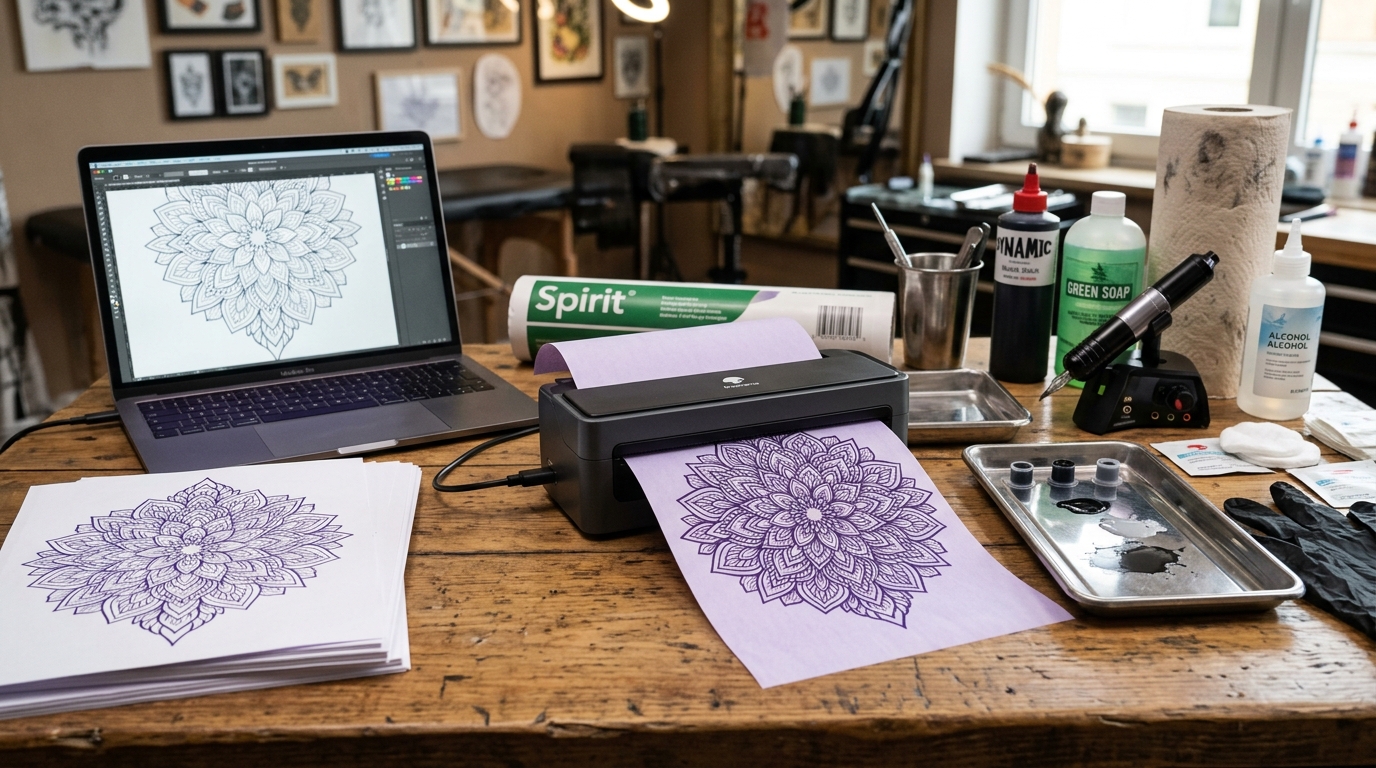
Introduction to Portable Thermal Printing for Artists and Professionals
The landscape of portable printing has been revolutionized by compact, inkless thermal technologies. The Phomemo M08F and M832 models stand at the forefront of this movement.
These ultra-portable devices offer immense utility, eliminating the need to carry bulky ink cartridges. Rely on complex traditional desktop setups.
For tattoo artists, the Phomemo M08F has become an indispensable tool, offering a streamlined, digital-to-stencil workflow. Bypasses the tedious manual tracing process.
By printing high-resolution designs directly onto specialized thermal stencil paper via Bluetooth from a tablet. Smartphone, artists can drastically improve efficiency and accuracy.
Concurrently, the Phomemo M832 caters to a broader professional audience, handling standard US Letter and A4 document printing on the. Go, making it ideal for field agents, lawyers, and traveling executives who require immediate hard copies of contracts or reports.
However, maximizing the potential of these devices requires a deep understanding. Of thermal paper dynamics, correct app settings, and specific hardware handling techniques.
This comprehensive guide details how to optimize the Phomemo M08F specifically for high-quality tattoo stencils. How to manage standard letter-size thermal paper on the M832 to prevent jams, fading, and poor print resolution.
Why This Happens: The Technical Breakdown of Stencil and Paper Issues
Achieving a flawless tattoo stencil with the Phomemo M08F involves overcoming several technical hurdles unique to thermal transfer processes. Traditional tattoo stencil paper (like Spirit brand) consists of several layers: a white master.
Sheet, a semi-transparent protective tissue, a carbon/purple ink backing sheet, and a yellow backing sheet. When used in a standard thermal copier machine, intense heat.
Pressure transfer the purple carbon onto the white master sheet based on the dark areas of an original drawing. The M08F, however, is a direct thermal printer.
It does not use carbon paper in the traditional sense. It applies heat directly to specially formulated thermal stencil paper.
The primary issue artists face is the image printing too light, smudging during application, or the paper jamming. This usually occurs because the wrong type of stencil paper is used.
You cannot feed standard 4-ply Spirit carbon paper into an M08F. Expect good results; the heating elements are designed for direct thermal media, not melting heavy carbon backing.
The printer will either fail to transfer the image entirely. Jam because the multi-layer paper is too thick for the feed mechanism.
Furthermore, image processing via the companion app (usually the Phomemo app) is a critical failure point. Tattoo designs often feature subtle shading, soft gradients, and extremely fine lines.
Direct thermal technology is binary—it either heats a dot (creating black) or it doesn't (leaving it white). It struggles to reproduce true grayscale.
If a design with heavy shading is sent to the. M08F without proper pre-processing (converting the image to high-contrast line art.
Applying an appropriate dithering algorithm), the printer attempts to compensate by overheating certain areas, resulting. In a blown-out, smudged stencil where fine details are lost in a blob of thermal dye.
The app's density and contrast settings dictate how the digital pixels. Are translated into thermal heat pulses; incorrect settings guarantee a substandard stencil.
For the Phomemo M832, handling US Letter. A4 thermal paper presents different challenges, primarily involving paper curling and feed alignment.
Standard thermal paper is shipped in tight rolls, causing the paper to retain a strong "memory" curl. While the M832 uses cut sheets (or continuous rolls that it cuts), if the paper is not stored perfectly flat.
If it is fed into the printer at a slight angle, the sensitive feed rollers will pull it unevenly. This results in skewed printing or devastating paper jams within the compact, tightly toleranced internal mechanism.
Additionally, the environmental sensitivity of large-format thermal paper means. Documents left in a hot car or exposed to sunlight will rapidly darken, rendering contracts or invoices illegible.
Step-by-Step Guide: Optimizing the M08F for Tattoo Stencils
- Source the Correct Paper: This is the most crucial step. Do not use standard 4-ply manual stencil paper. You must purchase specialized "Thermal Copier Paper" designed specifically for direct. Thermal printers (often sold by Phomemo or specific tattoo supply brands). This paper is usually 2-ply (the white master sheet. A protective backing) and is chemically reactive to direct heat, rather than relying on carbon transfer.
- Prepare the Digital Design: Using an app like Procreate on an iPad, finalize your design. The key is contrast. Eliminate soft shading and convert your design into stark, high-contrast line art. If shading is necessary, use stippling (dot work). Cross-hatching, as the thermal printer can accurately reproduce distinct dots, but not soft gray washes. Export the design as a high-resolution PNG or JPEG with a pure white background.
- Configure the Phomemo App: Open the Phomemo app and connect to your M08F via Bluetooth. Import your prepared design. Before hitting print, navigate to the image editing settings within the app. Increase the "Contrast" significantly. Adjust the "Density" setting (which controls the heat of the printhead). For stencils, you usually want a high density setting (Heavy. Thick) to ensure the thermal dye reacts fully, resulting in a dark, easily transferable stencil. However, if lines start bleeding together, lower the density slightly.
- Feed the Paper Correctly: Remove any protective tissue from the thermal paper. Ensure you are inserting the paper with the correct side facing up. (usually the smooth white side facing the printhead, check the paper instructions). Insert the paper perfectly straight into the feed slot. The M08F has sensors; push the paper in gently until you feel the motorized rollers grab it and align it. If it grabs crookedly, press the release buttons, pull it out, and try again. A skewed feed ruins the stencil.
- Print and Apply: Send the print job. Once printed, allow the paper to cool for a few seconds. Prepare the client's skin meticulously with a high-quality stencil primer (like Stencil Stuff or green soap). Apply the stencil firmly, hold for a few seconds, and peel away evenly. The result should be a crisp, dark transfer.
Advanced Troubleshooting & M832 Letter Paper Management
If you are experiencing vertical white lines running through your tattoo stencils on the M08F. Your documents on the M832, this is a classic symptom of a dirty printhead.
Because these portable printers are often used in environments with dust (or in a tattoo shop where tiny ink splatters. Green soap residue might be present), the microscopic heating elements become obstructed.
The fix requires precision cleaning. Turn the printer off.
Open the main housing to expose the printhead. Use an alcohol prep pad or a Q-tip dipped in 99% isopropyl alcohol.
Gently wipe the entire length of the printhead element. Do not use excessive force or sharp tools, as scratching the element will permanently destroy the printer.
Allow it to air dry completely before testing.
For M832 users experiencing consistent paper jams with US Letter thermal paper. The issue is almost always related to feed angle or paper curl.
Thermal paper is inherently slicker than standard copy paper. When feeding single sheets into the M832, you must use both hands to.
Ensure the paper enters the slot completely flush and parallel to the rollers. If you feed it with a slight rotation, the printer will.
Pull one side faster than the other, causing a crumple jam. To combat paper curl, store your thermal paper flat in a cool, dry place.
If the sheets are curled, gently flex them in the opposite direction. Against the edge of a clean table before feeding them into the printer.
Never use folded or severely wrinkled thermal paper.
Connection instability is another common advanced issue, particularly on Android devices due to aggressive battery management systems. If the Phomemo app frequently drops the Bluetooth connection to the M08F.
M832 mid-print, resulting in half-printed stencils, you must adjust your phone's OS settings. Navigate to your phone's battery settings and ensure the Phomemo app is set to "Unrestricted" or excluded from battery optimization.
Furthermore, clear the Bluetooth cache on your device and re-pair the printer. Avoid running multiple heavy Bluetooth applications (like streaming high-bitrate audio to wireless.
Headphones) simultaneously while attempting to transfer high-resolution image data to the printer.
Frequently Asked Questions (FAQ)
Can I print regular documents on the Phomemo M08F?
Yes, the M08F can print regular documents, but you must use A4 or US Letter size direct thermal paper. You cannot use standard inkjet or laser printer paper, as the M08F has no ink.
How long do the printed documents from the M832 last before fading?
Standard direct thermal paper will begin to fade after 6 to 12 months, faster if exposed to light or heat. If you need archival-quality documents (for legal or tax purposes) printed from your M832, you must purchase "long-life".
Why is my tattoo stencil from the M08F smudging when I wipe the skin?
This is usually an application error, not a printer error. The thermal stencil dye needs time to bond with the skin and the stencil primer.
Is the battery on the Phomemo printers replaceable?
Generally, the internal lithium-ion batteries in the M08F and M832 models are not designed to be user-replaceable. They are sealed within the unit.
