


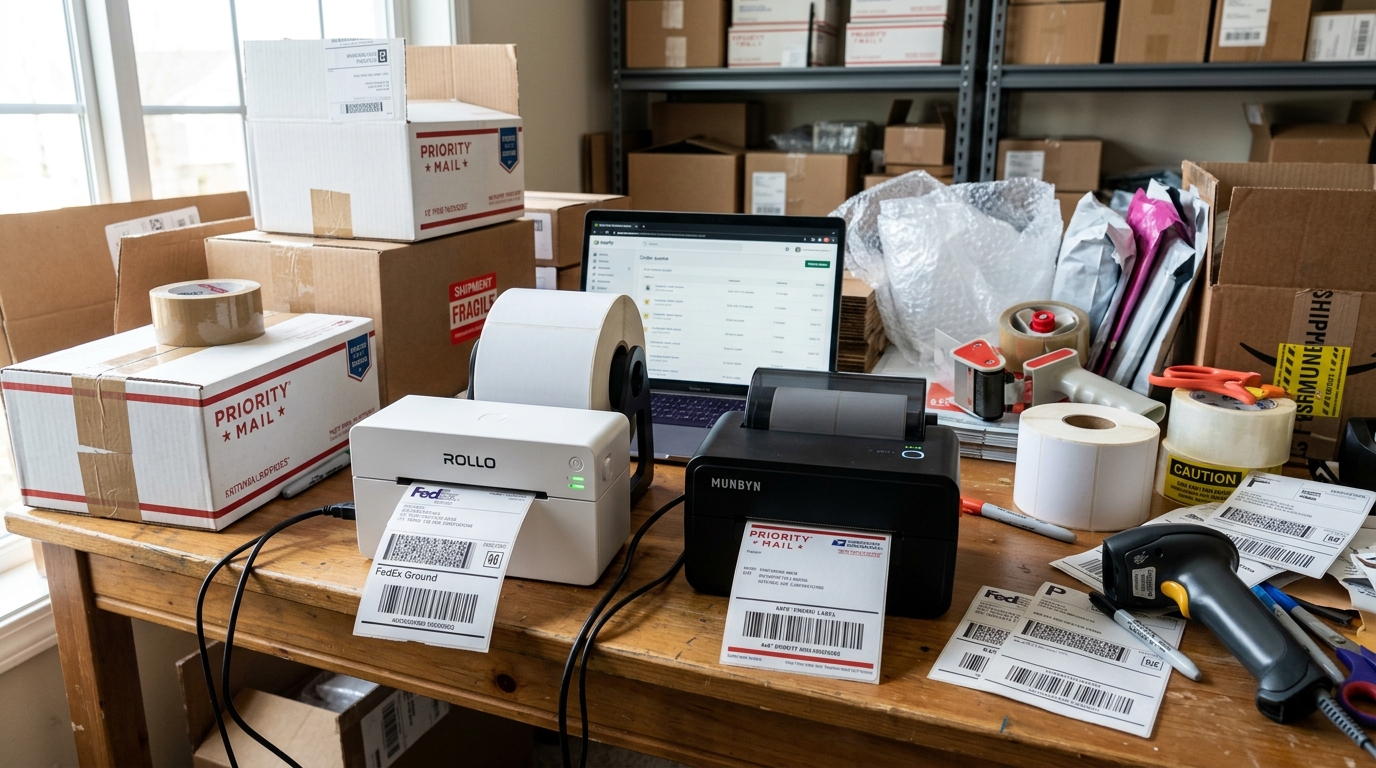
Introduction: Navigating the E-commerce Printing Landscape
In the fast-paced world of e-commerce, small business operations, and high-volume shipping, efficiency is paramount. A crucial component of this efficiency is the shipping label printer.
Moving away from traditional inkjet or laser printers to a dedicated thermal label printer can drastically. Reduce costs, eliminate the need for ink or toner, and significantly speed up the fulfillment process.
When searching for the best thermal label printer, two brands frequently dominate the conversation: Rollo and Munbyn. Both have built strong reputations for reliability, ease of use.
And compatibility with major shipping platforms like Shopify, Etsy, Amazon, and eBay.
However, choosing between the Rollo and the Munbyn is not always a straightforward decision. While they serve the same fundamental purpose—printing 4x6 shipping labels rapidly using direct thermal technology—they.
Exhibit distinct differences in hardware design, software ecosystems, print resolution options, connectivity, and overall user experience. The Rollo printer is often praised for its rugged simplicity and US-based customer support.
While Munbyn offers a wider variety of aesthetic choices, connectivity options (including robust WiFi models), and different resolution tiers.
This comprehensive comparison is designed to dissect both the Rollo and Munbyn thermal label printers across multiple critical dimensions. We will explore the underlying technology, compare their print quality.
And speed, evaluate their software and driver stability on both Windows. And macOS, and provide a detailed framework to help you determine which printer.
Aligns best with your specific business needs, daily shipping volume, and technical proficiency.
Key Differences: Under the Hood
To truly understand the differences between Rollo and Munbyn, we must look beyond the exterior casing. Both utilize direct thermal printing, a process where a thermal print head.
Applies heat to specially treated, chemically coated paper, turning it black where heated. Because there is no ink, the only consumable is the label itself.
The primary differentiator often lies in the print resolution. Munbyn offers models in both the standard 203 DPI (Dots Per Inch) and a higher 300 DPI resolution.
The 203 DPI is perfectly adequate for standard shipping labels and large barcodes. However, if your business requires printing very small text, intricate logos.
Or high-density barcodes (like those required for some Amazon FBA. Labels), the Munbyn 300 DPI model provides noticeably sharper.
And crisper output, reducing the risk of barcode scanning failures at postal facilities.
Rollo, historically, has focused heavily on its core 203 DPI model, prioritizing raw speed and durability over ultra-high resolution. The Rollo is renowned for its speed, capable of churning out roughly one label per second (150mm/s).
Munbyn printers are also fast, generally matching this speed. But the higher resolution 300 DPI models may print slightly slower to maintain quality.
Another significant distinction is the approach to connectivity. The classic Rollo is a USB-only device, though they have recently introduced a Wireless version.
Munbyn has aggressively expanded its lineup to include USB, Bluetooth, and WiFi models, catering heavily to. Users who need to print from smartphones, tablets, or Chromebooks without being tethered to a desktop computer.
Software and driver support is another critical battleground. Rollo has invested heavily in creating a very seamless driver experience.
Particularly for Mac users who historically struggle with thermal printer settingss. The Rollo driver automatically crops and formats standard 8.5x11 PDF labels generated by platforms like UPS.
Or FedEx into the correct 4x6 format. Munbyn's drivers are also robust, but some users report a slightly.
Steeper learning curve when initially configuring label sizes and darkness settings. Furthermore, Rollo offers its own "Rollo Ship Manager" software, a cloud-based shipping.
Platform that integrates with various marketplaces, adding value beyond just the hardware.
Step-by-Step Buying Guide: Making the Right Choice
- Assess Your Daily Shipping Volume: Determine how many labels you print per day. If you are printing hundreds of labels daily, durability and print speed are your top priorities. Both printers handle high volume well. But the Rollo has a slightly more robust reputation for continuous, industrial-level output without overheating. For lower volumes (10-50 labels/day), either choice is more than sufficient.
- Determine Your Resolution Requirements: Look at what you are printing. Standard 4x6 shipping labels for USPS, UPS, or FedEx look perfectly fine at 203 DPI. However, if you print product labels with fine ingredient lists, small Amazon ASIN barcodes. Or detailed company logos, you should strongly lean toward the Munbyn 300 DPI model to ensure clarity and scannability.
- Evaluate Your Workspace and Connectivity Needs: Where will the printer be located? If it will sit next to your desktop PC. Or Mac permanently, a standard USB connection (available on both base models) is the most reliable and affordable option. If you pack orders in a warehouse and need to print from an iPad. Or a laptop situated across the room, you must choose a WiFi or Bluetooth model. Evaluate the Munbyn WiFi options or the newer Wireless Rollo based on your network setup.
- Consider Your Operating System Ecosystem: Both printers support Windows and macOS. However, Rollo's Mac drivers are often cited. As slightly more intuitive and less prone to requiring manual paper size adjustments after OS updates. If you are exclusively an Apple household or business, Rollo might offer a slightly smoother initial setup experience. For Windows users, both are incredibly straightforward.
- Factor in Customer Support and Warranty: Rollo is based in the US and offers comprehensive phone and email support during US business. Hours, which can be crucial if your business grinds to a halt due to a printer issue. Munbyn offers strong support, primarily via email and WhatsApp, often operating on international time zones. Consider how quickly you might need assistance in an emergency.
Advanced Comparison: Maintenance and Third-Party Compatibility
Maintenance for both printers is remarkably similar and primarily involves keeping the thermal print head clean. Over time, label dust and adhesive residue can accumulate on the print head, leading to faded prints.
Or vertical white lines down your labels. Both Rollo and Munbyn recommend cleaning the print head regularly with a lint-free cloth.
Or cotton swab dipped in isopropyl alcohol. The accessibility of the print head is excellent on both machines;.
They pop open easily, allowing for quick cleaning without needing tools.
A major selling point for both brands is their commitment to being. "unlocked." Unlike some established legacy brands (like certain Dymo models) that require.
You to purchase built-in, DRM-locked labels with RFID chips, both Rollo. And Munbyn allow you to use any direct thermal labels from any manufacturer.
This is a massive cost-saving feature over the life of the printer. You can purchase bulk fanfold labels or roll labels (though roll labels may require an external label holder for.
Both machines, depending on the roll size) from Amazon or Uline at a fraction of the cost of branded labels.
Regarding hardware longevity, both utilize heavy-duty motors and high-quality Japanese thermal print heads rated for hundreds of thousands of labels. However, the physical footprint differs slightly.
The Rollo has a very utilitarian, boxy design. While Munbyn offers a sleeker profile and comes in various colors (like pink, green.
And white), which appeals to boutique e-commerce sellers who want their shipping station to match their brand aesthetic. Ultimately, the advanced decision comes down to the specific feature matrix: do you prioritize the US-based support.
And Mac optimization of Rollo, or the higher resolution options, aesthetic choices, and varied connectivity of Munbyn?
FAQ
Do I need to buy built-in labels for these printers?
No. Both Rollo and Munbyn are explicitly designed to work with any direct thermal label.
Can either the Rollo or Munbyn print in color?
No. Direct thermal technology is inherently monochrome (black and white).
Which printer is better for a Mac user?
While both fully support macOS, Rollo generally receives slightly higher praise from Mac users. Their built-in driver handles the often-complex PDF formatting (like scaling an.
What is the warranty and support situation for both brands?
Rollo generally provides a 1-year warranty. And is known for its responsive, US-based customer support via phone, email, and screen share.
