


The Quick Answer
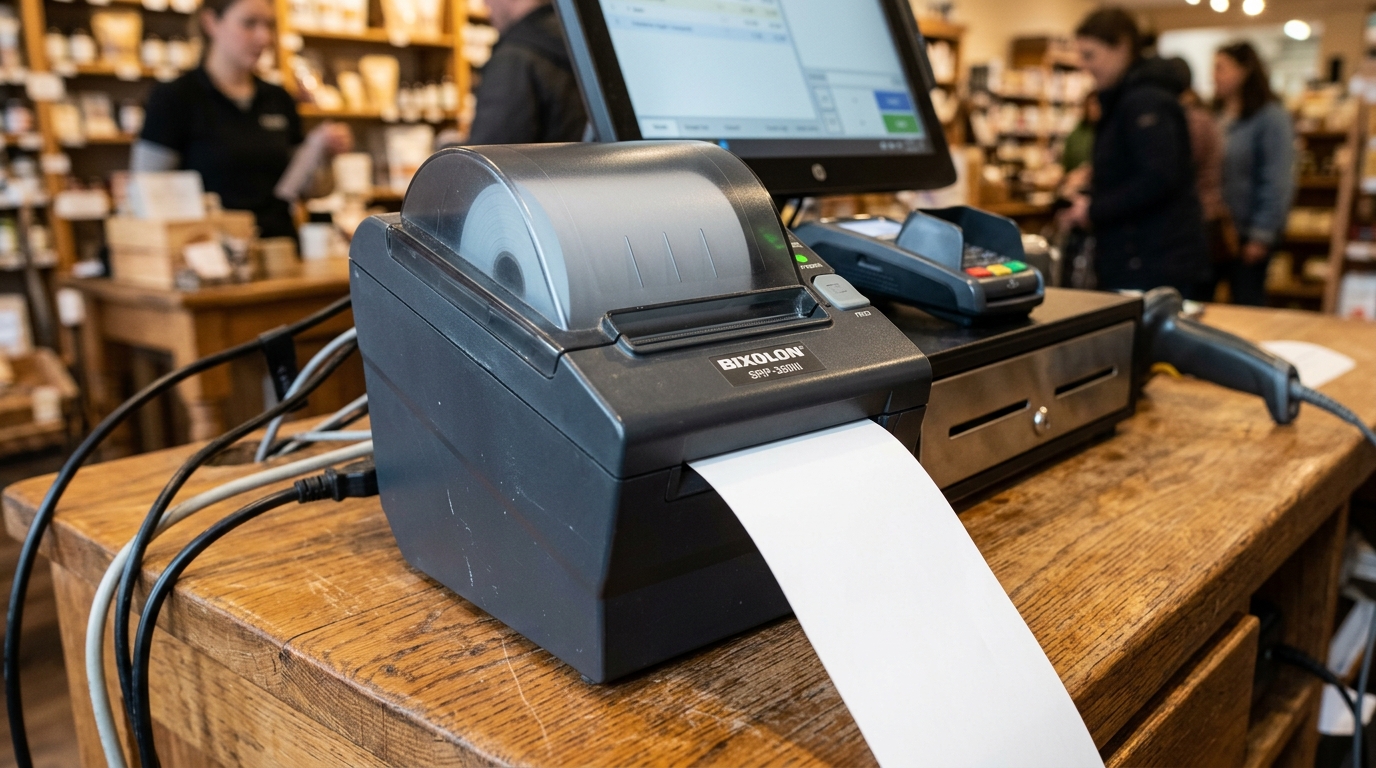
Blank receipts coming out of your Bixolon printer? In 90% of cases, the fix is extremely simple and takes under 30 seconds. Read this guide to fix it now.
Blank receipts coming out of a Bixolon printer is one of the most misdiagnosed problems in the entire troubleshooting space. People spend hours reinstalling drivers, calling POS support, and swapping cables — when the actual fix takes about 30 seconds and requires no technical work at all.
Here's what's really happening, and how to fix it quickly.
The One-Line Diagnosis
Your paper is almost certainly loaded upside down.
Bixolon receipt printers use thermal printing, which means they only produce visible marks on one specific side of the paper — the heat-sensitive coating. If you load a roll with that coating facing away from the print head, the printer will feed, cut, and eject a perfect-looking receipt with absolutely nothing on it.
The printer sounds normal. The receipt looks the right size. But it's completely blank.
The 30-Second Fix
- Open the paper cover.
- Take out the roll.
- Scratch a small area of paper on both sides with your fingernail — press firmly.
- The side that leaves a visible dark mark is the thermal side.
- Reload the roll with the rmal side facing the print head (in most Bixolon models, that's the top side of the paper as it feeds out).
- Close the cover.
- Print a test receipt.
If your test receipt now has actual text on it, you're done. Move on with your day.
If the Paper Is Loaded Correctly and It's Still Blank
If you've done the scratch test, confirmed the thermal side is facing the print head, and receipts are still blank, work through these in order:
Wrong Paper Type Entirely
The fingernail scratch test also tells you whether you have thermal paper at all. If neither side leaves a mark, you have plain paper, not thermal paper. No Bixolon thermal receipt printer will ever produce visible output on plain paper — heat requires a heat-sensitive receiving surface.
Confirm your paper is genuine thermal paper matched to your model. Off-brand or mislabeled paper is a real occurrence, especially with bulk orders.
Expired or Damaged Thermal Paper
Thermal paper degrades over time and in poor storage conditions. Paper that has been:
- Stored above 100°F for extended periods
- Exposed to direct sunlight
- Kept in high humidity
- Sitting unused for several years
...may print faintly, unevenly, or not at all — even when loaded correctly.
Fix: try a fresh roll from a different batch or supplier. If output is normal with new paper, your original stock has degraded.
Print Density Set to Zero (or Very Low)
Bixolon printers with adjustable print density can be set anywhere from a minimum (usually 0) to a maximum (usually around 30). If someone has accidentally set density to zero — through the menu, a factory reset, or an unintended button sequence — the printer applies no heat during printing, producing blank output.
Fix by model:
- SRP-E300/E302: hold Feed while powering on, press Feed to cycle through density levels, save via "Exit and reboot printer"
- SRP-Q300/Q302: use the VMSM Selection menu (option 2 for print density)
- SRP-330II: use Virtual Memory Switch through Unified POS Utility, or on-printer VMSM mode
- Other models: check your specific manual for the density adjustment procedure
Set density to a mid-range value (typically 15) and print a test receipt. If output is now visible, that was the issue.
Contaminated Print Head
A print head coated with paper dust, adhesive residue, or debris can't transfer heat effectively to the paper. The print motion happens, but no visible mark appears.
Fix:
- Power off the printer.
- Open the cover and let the ad cool if recently used.
- Clean gently with a cotton swab dampened in isopropyl alcohol.
- Never use abrasive materials or metal tools.
- Let it dry fully before loading paper.
- Test print.
Print Head Failure
Genuine print head failure is uncommon but real. Signs that suggest actual head failure rather than a settings issue:
- Blank output with brand new, properly loaded, confirmed-thermal paper
- Density adjusted to maximum with no improvement
- Head cleaned with no improvement
- Multiple different paper rolls all producing blank output
- Occasional partial output that fades from one side of the receipt to the other
Fix: contact Bixolon support. Print head replacement or service is not a user-repair.
Special Case: Ribbon Printers (SRP-275III and Others)
If your Bixolon printer is actually an impact/dot-matrix model like the SRP-275III (not a thermal model), blank output has an entirely different cause: the ribbon is missing, worn out, or installed incorrectly.
Impact printers use a physical ribbon rather than heat-sensitive paper. The ribbon transfers ink to the paper when struck by the print pins. Without a functioning ribbon, paper feeds and gets stamped by the pins but shows nothing visible.
Fix: check the ribbon cassette. Replace if worn. Reinstall correctly if it's simply misaligned. See our SRP-275III not printing guide for the full procedure.
Special Case: Label Printers (XD/XL Series)
On label printers, blank output can also indicate:
- Ribbon not installed on thermal transfer models (XD3-40t, XD5-40t): these models require both media and ribbon; direct thermal variants (XD3-40d, XD5-40d) don't.
- Wrong ribbon knob position: on thermal transfer models, the ribbon knob must match the ribbon width (see our XD3-40 error guide).
- Media loaded backward: even on label media, the printable side must face the print head.
Frequently Asked Questions
How can I tell which side of thermal paper is the coated side without scratching it? The coated side is usually slightly smoother and often has a subtle sheen. But the fingernail scratch test is more reliable than trying to identify it by touch or appearance.
Does thermal paper have a shelf life? Yes — typically 3–5 years when stored properly (cool, dry, out of direct light). Rolls stored in hot or bright environments degrade much faster.
My receipts print but very faintly — same fix? Similar. Increase print density first, then check paper age and print head cleanliness. Faint printing is usually salvageable through settings; completely blank usually points to paper orientation or type.
Can I just use any thermal paper with my Bixolon printer? Only paper matching your model's specifications. Bixolon's manuals explicitly note that non-recommended paper can damage the print head, and non-thermal paper simply won't produce visible output at all.
Quick Checklist
- Thermal side confirmed by fingernail scratch test
- Paper loaded with thermal side facing print head
- Paper confirmed as actual thermal paper, not plain paper
- Paper roll is fresh, not degraded from age or storage
- Print density confirmed at a normal mid-range value (not 0)
- Print head cleaned of dust and residue
- Ribbon checked on impact printer models (SRP-275III)
- Ribbon and media checked on thermal transfer label printers
If your Bixolon printer is producing blank receipts, statistics favor paper orientation over hardware failure by an enormous margin. Try the fingernail scratch test and reload correctly before anything else. It's the fix that saves the most support calls, and it takes less than a minute to try.
