


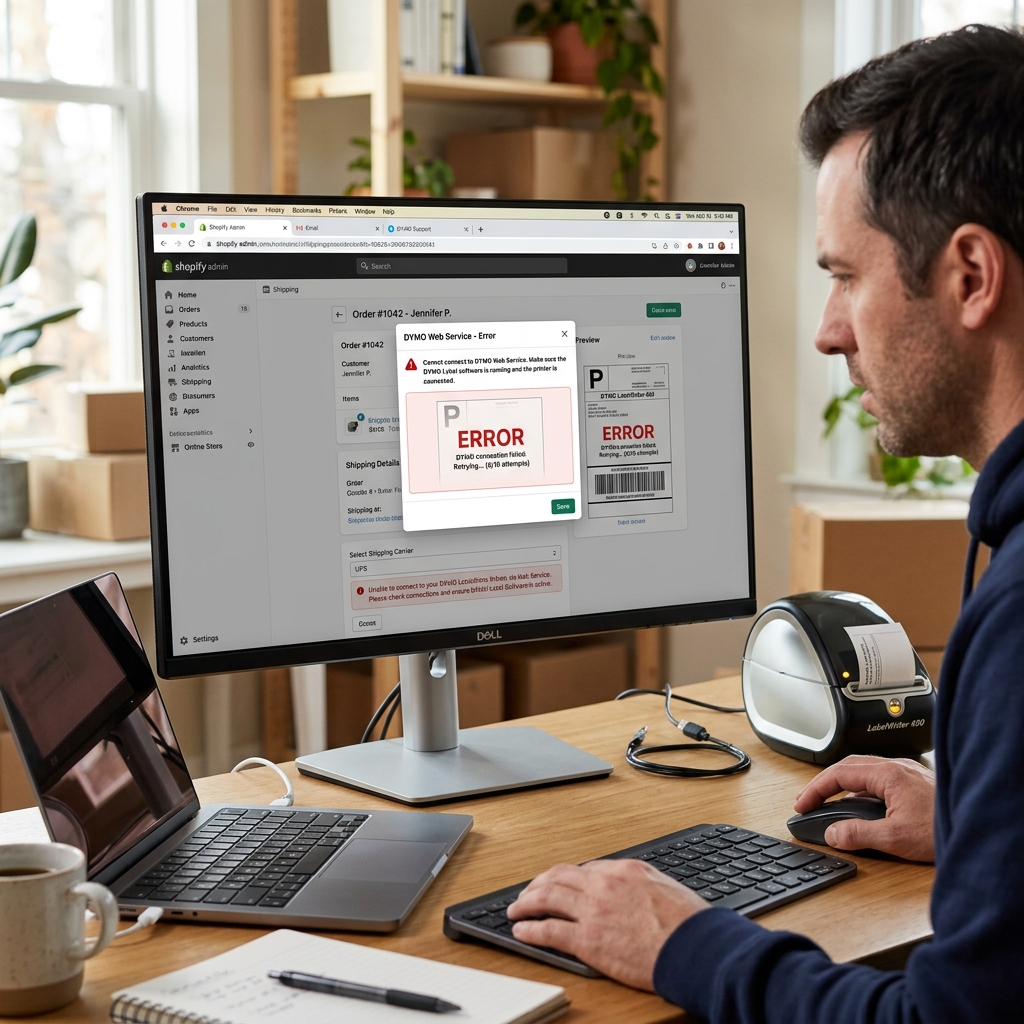
The Middleman: DYMO Web Service
When you click "Print Label" inside Shopify, Amazon Seller Central, eBay, or PayPal Shipping, Google Chrome does not know how to speak directly to the DYMO hardware. It sends the command to a tiny local server running in the background of your computer called the DYMO Web Service, which then translates the command to the printer.
If you hit print on Shopify and nothing happens, the Web Service has either crashed, has been blocked by your antivirus, or has an expired SSL certificate.
Fix 1: Restarting the Web Service
This fixes 80% of e-commerce printing failures.
- Look in your Windows system tray (bottom right, near the clock) or your Mac menu bar (top right). Look for the blue DYMO logo.
- If you see it, right-click it and select Exit.
- Open your Start menu (or Spotlight on Mac), search for DYMO Connect Web Service, and open it to restart it.
- Right-click the icon and click Diagnose. A webpage will open saying "Congratulations! Dymo Web Service is running on port 41951."
- Go back to Shopify/eBay, refresh the page, and try printing again.
Fix 2: Fixing Chrome / Safari Certificate Blocking
If you clicked "Diagnose" and Chrome threw a massive red warning saying "Your connection is not private" instead of the Congratulations message, Chrome is blocking the web service due to an expired internal security certificate.
- On the red warning screen, click the Advanced button at the bottom.
- Click the link that says Proceed to 127.0.0.1 (unsafe).
- The Congratulations page will load. By forcing Chrome to load it, you have white-listed the connection. Shopify and Amazon will now be able to communicate with the printer again.
- Note: To permanently fix this, you must download the newest version of DYMO Connect from their website, which contains updated certificates.
Fix 3: PDF Scaling Issues (Amazon & eBay)
If the printer feeds the label, but the barcode is shrunk down to the size of a postage stamp in the corner of a 4x6 label, the browser is shrinking the PDF.
When the Chrome print dialog box opens, click More Settings. Change the Scale setting from "Fit to Printable Area" to Custom: 100%. Ensure the Paper Size is set to exactly 4 in x 6 in (or 1744907). Print the label.
Fixing the DYMO Web Service for Chrome, Shopify, Amazon, and eBay
The DYMO Web Service (DLS Web Service / DYMO Connect Web Service) is a local lightweight HTTP server (running on ports 41951 - 41960) that acts as a secure cryptographic bridge between web browsers (Google Chrome, Microsoft Edge, Firefox, Safari) and your local DYMO LabelWriter driver.
When shipping platforms (Shopify Admin, Amazon Seller Central, eBay, ShipStation) report "DYMO Web Service Not Running", local SSL certificate trust or port binding collisions are responsible.
Step-by-Step DYMO Web Service Restoration Protocol
- Verify the Service is Running in the System Tray:
Look at your Windows System Tray (bottom right near clock) or macOS Menu Bar. Locate the small blue and white DYMO icon. If missing, open your Start menu and search for "DYMO Connect" or "DYMO Label Web Service" to launch it.
- Diagnose Localhost SSL Certificate Trust in Chrome:
- Open Google Chrome.
- In the URL address bar, navigate to:
https://127.0.0.1:41951/DYMO/DLS/Printing/Check. - If Chrome displays "Your connection is not private" (
NET::ERR_CERT_AUTHORITY_INVALID), the self-signed local SSL certificate used by DYMO has expired or was rejected by Chrome. - Click Advanced > Proceed to 127.0.0.1 (unsafe). This forces Chrome to trust the local DYMO web service port for the active session.
- Regenerate the DYMO SSL Root Certificate:
Right-click the DYMO icon in the system tray and select Diagnose.... When prompted "Do you want to test the certificate?", click Yes. This automatically generates a fresh X.509 certificate and imports it into the Windows Trusted Root Certificate Authorities store.
- Resolve Port Conflicts:
Ensure other local development servers (Node.js, Docker, IIS) are not occupying ports 41951 through 41960. Restart the DYMO service.
Frequently Asked Questions
Why did the DYMO Web Service stop working after a Chrome browser update?
Google Chrome security updates frequently tighten local network private access policies, blocking uncertified localhost web sockets. Installing DYMO Connect v1.4.5 or later provides updated secure WebSockets.
Does DYMO Connect replace the legacy DYMO Label Software (DLS)?
Yes. DYMO Connect is the modern, 64-bit software suite that fully replaces legacy DLS v8.x on Windows 10, Windows 11, and macOS Sonoma.
