


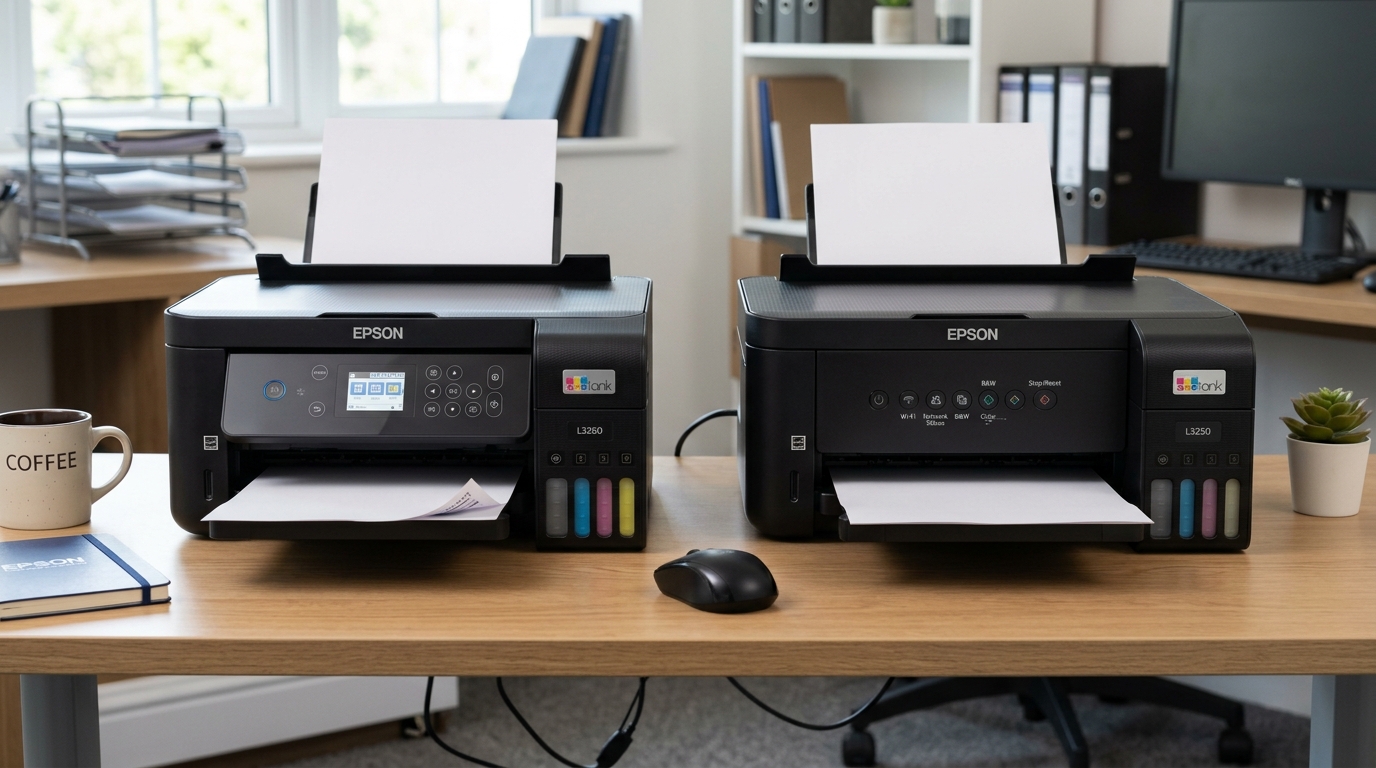
EcoTank Showdown: Epson L3260 vs L3250
The Epson EcoTank L3250 and L3260 are high-efficiency all-in-one tank printers designed for home offices, students, and small businesses. Both models feature integrated front-facing ink reservoirs and identical Micro Piezo printing engines.
However, their user interfaces, standalone copying capabilities, and on-device configuration menus differ significantly.
Feature Comparison Table
Compare technical specifications, interface hardware, and operational metrics between both models:
| Feature | Epson EcoTank L3260 | Epson EcoTank L3250 |
|---|---|---|
| Display Screen | 1.44-inch color LCD screen | None (LED indicator icons only) |
| Control Panel | Directional keypad + OK + Menu buttons | Basic push buttons (Power, Wi-Fi, B&W/Color Copy) |
| Standalone Copy Quantity | Up to 99 copies (set via screen) | Up to 20 copies (press button repeatedly) |
| Copy Zoom / Scaling | 25% to 400% auto-fit on device | Fixed 100% scale only |
| Network Setup Method | Direct Wi-Fi setup wizard on screen | WPS button or Epson Smart Panel app |
| Print Resolution | 5760 x 1440 optimized dpi | 5760 x 1440 optimized dpi |
| Ink Bottle Family | Epson 003 (Black, Cyan, Magenta, Yellow) | Epson 003 (Black, Cyan, Magenta, Yellow) |
| ISO Print Speed | 10 ipm black / 5 ipm color | 10 ipm black / 5 ipm color |
The Display Screen Advantage: L3260
The presence of a color LCD screen defines the operational gap between these two models:
- Epson L3260 Screen Navigation: The 1.44-inch color display provides clear menus for nozzle checks, head alignment, Wi-Fi password entry, and maintenance box monitoring without opening a computer.
- Epson L3250 Blind Indicators: The L3250 relies on blinking LED combinations. Interpreting paper jams, low ink warnings, or Wi-Fi drops requires deciphering light patterns or checking the smartphone app.
Standalone Copying and Duplication Features
If you regularly make photocopies without turning on a PC, the interface makes a substantial difference:
- Advanced Copy Control (L3260): Set exact copy counts up to 99, adjust density, reduce or enlarge documents from 25% to 400%, and select ID card copy mode directly from the screen.
- Basic Push-Button Copy (L3250): Copying is limited to pressing the Black or Color copy button up to 20 times in rapid succession, with zero on-device zoom control.
Ink Yield, Operating Cost, and Print Performance
Beneath the control panel, both models share the exact same print and scan hardware:
- Identical Print Quality: Both models produce crisp text and borderless photo prints up to 4R using genuine Epson 003 dye-based ink bottles.
- Identical Page Yields: Up to 4,500 black-and-white pages and 7,500 color pages per bottle set, delivering ultra-low per-page costs.
Which Model Should You Buy?
Choose the model that fits your preferred workflow and budget:
- Choose Epson L3260 if: You want standalone ease of use, frequently photocopy multipage sets, or prefer entering Wi-Fi passwords directly on the printer screen.
- Choose Epson L3250 if: You want the most affordable purchase price, primarily trigger prints from your phone/laptop, and don't mind using the Epson Smart Panel app for maintenance.
Frequently Asked Questions
Do both the Epson L3260 and L3250 support automatic double-sided printing?
No, neither model has an auto-duplexer; double-sided printing requires manually flipping the pages.
Can I use the Epson Smart Panel mobile app with both models?
Yes, both the L3260 and L3250 connect seamlessly to iOS and Android devices via the Epson Smart Panel app.
Do the L3260 and L3250 use the same ink bottles?
Yes, both models use standard Epson 003 series ink bottles.
