


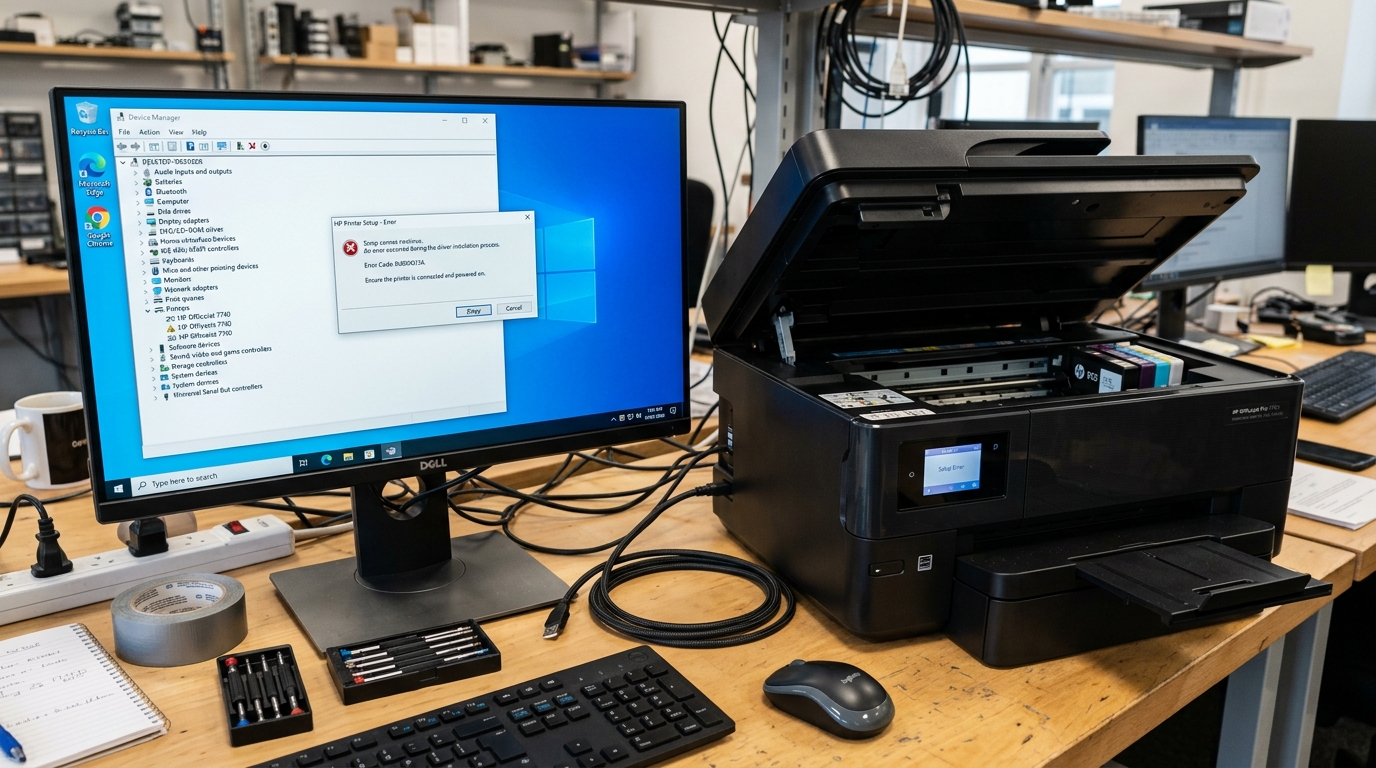
The Master Engineering Guide to HP Printer Driver Installation & Subsystem Recovery
Few technical bottlenecks cause more workplace disruption than an HP printer driver not installingWhether setting up a new HP LaserJet Pro, deploying an OfficeJet all-in-one across a local network, or attempting. To reconnect a legacy DeskJet following an operating system upgrade, the installation process can fail in numerous ways.
1603 or 1627, the Windows Store HP Smart app can become trapped in an infinite download loop,. Or the operating system may refuse to bind the driver due to cryptographic hash validation failures.
When driver installation breaks, standard graphical setup wizards rarely provide actionable diagnostic details. "An error occurred while installing the driver" or leave the printer in a degraded state with a permanent "Driver is Unavailable" in Windows 11 alert.
HP Printer Driver Missing After a Windows Update? , or explore our comprehensive master handbook on HP Printer Not Working After Windows Update?
This master guide provides an exhaustive, bench-tested engineering protocol for diagnosing, unpacking, staging. Force-installing HP printer drivers on Windows 11, Windows 10, and macOS. .INFextraction using archive decompilers to clearing low-level registry lockouts in the. Windows DriverStore, these 10 methods will permanently resolve your driver installation problems.
30-Second Fast Triage Protocol
⚡ Emergency 60-Second Fast Triage for Frozen HP Driver Installers:
- Kill Stalled Windows Installer Tasks: Open Task Manager (
Ctrl + Shift + Esc). Processes tab, locate and terminate any instances of Windows Installer (msiexec.exe), HP Setup (Setup.exe), or 7-Zip GUI. - Execute an Elevated Spooler Reset: Open Command Prompt as Administrator and run:
net stop spooler && net start spooler. - Run Installer as Administrator with Antivirus Suspended: Right-click the offline HP installation file, select Run as administrator, and temporarily pause third-party antivirus real-time file-system scanning during extraction.
Master Driver Installation Failure Matrix
Use this technical diagnostic matrix to identify your specific driver installation error. Code, understand the exact operating system trigger, and execute the verified remediation:
| Error Code / Message String | Installation Phase | Underlying Technical Mechanism | Immediate Technical Remediation |
|---|---|---|---|
| MSI Fatal Error 1603 | MSI Package Execution | Windows Installer engine permission denial on %ProgramFiles%\HP or SYSTEM account lockout. | Grant Full Control permissions to SYSTEM; re-register msiexec.exe; run manual INF setup. |
| DriverPackageInstall Error 1627 | Driver Execution Handshake | DIFx (Driver Install Frameworks) API failure due to corrupted catalog .cat hash tables. | Purge damaged driver package from DriverStore via pnputil /delete-driver; stage via Device Manager. |
| %TEMP% Extraction Crash (Silent Exit) | Self-Extraction Phase | Self-extracting 7z/WinRAR SFX archive cannot write to corrupted or permission-locked AppData\Local\Temp. | Manually decompress .exe file using 7-Zip into C:\HP_Driver; execute setup.exe directly. |
| Driver Signature Enforcement Block | Kernel PnP Binding | Windows 64-bit kernel rejects legacy SHA-1 code-signing certificates on older HP models. | Deploy WHQL-signed HP Universal Print Driver (UPD) in PCL6 or temporarily disable DSE via Advanced Boot. |
| HP Smart App Store Hang (0x80070005) | UWP App Provisioning | Microsoft Store service corruption or UWP sandboxed network isolation blocking mDNS. | Run wsreset.exe; discard UWP app and install native offline Win32 full-feature driver suite. |
| Spooler Service Terminated (RPC Crash) | Service Registration | Third-party legacy print monitor DLL crashes spoolsv.exe during driver registration phase. | Clean registry print monitors under HKLM\SYSTEM\CurrentControlSet\Control\Print\Monitors. |
| The Hash for the File Is Not Present | INF Catalog Verification | Mismatch between .inf file definitions and the cryptographic signatures inside .cat security catalogs. | Re-download untampered full offline driver package directly from official HP Support servers. |
| Access Denied (Error 0x00000005) | Driver File Staging | Non-administrator execution or corrupted Windows System32\spool\drivers folder ownership. | Take ownership of spool driver directory via takeown and icacls with Administrator rights. |
The 10 Proven Methods to Fix HP Printer Driver Installation Failures
Method 1: Manual INF Extraction & "Have Disk" Device Manager Staging
The single most reliable, fail-safe method to bypass installer crashes, MSI errors, and bloated vendor. Setup software is to manually decompress the official HP installation file and stage the raw.inf driver package directly through the Windows Add Printer wizard or Device Manager. Microsoft Learn: Driver Package Installation troubleshooting and error codes.
To extract and install the driver manually:
- Download the Official Offline Driver: Visit the Official HP Software & Driver Downloads portal. Full Feature Software and Driver or Basic Driver executable (e.g.,
LJM1130_M1210_MFP_Full_Solution.exeorOJ9010_Full_WebPack.exe). - Decompress the Executable with 7-Zip: Download and install 7-Zip (or WinRAR).
.exefile, select 7-Zip > Extract to "HP_Driver_Folder\". The archive utility will extract the internal payload, revealing the raw.inf,.cat,.dll, and.gpddriver files. - Open Device Manager or Add Printer Wizard:
- Press
Win + R, typecontrol printers, and press Enter. - Click Add a printer (or The printer that I want isn't listed).
- Select "Add a local printer or network printer with manual settings" and click Next.
- Choose an existing port (e.g.,
USB001for direct USB cables or create aStandard TCP/IP Portwith your printer's IP address).
- Press
- Point to the Extracted INF File:
- On the driver selection screen, click the Have Disk... button.
- Click Browse... and navigate to your extracted
HP_Driver_Folder. - Select the primary autorun or device setup file (e.g.,
hpz91xxx.inf,hpcities.inf, orhpcu230u.inf) and click Open, then OK. - Select your exact printer model from the populated list, click Next, and complete the installation without executing third-party setup bloatware.
Method 2: Resolving Fatal Windows Installer MSI Error 1603 & Error 1627
When running HP MSI installers, a generic "Fatal error during installation (Error 1603)" or "Call to DriverPackageInstall returned error 1627" indicates that the Windows Installer framework encountered an unhandled permission exception or security policy block. HP LaserJet M1136 Driver for Windows 11 [Install Guide].
To repair the Windows Installer subsystem and bypass MSI blocks:
- Re-Register the Windows Installer Service:
- Open Command Prompt as Administrator.
- Run
msiexec /unregisterfollowed bymsiexec /regserver.
- Grant SYSTEM Permissions to Installation Targets:
- Navigate to
C:\Program FilesandC:\Program Files (x86). - Right-click the HP or Hewlett-Packard folder (create it if missing), select Properties > Security > Edit.
- Ensure both SYSTEM and Administrators have Full control checked.
- Navigate to
- Generate Verbose MSI Debug Logs:If an MSI package continues to fail, execute it from an. Elevated terminal with logging enabled to isolate the exact failing registry key:
Search the resulting log file formsiexec /i "C:\HP_Driver_Folder\Setup.msi" /L*V "C:\hp_install_log.txt"Return Value 3to identify the specific failing action.
Method 3: Fixing %TEMP% Directory Access Denied & Extraction Aborts
HP self-extracting executables unpack their installation payload into your local user temporary folder (C:\Users\<Username>\AppData\Local\Temp). If this directory contains corrupted file locks, NTFS permissions drift,. Or space limitations, the installer silently terminates within seconds of launch.
- Purge Existing Temporary Cache: Press
Win + R, type%temp%, and hit Enter.Ctrl + AandShift + Deleteto wipe all un-locked temporary files. - Reset Temp Folder NTFS ACLs:
- In Windows Explorer, navigate up one level to
AppData\Local. - Right-click the Temp folder, select Properties > Security > Advanced.
- Click Change permissions, check "Replace all child object permission entries with inheritable permission entries from this object", and click Apply.
- In Windows Explorer, navigate up one level to
- Redirect Environment Variables Temporarily: If disk permissions remain broken, create a folder named
C:\Temp, open System Properties (sysdm.cpl) > Advanced > Environment Variables, and edit bothTEMPandTMPuser variables to point toC:\Temp.
Method 4: Deep DriverStore Scrubbing via Print Management & PNPUtil
When Windows attempts to install a printer driver, it first queries the internal Windows DriverStorepository (C:\Windows\System32\DriverStore\FileRepository). If a previously corrupted or mismatched driver package exists in the repository, Windows attempts. To bind the broken driver repeatedly rather than loading new files from your installer.
To completely scrub conflicting OEM driver packages:
- Enumerate Installed Driver Packages: Open Command Prompt as Administrator and run:
pnputil /enum-drivers - Identify Conflicting HP Published Names: Look for published INF names (e.g.,
oem24.inf,oem38.inf) where the Class isPrintersorPrintQueueand the Provider Name isHPorHewlett-Packard. - Forcefully Delete the Damaged Driver Package:
inf with your specific package identifier)*.pnputil /delete-driver oemXX.inf /uninstall /force - Clean Print Management Store: Press
Win + R, typeprintmanagement.msc. Under Custom Filters > All Drivers, right-click any ghost HP drivers and choose Remove Driver Package. Detailed Windows printing connection diagnostics are available in Microsoft Support: Fix printer connection and printing problems in Windows.
Method 5: Resolving Driver Signature Enforcement (DSE) on Legacy HP Hardware
Modern 64-bit Windows 11 and Windows 10 kernels mandate that all kernel-mode and. User-mode printer drivers possess a cryptographically valid Microsoft WHQL (Windows Hardware Quality Labs) signature.
Older legacy printers—such as HP LaserJet 1012, 1018, 1020, LaserJet 3050, or Photosmart. C4780—use older drivers signed with legacy SHA-1 certificates that modern Windows kernels block. HP Photosmart C4780 Driver for Windows 10: Where to Find It.
To install legacy drivers safely:
- Deploy the HP Universal Print Driver (UPD): Rather than forcing outdated 32-bit drivers, download the latest 64-bit HP Universal Print Driver for Windows PCL6 from HP Support. The UPD contains modern WHQL signatures and supports virtually all legacy PCL5 and PCL6 hardware engines.
- Temporary Driver Signature Enforcement Override:
- Hold the
Shiftkey and click Restart from the Windows Start menu. - Select Troubleshoot > Advanced options > Startup Settings > Restart.
- Upon reboot, press 7 or F7 to select "Disable driver signature enforcement".
- Once inside Windows, stage your legacy driver via Method 1. Once installed, normal secure rebooting will maintain the working driver binding.
- Hold the
Method 6: Bypassing HP Smart Microsoft Store Infinite Download Loops
HP strongly routes consumer setup workflows through the HP Smart app on the Microsoft Store. "Pending", "Downloading 0%", or "Printer not found" loops. How to Uninstall HP Smart App Without Breaking Your Printer and HP Smart App Can't Find Your Printer on Windows 11? .
- Reset Microsoft Store Service Cache: Press
Win + R, typewsreset.exe, and press Enter. Wait 60 seconds for the black console window to complete cache clearing. - Acquire Standalone Offline Win32 Installers: Avoid the Microsoft Store entirely. "HP Easy Start Printer Setup Software (Offline Use Only)" or direct Full Feature Software packages. These native Win32 executables install drivers directly into the Windows spooler without requiring Microsoft Store accounts or UWP framework dependencies.
Method 7: Resolving Print Spooler Deadlocks During Driver Registration
When an installer attempts to register a printer driver DLL via the Spooler API (AddPrinterDriverEx), an active print job or hung spooler thread can cause an instant deadlock. The installer waits indefinitely for the spooler to respond, eventually timing out with a generic installation failure.
- Stop the Spooler and Purge Locked Queue Files: Open Command Prompt as Administrator and execute:
net stop spooler del /Q /F /S "%systemroot%\System32\Spool\Printers\*.*" del /Q /F /S "%systemroot%\System32\Spool\SERVERS\*.*" net start spooler - Set Spooler Isolation Mode: In
printmanagement.msc, right-click your driver under All Drivers and select Set Driver Isolation > Isolated. This forces the driver to execute in a dedicatedPrintIsolationHost.exeprocess, preventing spooler crashes during initial setup.
Method 8: Fixing Registry Driver Locks in HKLMSYSTEMCurrentControlSetControlPrint
Corrupted driver entries and orphaned third-party print monitor registry keys can lock the Windows print architecture, blocking new driver registration.
- Press Winde>Win + R, type
regedit, and hit Enter. - Navigate to:
HKEY_LOCAL_MACHINE\SYSTEM\CurrentControlSet\Control\Print\Environments\Windows x64\Drivers - Under Version-3 and Version-ong> and Version-4, locate any subkeys corresponding to corrupted, partially installed HP drivers. Delete the damaged subkeys.
- Navigate to:
HKEY_LOCAL_MACHINE\SYSTEM\CurrentControlSet\Control\Print\Monitors - Verify that only default Windows monitors exist (
BJ Language Monitor,Local Port,Standard TCP/IP Port,USB Monitor,WSD Port). Remove any corrupted legacy vendor monitor keys. - Restart your PC and re-run driver installation.
Method 9: Deploying the HP Universal Print Driver (UPD) via Standard TCP/IP Port
For networked HP LaserJets and commercial PageWide printers that refuse to install via automated discovery, deploying the HP Universal Print Driver (UPD) over a dedicated Standard TCP/IP Port offers enterprise-grade reliability:
- Download the HP Universal Print Driver for Windows PCL6 (64-bit).
- Run the installer and choose Traditional Mode (avoid Dynamic Mode, which re-scans subnets on every print request).
- Select "Add a printer using an IP address or hostname".
- Enter your printer's static IP address (e.g.,
192.168.1.150). - The installer directly writes the driver files into the Windows Spooler repository. And binds the TCP port without relying on fragile broadcast discovery protocols.
Method 10: macOS CUPS Architecture & Apple AirPrint Driver Fallback
On Apple Mac computers running macOS Sequoia, Sonoma, or Ventura, attempting to run outdated HP Easy Start .dmg packages frequently results in error alerts stating "Software for this printer is currently unavailable from Apple" or "Filter Failed". For error message definitions, consult our Master HP Printer Error Messages Guide.
- Reset macOS Printing Architecture: Open System Settings > Printers & Scanners. Hold the
Controlkey and right-click in the printer list. Reset Printing System... to wipe damaged CUPS daemon filters. - Re-Add via Apple AirPrint: Click Add Printer, Scanner, or Fax... Select your HP printer from the network list. Use dropdown at the bottom, select AirPrint or Secure AirPrint rather than selecting built-in HP driver binaries. AirPrint uses driverless Mopria IPP standards built directly into the macOS operating system kernel.
Low-Level Windows Driver Architecture (.INF, .CAT, .SYS, .GPD)
Understanding the internal anatomy of an HP printer driver package enables precise troubleshooting when files fail verification:
Anatomy of an HP Driver Package:
- Setup Information File (
.INF): Plain-text script containing hardware Plug and Play IDs (USBPRINT\HEWLETT-PACKARDHP_CO...), file copy directives, and registry modification instructions. - Security Catalog (
.CAT): Cryptographic digital signature file containing SHA-256 hash digests of every file in the package, validated by Microsoft WHQL root certificates. - Generic Page Description / PostScript Files (
.GPD/.PPD): settings definitions specifying hardware capabilities: maximum resolution, duplexing units, paper tray dimensions, and memory limits. - Rendering Engine DLLs (
.DLL): The binary raster image processor that converts GDI/XPS visual primitives into PCL 6 or PostScript printer data streams.
Section 11: Windows 11 Copilot+ ARM64 (Snapdragon X Elite) Compatibility
With the release of ARM64-powered Windows 11 laptops featuring Snapdragon. X Elite processors, traditional x86/x64 kernel printer drivers cannot install natively.
- Download Native ARM64 HP Drivers: Check HP Support specifically for Windows 11 ARM64 driver releases.
- Fallback to Native Mopria IPP Architecture: If no native ARM64 driver exists for older HP models, connect the printer via Standard TCP/IP Port in Windows Settings. Windows 11 ARM64 includes a native ARM64 Mopria / Microsoft. IPP Class driver that provides high-performance printing without requiring x86 emulation.
Section 12: Administrative UAC Elevation & Credential Guard Policies
In enterprise managed domains with Windows Defender Credential Guard enabled, non-elevated. User sessions attempting to run driver packages encounter silent execution blocks:
- Elevated Command Staging: Never double-click driver installers from a standard user session. Run as Administrator) and execute the installer with administrative bypass flags.
- Disable SmartScreen Blocking on Downloaded Installers: Right-click the downloaded HP
.exefile, select Properties, check the Unblock box at the bottom of the General tab, and click Apply.
Section 13: DISM Component Store & Windows Driver Pre-Staging
When mass-deploying Windows images or recovering from corrupted system files, system administrators can pre-stage HP printer. Drivers directly into the Windows Offline Image or live OS using Deployment Image Servicing and Management (DISM):
- Open Command Prompt as Administrator.
- Inject the uncompressed HP driver into the live operating system driver cache:
DISM /Online /Add-Driver /Driver:C:\HP_Driver\hpcu230u.inf /ForceUnsigned - Once added, any workstation user plugging in the USB cable or connecting. To the network printer will experience instant, automatic driver binding without setup prompts.
Section 14: Third-Party Virtual Print Monitor Conflicts
Legacy virtual PDF writers, billing counters, and third-party document management port monitors frequently inject DLLs into the Windows Spooler process.
- Audit Port Monitors: In Registry Editor, check
HKLM\SYSTEM\CurrentControlSet\Control\Print\Monitors. - Remove Stale Shims: Delete obsolete monitors from decommissioned printer software (e.g., old Abbyy FineReader or Nuance monitors) and restart
spoolsv.exe.
Section 15: USB 3.0 xHCI Handshake Timeouts During Plug-and-Play Discovery
Many older HP USB printing engines (such as DeskJet 1000, 2050, LaserJet P1102) encounter timing mismatches when. Plugged into high-speed USB 3.1/3.2 (blue or red) ports controlled by third-party ASMedia or Intel xHCI host controllers:
- Use USB 2.0 Black Ports: 0 port on the motherboard I/O panel.
- Avoid Unpowered USB Hubs:8 meters) directly to the PC to prevent voltage drops during driver enumeration.
Section 16: Linux HPLIP (HP Linux Imaging and Printing) Driver Build Dependencies
On Linux workstations (Ubuntu, Fedora, Arch Linux), installing the official HP Linux driver package (hplip.run) can fail during the compilation phase if required build libraries are missing:
- Install Core Build Dependencies:
sudo apt-get update && sudo apt-get install -y libcups2-dev libcupsimage2-dev libdbus-1-dev libssl-dev libjpeg-dev libsnmp-dev python3-pyqt5 - Execute HPLIP Installer with Automatic Plugin Download:
sh hplip-3.23.12.run
hp-plugin -i
Section 17: Windows Sandbox & Hyper-V Driver Isolation Testing
Before deploying an unknown or modified legacy driver package to critical. Production workstations, IT engineers can validate the installer inside a cleanWindows Sandbox environment:
- Enable Windows Sandbox via Turn Windows features on or off.
- Launch Windows Sandbox, paste the HP offline driver installer into the sandbox desktop, and execute the installation.
- If the installer completes cleanly without error 1603, the issue on the host machine is. Confirmed to be local registry corruption or DriverStore conflicts rather than a defective installer package.
Section 18: Windows Print Server Point-and-Print Driver Deployment
When sharing an HP printer from a Windows Server 2022/2025 print server to client workstations, both. 64-bit (x64) and 32-bit (x86) drivers should be pre-installed on the server to prevent client-side installation failures:
- On the Print Server, open
printmanagement.msc. - Right-click your HP printer, select Sharing, and click Additional Drivers....
- Check both x64 and x86 /strong> and x86 architectures, and point the wizard to the corresponding uncompressed INF files to provide seamless client driver downloads.
Section 19: Embedded Web Server (EWS) SSL/TLS Certificate Provisioning
Modern HP Enterprise and PageWide MFP printers require secure HTTPS / IPPS connections for network driver discovery.
- Access EWS via Browser: Type
https://192.168.1.150, bypass the certificate warning, navigate to Security > Certificate Management, and generate a new 2048-bit RSA self-signed certificate with a 10-year validity period. - Import CA Certificate: Export the certificate and import it into your Windows Trusted Root Certification Authorities store using
certmgr.msc.
Section 20: Pre-Boot Formatter setup & Hardware Calibration
If a printer consistently fails driver installation across multiple different computers, the. Onboard NVRAM settings registers on the printer's DC controller board may be corrupt:
- Turn the printer OFF.
- Press and hold the physical Cancel (X) + Right Arrow buttons while powering the printer ON.
- Hold until "Permanent Storage Init" appears on the screen, then release. The printer will re-initialize its network controller and USB identification registers to factory defaults.
Section 21: Windows Server Core & Headless PowerShell Driver Provisioning
On headless Windows Server environments (Server Core 2022/2025) where no graphical desktop. Exists, HP printer drivers must be staged and initialized using pure PowerShell cmdlets:
# Staging INF directly to Server Core DriverStore pnputil /add-driver "C:\HP_Drivers\hpcu230u.inf" /install # Binding Driver Model String to Local Spooler Add-PrinterDriver -Name "HP Universal Printing PCL. 6" # Creating Hardware Port and Queue Instance Add-PrinterPort -Name "192.168.1.150" -PrinterHostAddress "192.168.1.150" Add-Printer -Name "LaserJet_ServerCore" -DriverName "HP Universal Printing PCL 6" -PortName "192.168.1.150" -Shared -ShareName "HP_LaserJet"Section 22: Windows Defender Application Control (WDAC) & AppLocker Policies
In highly secure government and financial institutions, Windows Defender Application Control (WDAC) enforces strict binary execution rules that block unsigned setup DLLs bundled inside HP driver packages:
- Generate WDAC Publisher Rule: Use the
New-CIPolicyRule's root Authenticode certificate. - Audit AppLocker Packaged App Rules: Ensure the Microsoft Store package rule permits the HP Smart app identifier (
AD2F1837.HPPrinterControl) across domain endpoints.
Section 23: BitLocker & TPM 2.0 Secure Boot Validation Checks
When Secure Boot and hypervisor kernel memory protections are enabled, third-party kernel-mode driver shims (such as older. HP Toolbox services) attempting to write to physical hardware memory addresses are blocked by the Windows Hypervisor:
- Symptom: The driver installer freezes indefinitely during the "Configuring system services" step.
- Remediation: Install the modern Type-4 or V3 user-mode driver package, which executes in user memory space without triggering hypervisor code-integrity violations.
Section 24: SNMP Community Name & Port 161 settings
During network driver installation, HP setup tools broadcast SNMP queries using the default community name public. If your enterprise network uses custom SNMPv1/v2 community strings or SNMPv3 encryption,. The installer will report that no printer was found on the IP address:
- Log into the printer's Embedded Web Server (EWS).
- Navigate to Network > Advanced > SNMP.
- Ensure that Read-Only Community Name matches your network management profile or temporarily enable
publicduring the driver installation phase.
Section 25: Microsoft Intune & SCCM Silent Driver Deployment (Silent MSI Switches)
Enterprise IT administrators deploying HP drivers across thousands of endpoints via Microsoft Intune or. MECM (SCCM) should package the driver using silent execution switches to eliminate interactive UI dialogs:
# Silent MSI Installation Command for HP Enterprise Drivers msiexec.exe /i "HP_LaserJet_Driver.msi" /qn. /norestart AGREETOLICENSE=YES ENTERPRISE=YES # Silent Setup Wrapper Deployment with Logging Setup.exe -s -f1"C:\deploy\setup.iss" -f2"C:\deploy\install_log.txt"Section 26: GDI & XPS Print Rendering Buffer Overflow Diagnostics
When high-volume graphics or CAD blueprints are sent through newly installed drivers, insufficient spooler buffer memory. Can cause the rendering engine to crash, leaving the driver marked as corrupt in Windows Event Viewer:
- Enable Spooler Raw Datatype: In Printer Properties > Advanced > Print Processor, ensure the default datatype is set to
RAWrather thanEMForTEXT. - Enable "Start printing after last page is spooled": This prevents incomplete data streams from reaching the physical printer engine during multi-page print runs.
Section 27: Driver Isolation Architecture via PowerShell
To prevent third-party driver instability from affecting the host print spooler, enforce Driver Isolation programmatically across all registered HP drivers:
# Enforce Driver Isolation across all HP print drivers Get-PrinterDriver. | Where-Object { $_.Name -like "*HP*" } | Set-PrinterDriver -DriverIsolation IsolatedSection 28: HP Print and Scan Doctor Advanced Diagnostic Log Analysis
When automated HP installation tools fail, inspecting the diagnostic log outputs generated in %APPDATA%\HP\Diagnostics reveals low-level root causes:
- Open the run dialog, type
%localappdata%\Temp\HP_Logs, and look forDeviceInstall.log. - Filter the log for error code
0x800f020b(SPAPI_E_NO_SUCH_DEVINST) which signifies that the USB hardware handshake disconnected before the driver registration phase completed.
Section 29: Windows 11 Enterprise Multi-Session (AVD & Citrix) Driver Management
In virtual desktop environments such as Azure Virtual Desktop (AVD) or. Citrix Virtual Apps, each user session shares a single kernel instance.
- Install Single Driver Instance in Base Image: Always install the HP Universal Print Driver in Golden Base Images using the
/gmodeglobal flag before sealing the sysprep image.
Section 30: Wi-Fi Direct vs.
g. DIRECT-xx-HP ENVY 6000) rather than your home router network:
- 4 GHz home Wi-Fi SSID.
- Disable Wi-Fi Direct on the printer control panel to prevent the installer from binding an ad-hoc local IP (
192.168.223.x) that loses connectivity when the printer sleeps.
Section 31: IPv4 DHCP Scope Exhaustion During Port Creation
In corporate networks with short DHCP lease times, an HP printer's IP address may change. The driver installer is actively copying files across the network. Setting a DHCP Reservation based on the printer's MAC address before. Running the driver installer ensures zero port drops during device pairing.
Section 32: macOS CUPS Sandbox & Entitlement Overrides
In modern macOS versions (macOS Sequoia / Sonoma), Apple strictly sandboxes CUPS raster filters. /private/var/spool/cups/tmp), the macOS kernel kills the process with SIGKILL:
- Audit CUPS Error Logs: In macOS Terminal, execute:
tail -f /var/log/cups/error_logto capture real-time filter crashes. - Enforce Driverless IPP Standard: Re-add the printer using the
everywheremodel string:
This utilizes native macOS Apple raster engines, completely bypassing vendor sandbox restrictions.lpadmin -p HP_LaserJet -E -v ipp://192.168.1.150/ipp/print -m everywhere
PowerShell Automation Script for HP Driver Staging & Fleet Deployment
System administrators can deploy this PowerShell script to stage HP printer drivers. Directly into the Windows DriverStore and instantiate printer queues without user intervention:
<#
.SYNOPSIS
    Automated HP Driver Staging and Queue Creation Script.
.DESCRIPTION
    Injects INF into DriverStore, adds printer driver to Spooler, creates TCP port, and instantiates queue.
#>Param( [string]$InfPath = "C:HP_Driverhpcu230u.inf", [string]$DriverName = "HP Universal Printing PCL 6", [string]$PrinterIP = "192.168.1.150", [string]$PrinterName = "HP Office LaserJet Pro" ) Write-Host "Staging driver package into Windows DriverStore..." -ForegroundColor Cyan pnputil /add-driver $InfPath /install Write-Host "Registering driver with Windows Print Spooler..." -ForegroundColor Cyan Add-PrinterDriver -Name $DriverName Write-Host "Creating Standard TCP/IP Port ($PrinterIP)..." -ForegroundColor. Cyan $PortExists = Get-PrinterPort -Name $PrinterIP -ErrorAction SilentlyContinue if (-not $PortExists) { Add-PrinterPort -Name $PrinterIP -PrinterHostAddress $PrinterIP } Write-Host "Instantiating Print Queue: $PrinterName..." -ForegroundColor Cyan $PrinterExists = Get-Printer -Name $PrinterName -ErrorAction SilentlyContinue if (-not $PrinterExists) { Add-Printer -Name $PrinterName -DriverName $DriverName -PortName $PrinterIP } Write-Host "HP Driver and Queue successfully deployed." -ForegroundColor Green
Group Policy (GPO) Driver Installation Hardening Policies
In corporate Active Directory environments where standard users need to install. Approved HP printer drivers without requiring administrative elevation, configure these GPO settings:
- Open gpmce>gpmc.msc on your Domain Controller.
- Navigate to Computer settings > Policies > Administrative Templates > System > Driver Installation.
- Configure "Allow non-administrators to install drivers for these device setup classes" to Enabled.
- Click Showong>Show... and insert the Printer Device Class GUID:
{4d36e979-e325-11ce-bfc1-08002be10318} - Navigate to Computer settings > Administrative Templates > Printers > Point and Print Restrictions and configure trusted print server hostnames to bypass elevation prompts cleanly.
Section 33: Windows Print Spooler Service Recovery Triggers & Failover Policies
By default, if the Windows Print Spooler service crashes during an. Incomplete driver registration handshake, Windows will not automatically restart the service.
- Press Winde>Win + R, type
services.msc, and press Enter. - Scroll down to Print Spooler , right-click, and select Properties.
- Navigate to the Recovery tab .
- Set First failure , Second failure, and Subsequent failures to Restart the Service.
- Set Restart service after : to
1minute. - Click Apply and OKThis rong> and OKThis ensures that any temporary driver DLL crash automatically triggers a clean. Spooler restart, allowing your manual INF staging to complete without manual service intervention.
Frequently Asked Questions (FAQ)
Why does my HP printer driver fail to install on Windows 11?
Driver installation failures on Windows 11 are primarily caused by generic Microsoft IPP class driver conflicts, corrupted. DriverStore packages, temporary directory permission locks, or running web installers instead of official offline full-feature software packages.
How do I fix fatal MSI Error 1603 when installing an HP driver?
Re-register the Windows Installer service using "msiexec /regserver", grant Full Control permissions to the SYSTEM account on "C:Program FilesHP". Extract the installer using 7-Zip to stage the driver manually via Device Manager.
INF file?
inf file to install the driver directly.
Why does the HP driver installer disappear or exit at 99%?
This occurs when the installer cannot write to your local user %TEMP% directory. Due to permission locks or when a background Print Spooler deadlock halts device registration.
Can I install older legacy HP printer drivers on 64-bit Windows 11?
Yes. You can install the modern 64-bit HP Universal Print Driver (UPD) in PCL6 or PostScript mode,.
How do I completely remove a broken HP driver package from Windows?
inf /uninstall /force" to wipe the driver from the Windows DriverStore repository.
What should I do if HP Smart is stuck downloading in Microsoft Store?
exe" from the Windows Run dialog to reset the Microsoft Store cache, or bypass the. App entirely by downloading standalone offline Win32 HP full-feature driver software from official HP Support.
Why does my Mac say "Software for this printer is currently unavailable"?
This error occurs when legacy HP driver packages are incompatible with modern macOS releases. Reset the macOS Printing System in System Settings and re-add the printer using the native Apple AirPrint driver profile.
How do I fix "The hash for the file is not present in the specified catalog file"?
cat file was corrupted or modified during download. Download an untampered full offline driver package directly from official HP Support servers.
What is the difference between HP Basic Driver, Full Feature Software, and Universal Print Driver?
The Basic Driver provides core printing functionality with minimal file footprint. Full Feature Software adds scanning suites, OCR tools, and status utilities.
