


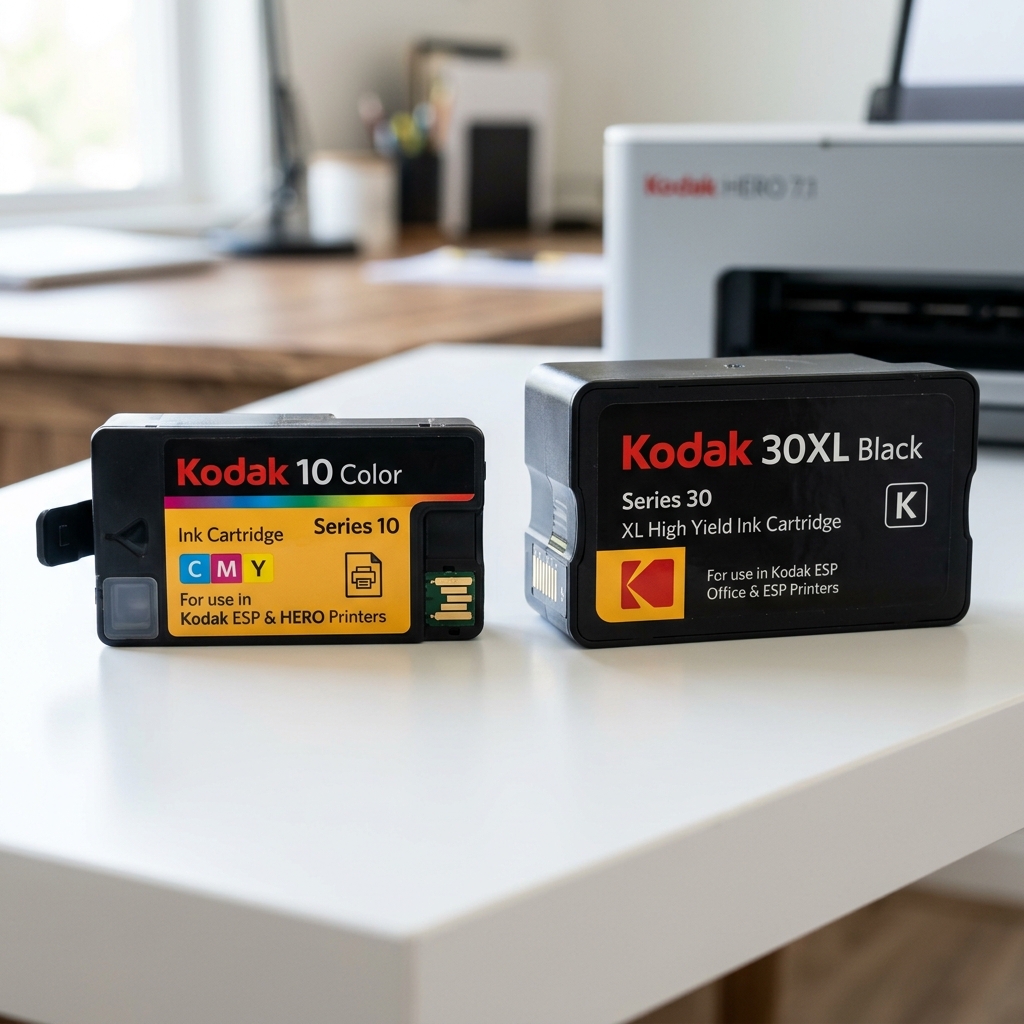
One of the most confusing aspects of owning a Kodak printer is determining which ink cartridge is compatible with your specific model. Unlike brands that use a single cartridge line across generations, Kodak manufactured three completely separate cartridge families during its consumer printer era.
Installing the wrong series will not physically fit in the carriage slot, and attempting to force it can damage the electrical contacts or the printhead alignment pins. This reference guide provides a definitive compatibility matrix.
The Three Kodak Cartridge Families
| Cartridge Family | Standard Yield | High Yield (XL) | Colors Available | Approx. Page Yield (Standard / XL) |
|---|---|---|---|---|
| Series 10 | Kodak 10B (Black), Kodak 10C (Color) | Kodak 10XL (Black only) | Black, Tri-Color (C/M/Y) | ~425 / ~770 pages (Black) |
| Series 30 | Kodak 30B (Black), Kodak 30C (Color) | Kodak 30XL (Black only) | Black, Tri-Color (C/M/Y) | ~335 / ~550 pages (Black) |
| Verite Series 5 | Kodak ALK (Black), Kodak ALC (Color) | Kodak XLALK (Black), Kodak XLALC (Color) | Black, Tri-Color (C/M/Y) | ~200 / ~400 pages (Black) |
Series 10 / 10XL — Compatible Printer Models
The Series 10 cartridge was used in the original EasyShare and early ESP lines. These printers were among Kodak's first consumer inkjets:
- Kodak EasyShare 5100
- Kodak EasyShare 5300
- Kodak EasyShare 5500
- Kodak ESP 3
- Kodak ESP 5
- Kodak ESP 7
- Kodak ESP 9
- Kodak ESP 3250
- Kodak ESP 5210
- Kodak ESP 5250
- Kodak ESP 7250
- Kodak ESP 9250
- Kodak ESP Office 6150
Series 30 / 30XL — Compatible Printer Models
The Series 30 was introduced for the ESP C-Series, Office 2100 Series, and Hero lines. These represent Kodak's second-generation consumer printers with updated printhead designs:
- Kodak ESP C110
- Kodak ESP C115
- Kodak ESP C310
- Kodak ESP C315
- Kodak ESP 1.2
- Kodak ESP 3.2
- Kodak ESP Office 2150
- Kodak ESP Office 2170
- Kodak Hero 3.1
- Kodak Hero 5.1
- Kodak Hero 7.1
- Kodak Hero 9.1
Verite Series 5 — Compatible Printer Models
The Verite line was manufactured by Funai Electric under the Kodak brand license after Kodak exited direct printer manufacturing. These cartridges use a completely different chip architecture:
- Kodak Verite 50
- Kodak Verite 55
- Kodak Verite 55 Eco
- Kodak Verite 55W Eco
- Kodak Verite 65
- Kodak Verite 65 Eco
- Kodak Verite 65 Plus
How to Identify Your Current Cartridge Series
If you are unsure which cartridge your printer uses:
- Open the printer's front access door to expose the cartridge carriage.
- Remove the currently installed cartridge.
- Look at the label printed on the cartridge body. It will clearly state "Kodak 10B", "Kodak 30C", or "Kodak ALK", etc.
- If no cartridge is installed, check the sticker on the inside of the access door or the underside of the printer, where the recommended cartridge numbers are often printed by the manufacturer.
Standard vs XL: What's the Difference?
Within each series, the XL (high-yield) cartridge is physically the same size as the standard cartridge and fits into the same slot. The only difference is the volume of ink inside the sponge reservoir.
XL cartridges contain approximately 60-80% more ink, offering a significantly lower cost-per-page. You can freely interchange Standard and XL within the same series.
Related Kodak Troubleshooting Guides
The Ultimate Kodak Ink Cartridge Compatibility Master Guide
Kodak desktop inkjet printers utilize two primary cartridge architectures: Series 10 and Series 30. Using the incorrect series will cause physical latch failure, microchip read errors, or severe printhead damage. Below is the complete model compatibility reference.
Series 10 vs. Series 30 Model Compatibility Matrix
| Specification | Kodak Series 10 (10B Black / 10C Color / 10XL) | Kodak Series 30 (30B Black / 30C Color / 30XL) |
|---|---|---|
| Compatible ESP Models | ESP 3, ESP 5, ESP 7, ESP 9, ESP 3250, ESP 5210, ESP 5250, ESP 7250, ESP 9250, ESP Office 2150, 2170 | ESP C110, ESP C310, ESP C315, ESP Office 2150, ESP Office 6150 |
| Compatible HERO Models | None (No HERO models use Series 10) | HERO 2.2, HERO 3.1, HERO 4.2, HERO 5.1, HERO 6.1, HERO 7.1, HERO 9.1, Office HERO 6.1 |
| Compatible EasyShare Models | EasyShare 5100, EasyShare 5300, EasyShare 5500 | None |
| Chip Architecture | Wide-pad Generation 1 EEPROM smart chip | Miniaturized Generation 2 encoded security microchip |
Standard Yield vs. XL High-Yield Capacity
- Kodak 10B Black: ~425 standard ISO text pages | 10XL Black: ~770 pages
- Kodak 10C Color: ~420 composite color pages
- Kodak 30B Black: ~335 standard text pages | 30XL Black: ~670 pages
- Kodak 30C Color: ~275 composite color pages | 30XL Color: ~550 pages
Frequently Asked Questions
What is Kodak Verité ink and does it work in ESP or HERO printers?
Kodak Verité printers (such as Verité 55, 65) were manufactured under license by Funai and use completely different integrated-printhead ink cartridges (Kodak Verité 5, 5XL, 5XXL). They are 100% incompatible with ESP and HERO printers.
Can I install a 10XL cartridge in an ESP 3250 printer?
Yes. XL cartridges have the exact same physical exterior form factor as standard cartridges; they simply contain higher-density internal sponge reservoirs and more ink volume.
