


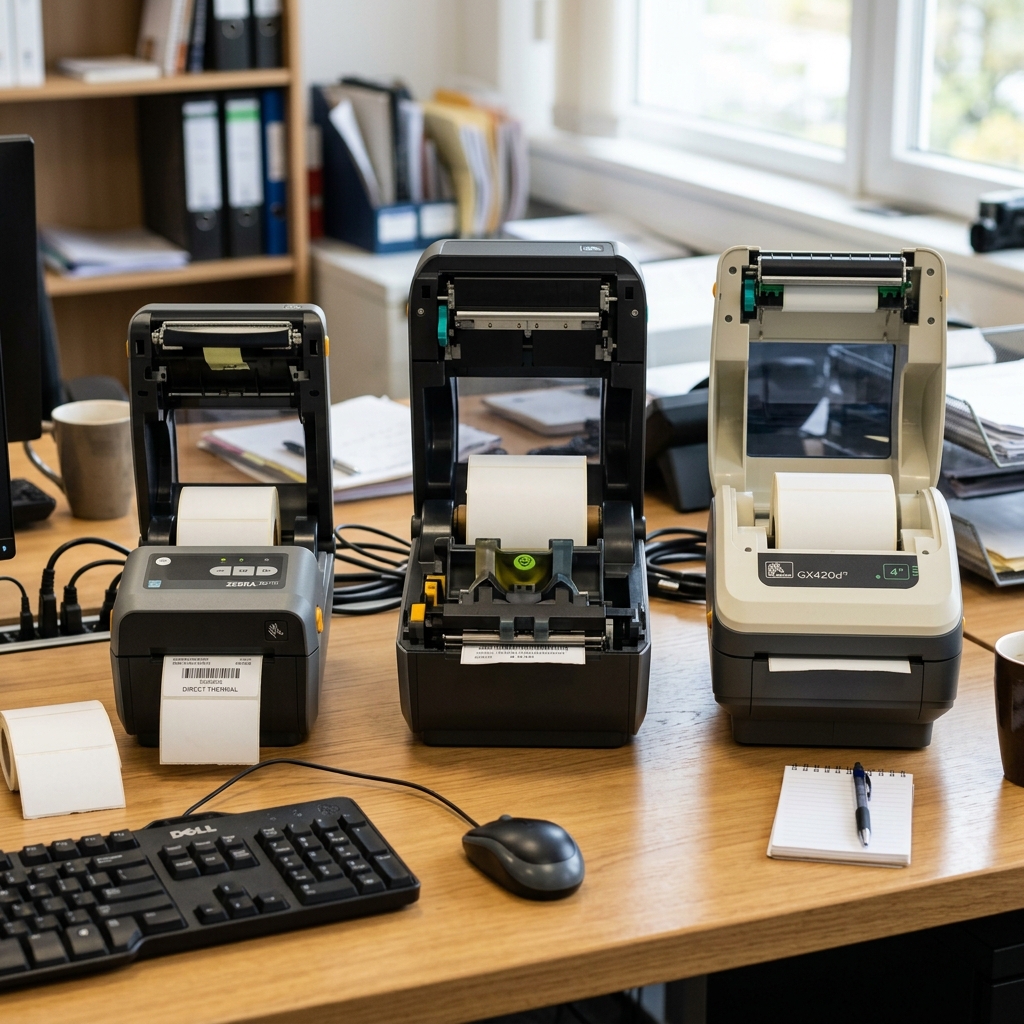
Zebra ZD410 vs ZD420 vs GX420d: A Comprehensive Comparison
Navigating the landscape of desktop label printers can be a daunting task, particularly when faced with a multitude of models that seemingly offer similar functionalities. Zebra Technologies is an undisputed titan in this industry, known for manufacturing rugged, dependable printers that serve as the backbone for thousands of businesses worldwide.
When selecting a printer for operations such as shipping, inventory management, healthcare wristband printing, or retail tagging, three models frequently rise to the top of the consideration list: the Zebra ZD410, the Zebra ZD420, and the legacy Zebra GX420d. While they share the Zebra pedigree, each model is engineered with distinct use cases, spatial constraints, and media requirements in mind.
Understanding the nuances between these three devices is critical for making an informed purchasing decision that aligns with your operational needs and budget. This comprehensive comparison will dissect the ZD410, ZD420, and GX420d across critical dimensions including print technology, form factor, media handling capabilities, connectivity options, and overall longevity, providing you with the clarity needed to choose the right Zebra printer for your specific workflow.
Why This Happens: The Evolution of Desktop Printing
To understand the differences between these models, one must look at the evolution of Zebra's desktop printer line. The GX420d is a legacy model, part of Zebra's highly successful G-Series.
It earned a reputation as an absolute workhorse—a direct thermal printer that was straightforward, incredibly durable, and capable of churning out thousands of shipping labels without complaint. However, as technology advanced, businesses demanded smaller footprints, easier media loading mechanisms, and more advanced remote management capabilities.
This demand led to the development of the ZD series.
The ZD410 and ZD420 represent the next generation. They were designed to replace older models (like the LP2824 Plus and the G-Series, respectively) while introducing modern features.
The core divergence lies in physical size and print width capabilities. The ZD410 is an ultra-compact, 2-inch printer, ideal for cramped workspaces and specific applications like wristbands or small price tags.
The ZD420 is a 4-inch printer, designed to be the direct modern successor to the 4-inch GX420d, offering advancements in user interface and media flexibility. The comparison is essentially a choice between the proven reliability of a legacy workhorse (GX420d), the modern advancements in a standard 4-inch format (ZD420), and the specialized, space-saving design of a 2-inch format (ZD410).
Step-by-Step Feature Comparison
To determine the best fit, we must break down the specifications and capabilities of each printer systematically.
- Print Technology (Direct Thermal vs. Thermal Transfer):
- GX420d: The "d" stands for Direct Thermal only. It uses heat-sensitive paper and requires no ribbon. This is perfect for short-term labels like shipping labels or receipts (labels that don't need to last longer than 6-12 months).
- ZD410: This model is also strictly Direct Thermal only. It is designed for simple, ribbonless operation for small labels.
- ZD420: This is where the ZD420 distinguishes itself. It is available in both Direct Thermal (ZD420d) AND Thermal Transfer (ZD420t) models. Thermal transfer uses a ribbon, allowing you to print on synthetic materials for long-lasting, durable labels (like asset tags that must survive outdoor conditions or harsh chemicals). Furthermore, the ZD420 introduced a unique ribbon cartridge system (on specific models) making ribbon loading foolproof compared to traditional spool systems.
- Print Width and Media Handling:
- ZD410: Maximum print width is 2.2 inches (56mm). This restricts you to small labels. It cannot print standard 4x6 inch shipping labels.
- GX420d: Maximum print width is 4.09 inches (104mm). This is the industry standard for shipping labels (FedEx, UPS, USPS).
- ZD420: Maximum print width is also 4.09 inches (104mm). Like the GX420, it handles all standard shipping and inventory label sizes.
- Form Factor and Footprint:
- ZD410: Extremely compact. It is designed to fit in the tightest spaces, such as crowded retail counters or pharmacy desks. If space is your primary constraint, this is the clear winner.
- GX420d: A standard desktop size. It requires a dedicated spot on a desk or packing station. Its clam-shell design requires vertical clearance to open.
- ZD420: Similar footprint to the GX420d, perhaps slightly more modernized in its styling. It also uses a clam-shell opening mechanism.
- User Interface and Usability:
- GX420d: Very basic interface, typically featuring a single feed button and one or two LED status lights. Troubleshooting requires interpreting blink codes.
- ZD410 & ZD420: The ZD series introduces a significantly upgraded interface with five intuitive LED icons (status, pause, data, supplies, network). This makes it much easier for users to instantly diagnose issues (e.g., seeing immediately if it's a network issue vs. a media out issue).
- Connectivity and Management:
- GX420d: Standard models offer USB, Serial, and Parallel ports. Ethernet or Wi-Fi were optional upgrades. It lacks modern remote management capabilities.
- ZD410 & ZD420: Come standard with USB and USB Host. They offer flexible field-upgradeable connectivity options (Ethernet, Wi-Fi, Bluetooth) that can be added later by the user. More importantly, they run Zebra's Link-OS operating system, allowing for powerful remote management, monitoring, and troubleshooting via Zebra's Print DNA software suite, a massive advantage for IT teams managing fleets of printers.
Advanced Considerations: Longevity and Upgradability
When making a long-term investment, one must consider the product lifecycle. The GX420d is a legacy product.
While it remains incredibly durable and parts are currently still available due to its massive install base, Zebra is heavily pushing the ZD series as its replacement. Eventually, firmware updates and support for the GX series will wane.
The ZD420 (and its newer iteration, the ZD421) represents the current and future standard for Zebra desktop printing. The major advantage of the ZD series is field upgradability.
If you buy a base ZD420 with only USB connectivity today, and your business needs change in two years, you can purchase an Ethernet or Wi-Fi module and install it yourself. You cannot do this with the GX420d; what you buy is what you are stuck with.
Similarly, you can field-install a peeler or cutter on the ZD series much more easily than on the older GX models.
In summary, if you simply need to print 4x6 shipping labels and find a cheap refurbished GX420d, it will likely run for years. However, for a new purchase requiring modern network security, remote IT management, the option for thermal transfer printing, or field upgrades, the ZD420 is the superior investment.
If you are specifically printing small wristbands or price tags in a very confined space, the 2-inch ZD410 is the specialized tool required for that job.
FAQ
Can the ZD410 print standard 4x6 shipping labels?
No. 2 inches.
What is the difference between Direct Thermal and Thermal Transfer?
Direct Thermal uses heat-sensitive paper and no ribbon; labels fade over time or when exposed to heat. Thermal Transfer uses a ribbon to melt ink onto the label, creating highly durable, long-lasting prints suitable for harsh environments.
Are parts for the older GX420d still available?
Yes, because the GX series was immensely popular, third-party and some OEM parts (like printheads and platen rollers) are still widely available, though official support is transitioning to the ZD series.
Can I upgrade the connectivity on these printers later?
You can easily upgrade the connectivity (add Ethernet, Wi-Fi, Bluetooth) on the ZD410 and ZD420 models using field-installable modules. You generally cannot upgrade the connectivity on a GX420d after purchase.
Which printer is best for printing patient wristbands?
The ZD410 is often preferred for wristbands due to its small footprint, fitting easily on nurses' stations or medical carts. Zebra also offers specific healthcare (HC) versions of these printers with disinfectant-ready plastics.
