


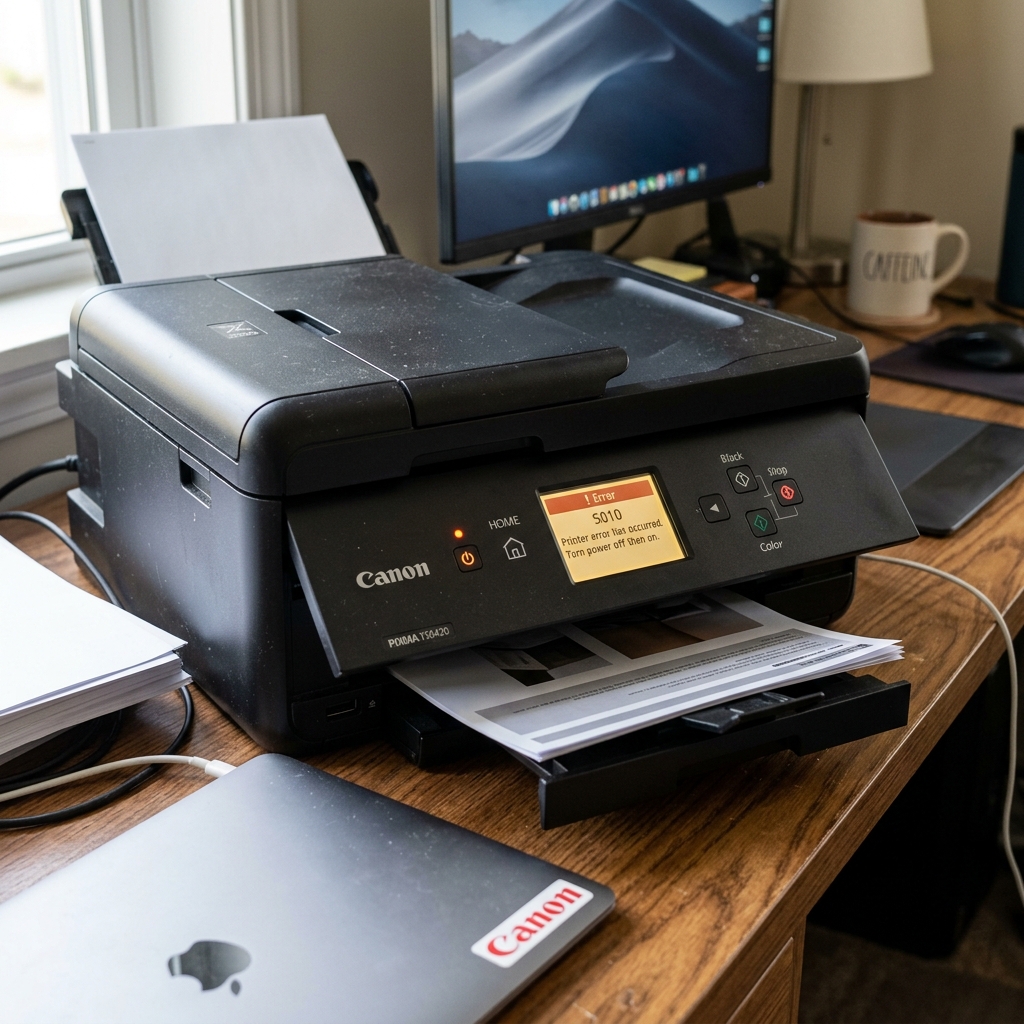
The Canon PIXMA TS6420 utilizes an intricate array of opticalsensors. Encoder strips, and tiny motors to deliver precise photo-quality prints. When any of these micro-components detect a discrepancy, the printer halts immediately. Flashes a support code (like 1403, 5100, or 6000) to prevent catastrophic mechanical damage.
## Why This Happens Understanding the underlying mechanisms of the Canon PIXMA TS6420 is crucial for effective troubleshooting. The support codes and internal errors typically doesn't happen out of nowhere; it is usually the result of a specific sequence of events. A gradual degradation of system harmony. Let's explore the technical reasons why you might be experiencing this.Error code 5100 generally indicates a carriage error. This means the printhead carriage cannot move smoothly across its rail. This is almost always caused by a tiny piece of jammed paper, a dislodged encoderstrip. Or congealed ink on the carriage rail increasing friction beyond acceptable parameters.
Error code 1403 relates to the printhead temperature sensor or EEPROM failing. This is a severe hardware communication failure between the logic board and the printheaditself. Often triggered by a short circuit from leaking ink or a physically damaged printhead contact.
Errors in the 6000 range usually point to the paper feed mechanism. The optical sensors that detect the leading edge of the paper can become blinded by paper dust or a smudge of ink.
When the sensor fails to register the paper moving, the logic board assumes a jam and throws an error.
## Step-by-Step Fix Now that we have established the theoreticalbackground. It's time to roll up our sleeves and apply practical solutions. Follow these steps meticulously, and do not skip any, as sometimes the most obvious fix is the correct one.- Power Cycle and Rest: Turn off the printer, unplug it from the wall, and wait at least 5 minutes. This clears the volatile memory and allows overheated sensors to cool down. Plug it back in and turn it on.
- Clear the Carriage Path: Open the main access door and use a flashlight to meticulously inspect the path of the ink carriage. Look for torn pieces of paper, foreign objects, or packing tape that might have been left inside.
- Clean the Encoder Strip: The encoder strip is a clear plastic band running behind the carriage. It tells the printer exactly where the printhead is. If it is smudged with ink, the printer gets confused. Gently wipe it with a dry, lint-free swab (do not use harsh chemicals).
- Reseat Ink Cartridges: Remove all ink cartridges. Inspect the copper contacts on the cartridges and the printhead for dirt or ink smears. Gently clean them with an alcohol swab, let dry, and firmly reseat them.
- Check Rear Tray and Rollers:Open the rear access panel and ensure the feed rollers are clean. Nothing is obstructing the paper path from the rear tray.
If you have completed all the steps above and the support codes and internal errorspersists. It indicates that the problem might be more deeply rooted in the system architecture or requires a more intrusive intervention.
Do not panic; the standard troubleshooting phase resolves the issue for the vast majority ofusers. But there are still further avenues to explore.
## Advanced Troubleshooting When standard procedures fall short, we must employ advanced diagnostics. These steps are intended for users who are comfortable navigating deeper system settings. Performing careful hardware inspections on the Canon PIXMA TS6420.If the error relates to a printhead failure (like 1403) and reseating does notwork. You may need to entirely remove the printhead assembly (if removable on this model) and clean the main logic board contacts. If this fails, the printhead itself must be replaced, which is often a significant investment.
Performing a deep hard reset of the printer's NVRAM. This involves pressing a specific sequence of the power and stop buttons to enter Service Mode and initializing the EEPROM. Note that entering Service Mode incorrectly can lock the printer permanently.
If facing a persistent 6000 serieserror. You may need to use compressed air to blast out the optical sensors located deep within the paper feed assembly. These sensors are incredibly small and easily obscured by a single speck of dust.
## FAQ Here are some of the most frequently asked questions regarding the Canon PIXMA TS6420. The support codes and internal errors.What does error code B200 mean?
B200 is a critical printhead error indicating abnormal voltage or temperature. It often means the printhead has failed completely and requiresreplacement.
Can I bypass an error code to use the scanner?
Unfortunately, most fatal printer errors lock the entire machine down, disabling the scanner as well. You must resolve the error code before any functionality is restored.
Why did I get an error code immediately after installing new ink?
This is usually due to the cartridge not clicking fully into place, leaving the electrical contactsmisaligned. Or forgetting to pull off the protective plastic tape from the cartridge nozzle.
Furthermore, network topology can indirectly impact peripheral performance. If your device relies on wireless connectivity, interference from overlapping Wi-Fi channels, physicalobstructions.
Or even microwave ovens can disrupt the data packet transmission. This packet loss can sometimes be misinterpreted by the print controller as a data corruptionerror.
Causing the device to halt unexpectedly. Ensuring a strong, dedicated connection, or opting for a direct USB connection during criticaltasks.
Can mitigate these invisible environmental factors.
