


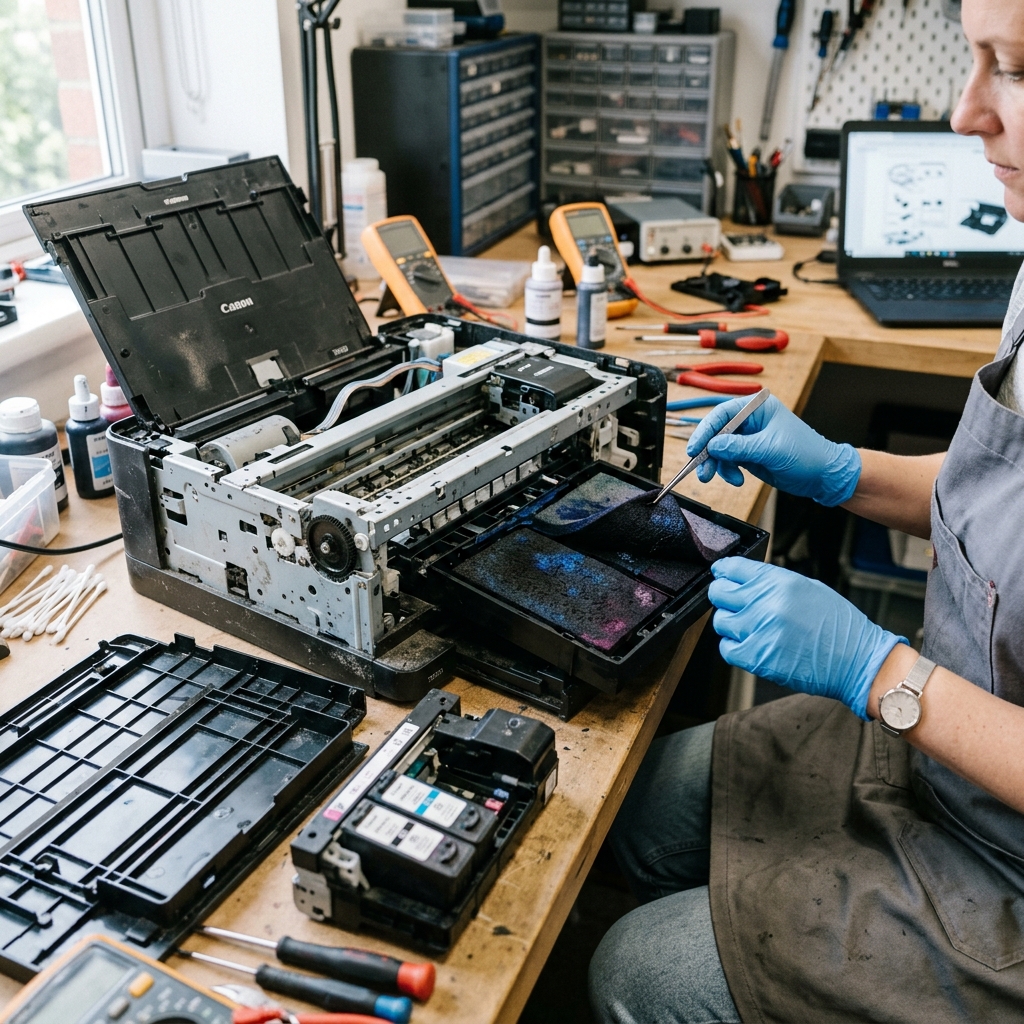
The Reality of the 5B00 Error
When a Canon printer throws an "Ink Absorber Full" error (Support Code 5B00), it enters a hard lock. The printer refuses to scan, copy, or print until it is serviced. This leaves consumers wondering if the machine is effectively dead.
Scenario 1: Professional Repair (Authorized Canon Center)
If you take the printer to an authorized Canon repair center, the technician will disassemble the bottom chassis, replace the dense felt ink pads with brand new ones, and use Canon's proprietary software to reset the motherboard counter.
- The Cost: Parts are cheap (usually $15 for the pads), but bench labor is expensive. A standard repair usually costs between $75 and $120.
- The Verdict for Budget Printers: If you own a $60 Canon TS3520 or MG3620, professional repair is a massive waste of money. It is cheaper to buy a brand-new printer with a fresh warranty and new starter ink cartridges.
- The Verdict for Premium Printers: If you own a $300 Canon MegaTank (G-series) or a $600 imagePROGRAF photo printer, paying $100 for a repair is a smart investment to keep the expensive hardware running.
Scenario 2: The DIY Software-Only Reset
Many users discover they can download a "Canon Service Tool" to digitally reset the counter to 0% for free, without ever opening the printer casing.
- The Cost: $0.
- The Risk: Extremely high. The digital counter is reset, but the physical sponge is still soaked. The next time the printer runs a deep clean, the ink will physically overflow the internal plastic tray and pour out onto your desk, potentially ruining furniture or electronics.
- The Verdict: Only do this if you place the printer on a plastic tray or a stack of newspaper, and understand that you are living on borrowed time. The printer will leak eventually.
Scenario 3: The Full DIY Repair
If you are good with a screwdriver, you can fix this completely for free.
- The Cost: $0 and about 90 minutes of your time.
- The Process: You download the Service Tool to reset the digital counter. Then, you unscrew the printer casing, remove the soaking wet felt pads, and wash them in a sink with warm water and dish soap until the water runs clear. After letting them air dry in the sun for 48 hours, you reinstall them.
- The Verdict: Highly recommended for anyone who hates e-waste and doesn't mind getting ink on their hands. Wear gloves!
The Truth About Canon "Ink Absorber Full" (Error 5B00 / P07): Is It Worth Repairing?
When a Canon printer displays the fatal "Ink Absorber Full" lockout, consumers face a dilemma: pay for professional authorized service, perform a DIY reset, or replace the machine. Understanding the true economics, parts availability, and DIY feasibility helps you make the right decision.
Cost-Benefit Analysis: Repair vs. Replace
| Option | Estimated Cost | Time & Effort | Recommendation Level |
|---|---|---|---|
| DIY Service Mode Software Reset | $0 - $10 (Canon Service Tool v3400/v4905) | 10 minutes (USB cable + PC) | Highly Recommended (Extends life by 10,000+ pages) |
| Authorized Canon Service Center | $80 - $150 (Parts + Labor) | 1 - 2 weeks turnaround | Only worthwhile for expensive $400+ MegaTank / Pro models |
| New Printer Replacement | $60 - $200 (Entry-level PIXMA) | Immediate | Practical if the printer is 5+ years old and printhead is worn |
Frequently Asked Questions
Will resetting the counter without changing sponges cause a flood?
If this is the first time 5B00 has appeared, the sponges have enough reserve capacity to absorb ink for several more months. For high-volume printing, place an absorbent tray underneath the printer or replace the felt pads.
Can I replace the felt pads myself?
Yes. Replacement sponge sets cost $10-$15 online.
