


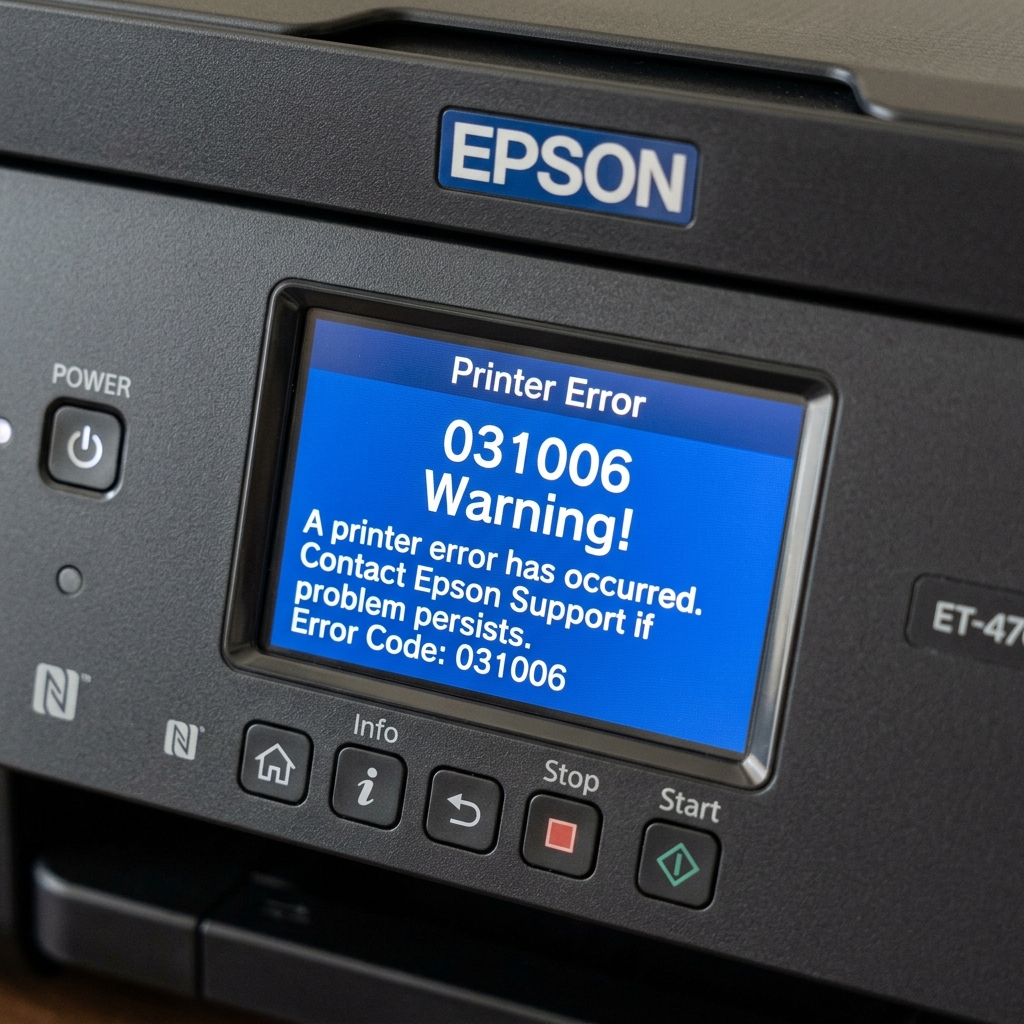
ET-4760 Error Code Glossary
The Epson EcoTank ET-4760 is a heavy-duty office workhorse equipped with an Automatic Document Feeder (ADF) and a touchscreen. Because it has more moving parts than standard EcoTanks, it is prone to a wider variety of numeric error codes.
If your ET-4760 is locked up with a blue screen and white text, here is what the hardware is trying to tell you.
Code 031006: The Paper Feed Fault
This is the most common mechanical error on the ET-4760. It means the PF (Paper Feed) motor is detecting too much resistance, or its optical sensor is blind.
- Check for Jams: Look down the rear feed slot, but more importantly, pop open the rear duplexer panel on the back of the printer. Crumpled paper loves to hide in the duplexer gears.
- Clean the Encoder Disk: Lift the scanner bed. On the far left of the printer internals, you will see a clear plastic wheel with microscopic lines on it attached to a gear. If ink or grease smeared onto this wheel, the sensor cannot read it. Wipe it gently with a Q-tip and rubbing alcohol.
Code 000041: The Printhead Obstruction
The printer throws this code during the boot-up sequence if the printhead carriage cannot slide all the way to the right and lock into its "home" parking station.
Turn the printer off, lift the scanner unit, and shine a flashlight into the far right corner. You are looking for a stray paperclip, a staple, or a tiny torn corner of a piece of paper that is sitting on top of the rubber capping station. Extract it with tweezers.
Code 100016: The Maintenance Box Lockout
Unlike cheaper models where you have to wash the pads yourself, the ET-4760 uses a user-replaceable maintenance box (Model T04D1). When the screen displays a service required error or code 100016, the box is full of waste ink.
Purchase a new T04D1 maintenance box (usually $15). On the front right bottom corner of the printer, remove the small plastic cover, slide the old box out, and slide the new one in. The new box has a microchip that will instantly reset the error code on the screen.
Code 0x97: The Fatal Short
If your screen displays 0x97 (or 0x9A), the motherboard has detected a massive electrical short circuit, usually originating in the printhead.
Unplug the printer for 10 minutes and plug it directly into a wall outlet to rule out a surge protector fault. If the error returns immediately upon booting, the motherboard's F1 fuse is blown and the printhead is likely destroyed. The printer requires professional repair or replacement.
Master Diagnostic Error Code Guide for the Epson EcoTank ET-4760
The Epson EcoTank ET-4760 is an all-in-one wireless office printer with duplexing and ADF. When hardware faults occur, the touchscreen displays 6-digit hex error codes. Below is the complete decoding and resolution reference.
ET-4760 Error Code Matrix
| Error Code | Hardware Fault Identified | Technical Fix Procedure |
|---|---|---|
| 0x9A / 0x97 | Printhead / Mainboard Circuitry Short | Clean printhead ribbon cable contacts; perform 30-min power drain. |
| 0x000041 | Carriage Jam / Foreign Object Obstruction | Clear paper scraps from carriage rail; clean linear optical encoder strip. |
| 0x000031 | Scanner Motor / CIS Home Position Fault | Unlock scanner carriage; clean white calibration reference strip. |
| 0x000021 | Paper Feed (Line Feed) Roller Motor Stall | Clean circular LF encoder disc on the left side of feed roller shaft. |
| 0x000010 | ADF Document Feeder Paper Sensor Jam | Open ADF top cover; clean ADF pickup and separation rollers. |
Frequently Asked Questions
What is the user-replaceable maintenance box part number for the ET-4760?
The ET-4760 uses the Epson T04D100 (T04D1) maintenance box, which is easily replaced via the rear access slot with a single flathead screw.
How do I clear error 0x97 on the ET-4760?
Error 0x97 is often triggered by an internal voltage surge. Disconnect all cables, hold the power button for 30 seconds, and let the printer rest unplugged for 1 hour before reconnecting directly to a wall outlet.
