


Decoding Epson L4260 Error Codes
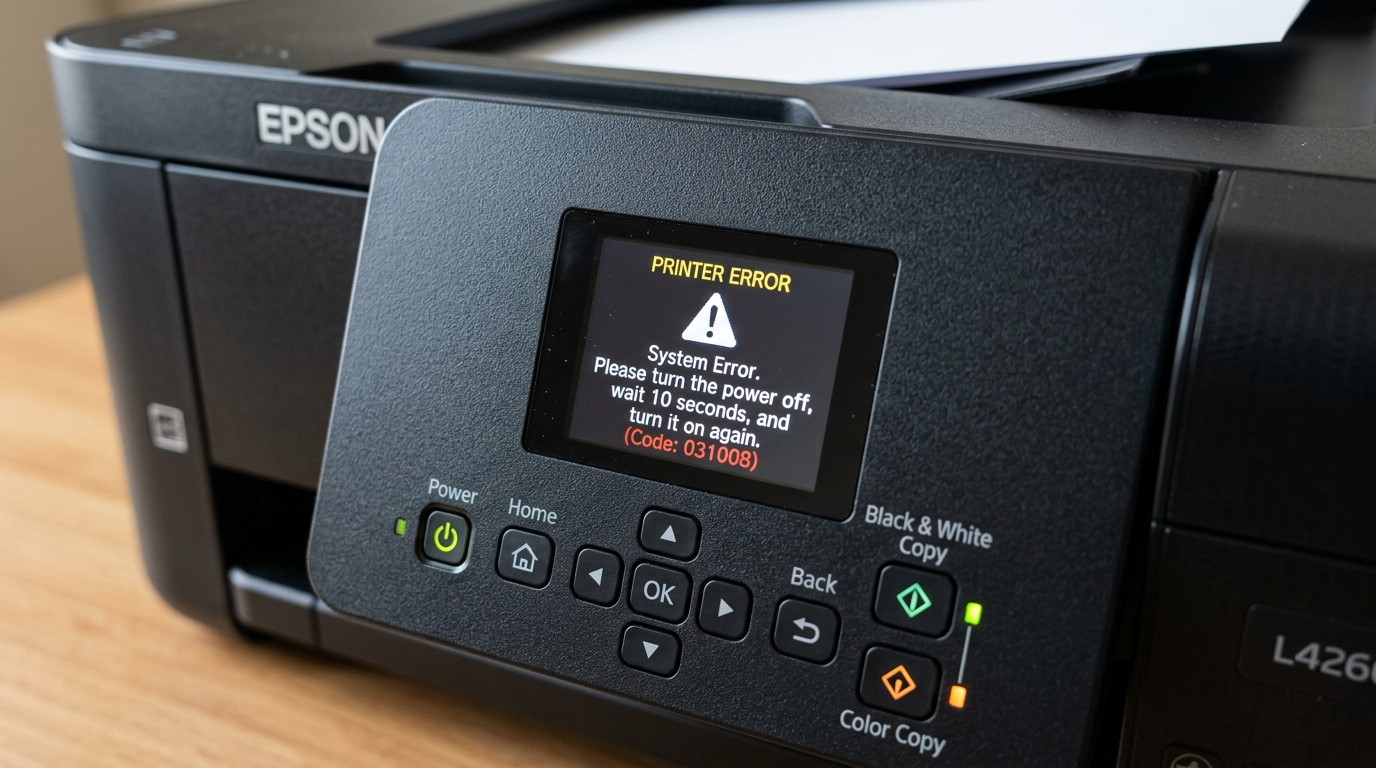
The Epson EcoTank L4260 features automatic two-sided printing, Wi-Fi Direct, and an integrated 1.44-inch color LCD. When internal sensors detect a mechanical obstruction or electronic fault, a 6-digit alphanumeric error code appears.
Most L4260 error codes relate to carriage movement restrictions, scanner optical stalls, duplex paper feed jams, or maintenance box exhaustion.
Error Code 031008: Printhead Carriage Jam
Code 031008 indicates the printhead carriage cannot traverse the guide shaft smoothly:
- Power down the printer: Turn off the printer and disconnect the power cord immediately.
- Open the scanner unit: Lift the scanner top assembly and secure the support prop.
- Inspect the carriage path: Look for torn paper fragments, paper clips, or dislodged packing tape along the carriage rails.
- Check the CR encoder strip: Inspect the clear plastic timing strip running behind the carriage. If smudged with grease, wipe it gently with a dry microfiber cloth.
- Manually move carriage: Gently slide the printhead carriage toward the center to ensure free travel, then close the unit and power on.
Error Code 000041: Scanner CIS Sensor Error
Code 000041 triggers when the scanner optical carriage fails to initialize or reach its home position:
- Open the document lid: Ensure no heavy objects are pressing down on the flatbed glass.
- Check flatbed glass calibration area: Inspect the left border of the glass for white-point calibration obstructions.
- Inspect scanner ribbon cable: If the unit was recently serviced, ensure the white flat flexible cable connecting the scanner to the mainboard is firmly seated.
- Perform a hard restart: Unplug the printer for 60 seconds to reset the optical stepping motor controller.
Error Code 000021 & 000024: Paper Feed Roller Errors
These codes signify feed roller timing slip or paper jam inside the auto-duplex unit:
- Remove the rear duplex cover: Squeeze the tabs on the rear duplex module and pull it straight out.
- Clear jammed paper inside: Gently remove any crumpled sheets trapped between the dual reversing rollers.
- Clean the feed rollers: Wipe the rubber pickup rollers inside the rear paper slot with a slightly damp lint-free cloth.
- Reinstall duplex unit firmly: Push the rear module back in until both side retention latches click.
Error Code 034004 & Maintenance Box End of Life
The L4260 features a user-replaceable maintenance box (C13T04D100) that collects waste ink:
- Inspect the LCD alert: When the screen displays "Maintenance box is at the end of its service life", printing is halted.
- Unscrew rear maintenance door: Remove the single screw holding the lower rear maintenance hatch.
- Slide out saturated box: Pull out the full maintenance cartridge and discard it safely.
- Install fresh maintenance box: Insert a new Epson T04D1 maintenance box and tighten the screw. The printer automatically detects the new chip.
Frequently Asked Questions
Can I clean and reuse the Epson L4260 maintenance box?
No, the maintenance box has a cryptographic one-time microchip; you must replace it with a new T04D1 cartridge.
What does error code 000031 mean on the L4260?
Code 000031 indicates a purge unit or ink pump mechanical failure, typically caused by hardened dried ink in the maintenance capping station.
How do I clear persistent error codes after removing jammed paper?
Disconnect the AC power cord for 2 minutes, press and hold the Power button for 10 seconds to drain residual charge, then plug back in.
