


Understanding LabelWorks Tape Feed Failures
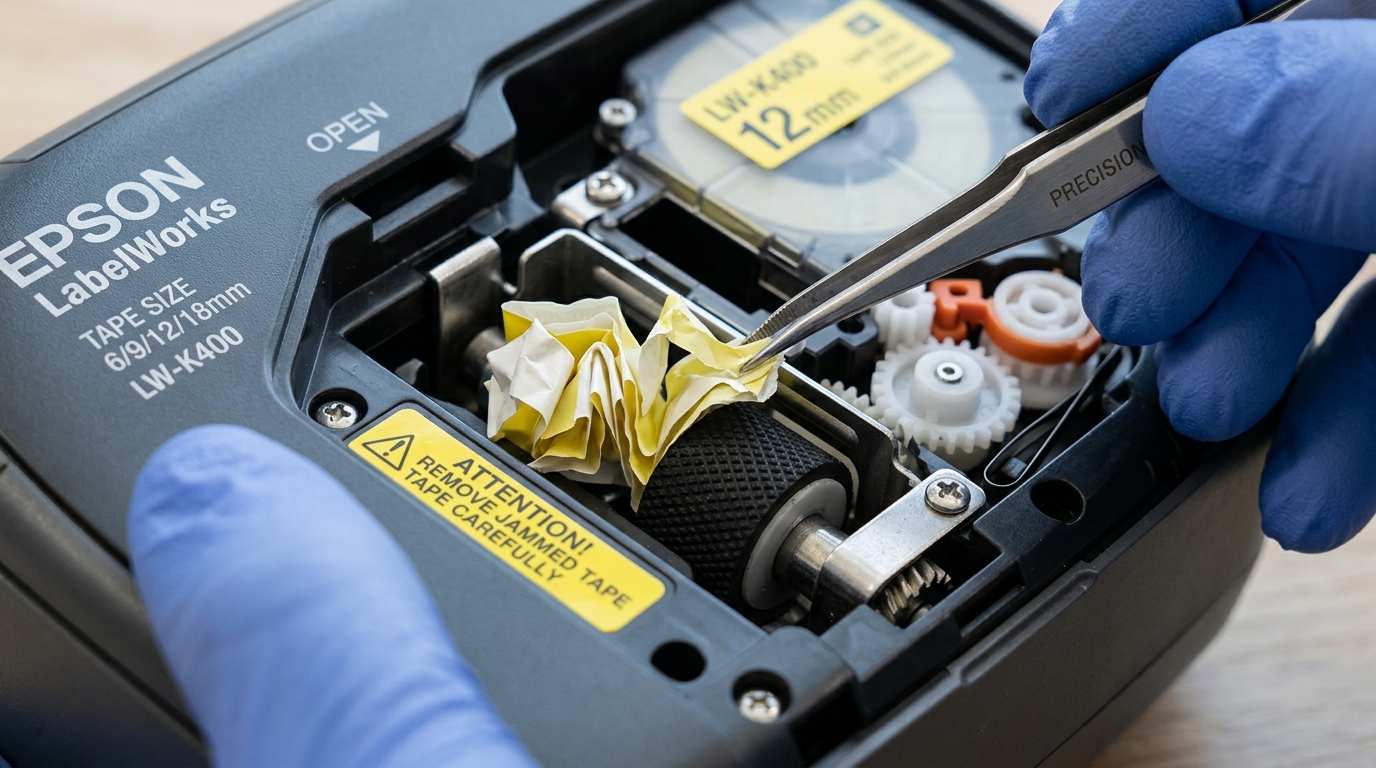
Epson LabelWorks printers pull tape media past the printhead and through the exit slot using a synchronized rubber platen roller and motorized gear train. Motor grinding or feed stalls occur when tape curls back into the cutter housing.
Sticky adhesive residue, warped cassette spools, or jammed half-cut blades can bind the tape path and prevent smooth media ejection.
Step 1: Safely Extract Jammed Tape
Forcibly pulling tape through the front exit slot damages the delicate automatic cutter blade:
- Power down the printer: Turn off the unit immediately when you hear motor clicking or grinding noises.
- Open the rear door: Unlatch the rear cassette compartment door to expose the tape bay.
- Lift the cassette straight up: Pull the tape cartridge straight upward. Do not twist or angle the cartridge during removal.
- Trim crinkled media: Use sharp scissors to cut away accordion-folded tape protruding from the cassette feed guide.
Step 2: Clear and Lubricate the Automatic Cutter Mechanism
Adhesive builds up on the guillotine blade, causing tape to stick to the blade face instead of exiting:
- Locate the exit cutter slot: Inspect the narrow tape exit opening behind the feed roller.
- Clean blade surfaces: Dip a wooden toothpick or lint-free swab in 99% isopropyl alcohol and wipe both sides of the shear blade.
- Cycle the cutter manually: On models with manual cutter buttons or lever assemblies, cycle the blade several times to confirm smooth travel.
- Apply dry silicone lubricant: If the metal blade binds, touch a micro-drop of dry PTFE silicone to the pivot pin.
Step 3: Restore Platen Roller Traction
Slick or glazed rubber rollers slip against the silicone backing liner of industrial labels:
- Inspect the drive roller: Look at the small rubber roller mounted inside the printer chassis opposite the printhead.
- Deglaze the rubber: Scrub the roller surface with isopropyl alcohol while rotating it manually to remove dust and wax.
- Check spring tension: Ensure the cassette lock lever snaps closed with firm downward pressure against the roller shaft.
Step 4: Re-seat and Test Cassette Feeding
Improperly seated tape cassettes disengage from the mechanical drive spindle:
- Advance tape slightly: Guide the leading edge of the label tape through the cassette tape guide fingers by 3mm.
- Align guide posts: Align the circular locating holes on the cassette base with the printer locator pegs.
- Press firmly until seated: Push down until the cassette clicks securely into the bottom drive gears.
- Execute a feed cycle: Close the cover, power on, and press the Feed or Feed & Cut button.
Frequently Asked Questions
Why does the tape wrap around the roller inside the printer?
Static electricity or sticky adhesive on the roller grabs the leading edge of the tape, causing it to roll backwards around the platen.
How do I clear a "Cutter Error" on my LabelWorks printer?
Power off the machine, remove the tape cassette, remove any adhesive lodged between the cutter blades, and power back on.
Why does my heat shrink tube get stuck in the cutter?
Heat shrink tubing is thicker than standard vinyl tape; disable the half-cut function and use full cut or manual cutting instead.
