What Causes Error 031006?
Error 031006 is one of the most frequently searched error codes for Epson's L-series EcoTanks, particularly models like the L3110, L3210, and L3250. This specific code translates to a PF (Paper Feed) Motor PID excess load error.
In simple terms: The printer tried to spin the rubber rollers to pull a sheet of paper through, but the motor met too much physical resistance, or the sensor tracking the roller's movement went blind. The printer immediately halts to prevent the motor from burning out.
Fix 1: The Hidden Jam (Bottom Access)
Most users check the rear feed tray for paper jams, but they forget to check the bottom of the printer.
- Turn the printer off and unplug it.
- Remove all paper from the rear tray.
- Carefully tilt the printer backward to expose the bottom. (Do not tilt an EcoTank past 45 degrees for long periods, or ink may leak).
- Look for the small access door or the exposed roller gears underneath. Often, a sheet of paper gets concertina-folded tightly against the exit rollers.
- Use tweezers to pull out any fragments. If the paper is tightly wound around the gray rubber roller, you may need to slowly rotate the roller with your thumb to unwind it.
Fix 2: Cleaning the PF Encoder Disk (The Rotary Sensor)
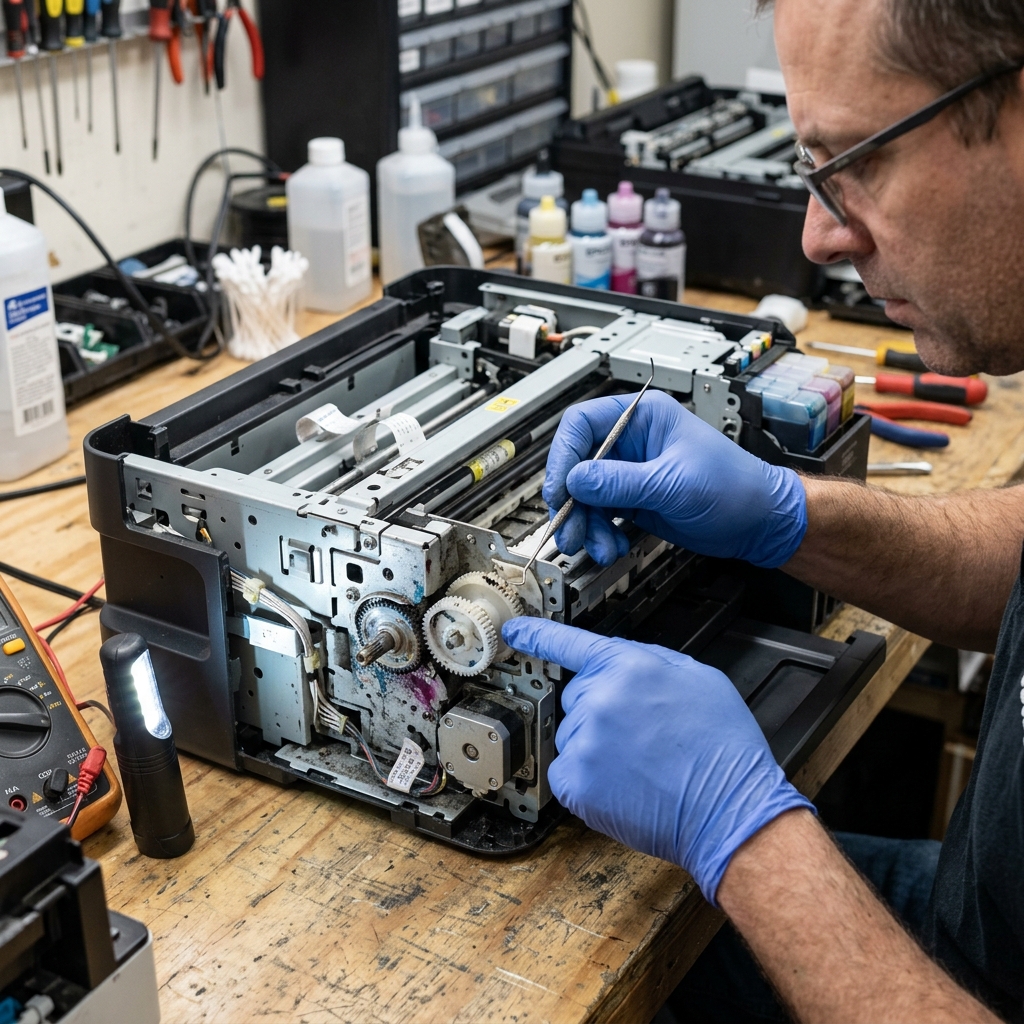
If there is absolutely no paper jammed in the mechanism, the error is almost certainly sensory. Just as the printhead uses a straight encoder strip to know where it is, the paper feed rollers use a rotary encoder disk to know how far they have rotated.
This disk is a round, clear plastic wheel with microscopic lines printed all around its edge. It sits attached to a gear on the far left side of the printer's internal chassis.
How to clean it:
- Unplug the printer and lift the main scanner bed unit to view the internals.
- Look to the far left side, near the complex cluster of white plastic gears.
- You will see a flat, clear plastic wheel (about the size of a half-dollar coin) passing through a small black optical sensor.
- Take a Q-tip (cotton swab) and dip it lightly in isopropyl alcohol.
- Gently press the Q-tip against the edge of the clear plastic wheel. With your other hand, slowly manually rotate the large white gear so the wheel spins against your Q-tip.
- You will likely see a large smudge of black ink or gear grease transfer onto the cotton swab. This smudge was blinding the sensor and causing the 031006 error.
- Allow the wheel to dry for 2 minutes, then turn the printer on.
Fix 3: Lubricating the Gear Shaft
If the encoder disk is clean, the PF motor might actually be encountering too much physical resistance. Over time, paper dust mixes with the factory grease on the gear shafts, creating a sticky paste.
Take a small drop of white lithium grease or highly refined machine oil on a toothpick, and apply it to the metal shaft where the large white paper feed gears rotate on the left side of the chassis. Spin the gears manually to work the lubrication in.
Do not use WD-40, as it will degrade the surrounding plastics over time.
Understanding Error 031006 on Epson L3110 / L3210 EcoTank Printers
Error code 031006 (or 0x031006) is a dedicated Paper Feed / Line Feed (LF) Drive Gear De-synchronization Error specific to the Epson EcoTank L3110, L3150, L3210, and L3250 chassis architecture.
When the paper pickup roller fails to complete its rotational cycle, or when the white plastic gear cluster on the left chassis wall jumps a tooth, Error 031006 locks the machine.
Step-by-Step Gear Re-timing & Clearing Guide
- Inspect the Left-Side Paper Feed Gear Train:
Unplug the printer and open the top casing. Look at the far left side of the paper feed roller mechanism. You will see a cluster of white plastic gears and a semi-circular pickup roller cam gear. Check for broken gear teeth or foreign objects jammed between the cogs.
- Manually Re-index the Paper Pickup Roller:
Using your thumb, rotate the large white drive gear forward (toward the front of the printer) until the D-shaped pickup roller rotates completely around and locks back into its flat, horizontal resting position.
- Clean the Circular LF Encoder Disc:
Next to the left gear train sits a 2-inch transparent plastic timing disc. Clean any ink mist or grease off this disc using a clean microfiber cloth dampened with warm distilled water.
- Perform a Hard Power Cycle:
Unplug the AC power cord for 10 minutes to reset the paper feed motor driver registers on the mainboard.
Frequently Asked Questions
Why does Error 031006 happen right after clearing a paper jam?
If jammed paper was yanked backward out of the rear feed tray, the force rotates the pickup gear backward, throwing it out of mechanical synchronization with the optical sensor flag.
Can a worn separation pad cause Error 031006?
Yes. A worn separation pad allows the pickup roller to slip, failing to complete its timed rotation and generating 031006.