


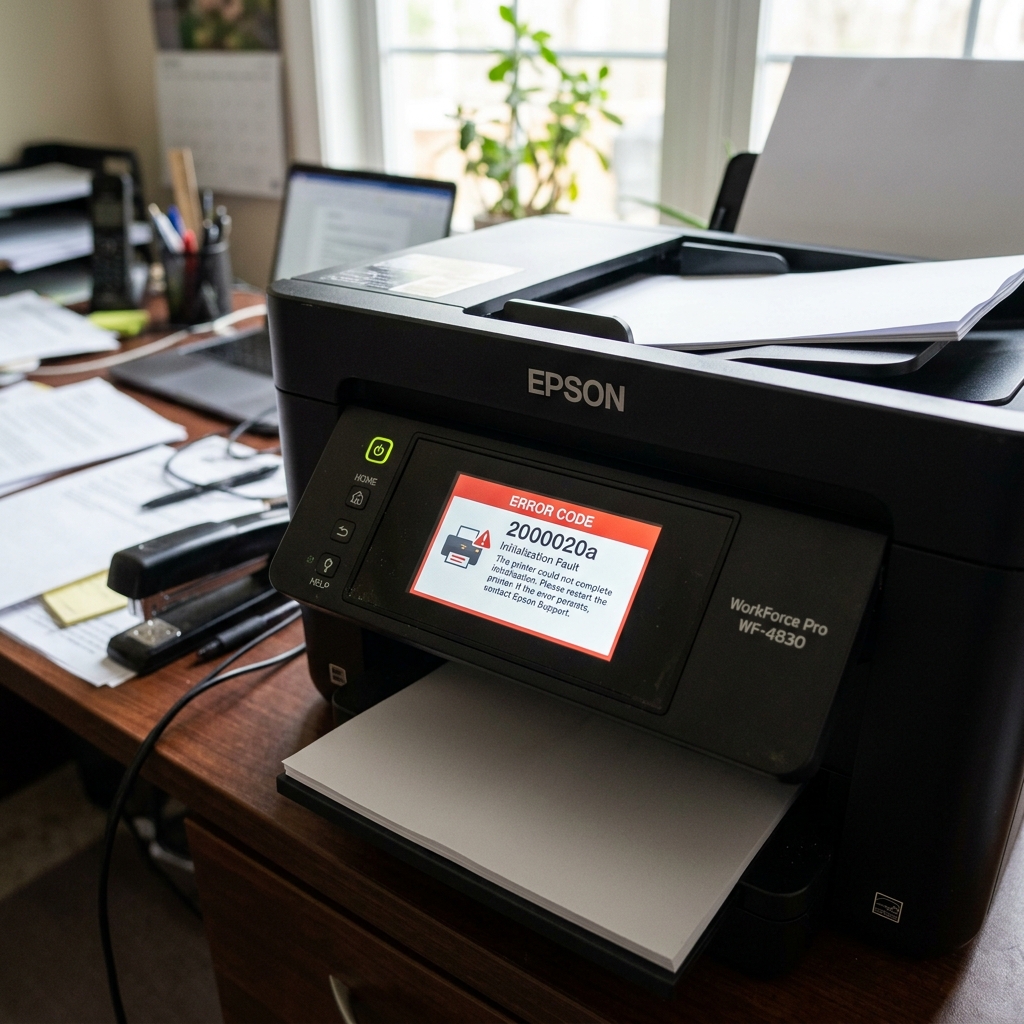
The Mystery of Code 2000020a
Most Epson error codes are relatively straightforward (a paper jam, an empty cartridge, a full waste pad). Error Code 2000020a, however, is a hexadecimal memory address error. It indicates that the printer's internal operating system crashed during setup.
While this can occasionally be caused by a severe paper jam. Blocking a sensor, it is most frequently caused by a network communication timeout or corrupted data sitting in the print queue.
Fix 1: The Wi-Fi Isolation Test
When an Epson printer boots up, it attempts to connect to. Your local Wi-Fi network and check for incoming print jobs. If a computer on your network is sending a corrupted print spool file. Or if the printer's internal Wi-Fi adapter is failing, the boot process hangs and triggers 2000020a.
We need to isolate the printer from the network to test this.
- Turn the printer off.
- Unplug the power cord from the wall.
- Walk over to your home internet router and turn it completely off (unplug it).
- Wait 60 seconds, then plug the printer directly into the wall outlet and turn it on.
If the printer boots up perfectly: You have a network data issue. Leave the router off for a moment.
Go to your computer, open the Printers & Scanners menu, and delete all pending documents in the print queue. Then, on the printer's control panel, navigate to Settings > Network Settings > Restore Network Defaults.
Turn your router back on, and reconnect the printer to the Wi-Fi from scratch.
If the printer still throws 2000020a: The issue is not network-related. It is either a corrupted firmware (internal software) chip or a mechanical blockage.
Fix 2: Clearing a Hidden Sensor Blockage
If network isolation doesn't work, the setup failure is likely physical. The motherboard is asking a sensor for a status update (e.g., "Is there paper in the rear tray?"), and the sensor is failing to reply.
- Take a strong flashlight and look down the rear paper feed slot. Look for coins, paperclips, or tiny scraps of torn paper resting against the black plastic sensor flags.
- Lift the scanner bed and inspect the clear plastic encoder strip behind the printhead. If it is popped out of its sensor slot on the back of the printhead carriage, the carriage cannot initialize.
Fix 3: firmware (internal software) Recovery
If the error persists through a power cycle, no network connection. And no physical jams, the printer's firmware (internal software) (its internal operating system) has become corrupted. This often happens if the printer loses power in the middle of an automatic over-the-air update.
To fix this, you must boot the printer into ROM Recovery Mode (usually achieved by holding Power + Down + Left + Cancel. The printer is off) and use a USB cable to push a fresh copy of the firmware (internal software) from your computer using the official Epson firmware (internal software) Updater tool.
Technical Diagnostics for Epson Error 2000020A (Network & Mainboard Init Fault)
Error code 2000020A is an unhandled setup exception generated during the bootloader sequence. It indicates that the printer's mainboard failed to initialize the embedded network controller (Wi-Fi/Ethernet MAC layer). Encountered a memory buffer parity error while parsing stored network certificates.
Step-by-Step Mainboard & Network Recovery Protocol
- Disconnect All Data Cables & SD Cards:
Unplug the Ethernet cable, USB cable, and remove any memory cards or USB flash drives inserted into the printer. If a corrupted file on an SD card. A broadcast storm on the network occurs during boot, the controller halts with 2000020A.
- The 30-Minute Complete Power Disconnect:
- Unplug the power cord from the wall outlet.
- Press and hold the physical Power button on the printer for 30 seconds.
- Leave the machine unplugged for at least 30 minutes to allow the. On-board flash cache and PHY network controller to discharge completely.
- Reconnect power directly to a wall socket without any data cables attached.
- Perform a Factory Network Reset via Control Panel:
Once the printer boots to its home screen: Navigate to Settings > Restore Default Settings > Network Settings. Confirm the reset. This clears any corrupted WPA3 security certificates or malformed IP tables from NVRAM.
- Reflash firmware (internal software) via USB:
Connect the printer to a PC via USB. Run the latest Epson firmware (internal software) Update Utility to rewrite any corrupted bootloader sectors.
Frequently Asked Questions
Is Error 2000020A a fatal motherboard hardware failure?
In roughly 85% of cases, 2000020A is a transient network buffer crash. That resolves after a full 30-minute power drain and network reset.
Can a router firmware (internal software) update trigger Error 2000020A?
Yes. If a new router begins broadcasting incompatible IPv6 router advertisement packets that the printer's older network stack cannot parse.
