


The Quick Answer
HP printer smells like burning? A repair tech explains the real difference between normal fuser break-in odor and a genuine electrical hazard.
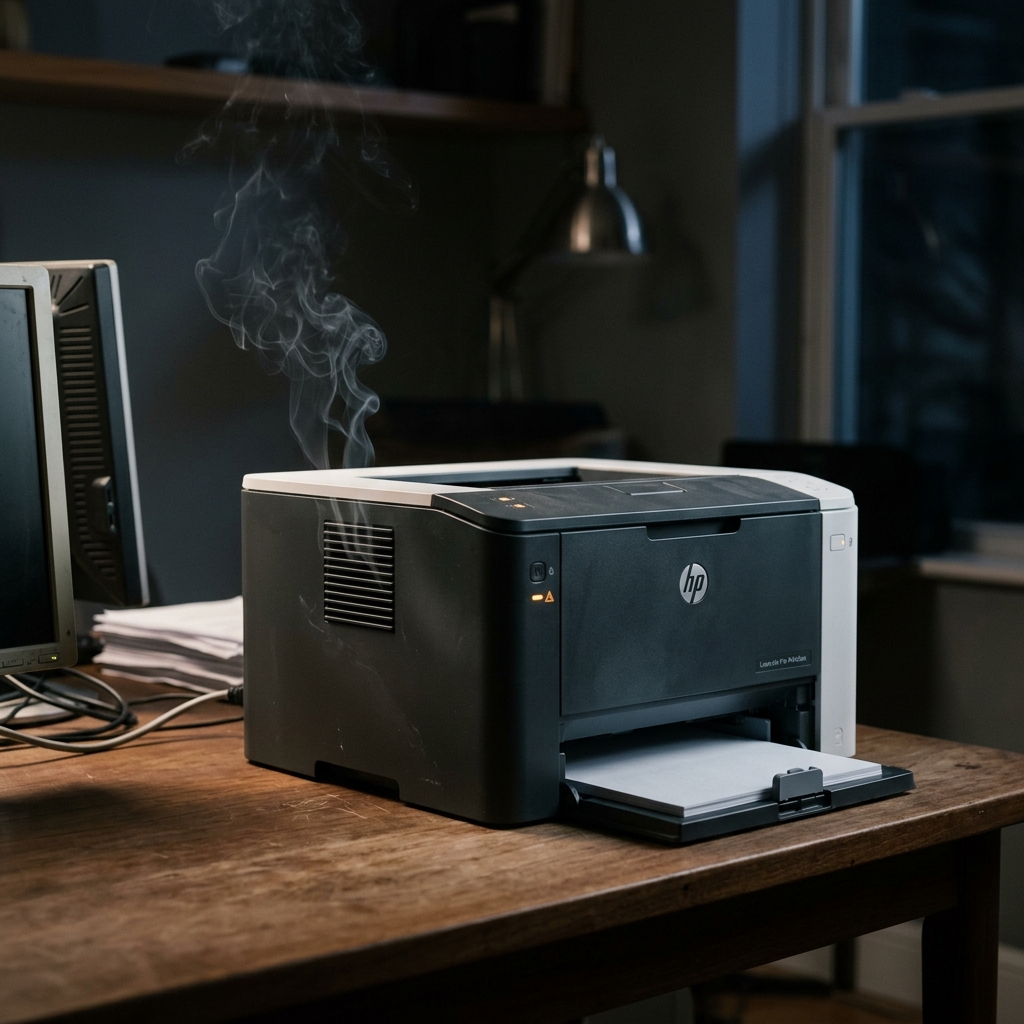
Let me be direct with you upfront, because this is a safety question and it deserves a clear answer, not a wall of caveats: if you see smoke, visible melting, scorched plastic, or your printer shut off on its own and won't turn back on, unplug it from the wall right now and don't plug it back in until it's been serviced. That's not a step to consider after reading the rest of this guide — do it first.With that said, not every burning-type smell means your printer is dangerous, and knowing the genuine difference matters, because I've talked to plenty of worried owners who unplugged and returned a perfectly fine printer over a smell that was actually expected and harmless. Here's how to tell which situation you're actually in.
The Immediate Safety Step
If you notice any burning smell, regardless of what you suspect the cause is: turn the printer off, unplug it from the wall outlet. Let it cool for at least 30 minutes before touching anything inside.
This costs you nothing and takes thirty seconds. Do it before you start diagnosing anything, even if you strongly suspect it's the harmless kind described below.
Why this matters: you can't tell from smell alone, in the first few seconds, whether you're dealing with something benign or something genuinely dangerous. Removing power first and diagnosing second is simply the safer order of operations, every time.
When It's Genuinely Normal
A brand-new fuser, or a printer that just had its fuser replaced, will produce a noticeably strong odor for roughly the first 20 to 30 pages it prints as the fuser heats up for the very first time and burns off manufacturing residue. This is documented, expected behavior, not a malfunction.
It should fade noticeably and disappear entirely within that break-in window.
A faint, mild "overheated" smell during a very large, continuous print job — particularly on a laser printer working hard for an extended stretch — can also fall within normal operation for some models, especially if there's no visible smoke and the paper itself shows no signs of scorching or discoloration. If you print only occasionally and notice this specifically during unusually long jobs.
Everything else about the printer's operation looks and sounds normal, this alone isn't necessarily cause for alarm.
Printing heavier or specialty paper, like cardstock or letterhead, from a manual feed tray can sometimes produce a distinct smell as that heavier stock interacts with the fuser differently than standard paper — if switching back to standard paper resolves it completely, this points toward a paper-and-settings issue rather than a hardware fault, though it's still worth double-checking your paper weight settings match what's actually loaded.
Why these situations are different: in each case, there's a clear, identifiable, non-electrical explanation — a break-in period, sustained heavy use. A paper mismatch — and the smell responds predictably to that explanation resolving itself (the break-in period ending, the job finishing, or switching paper).
None of these involve visible damage, and none of them recur unpredictably without an identifiable trigger.
When It's a Genuine Warning Sign
Any visible smoke, however brief or minor it appears.
Scorched, melted, or visibly damaged plastic or components anywhere inside the printer — including a cartridge that looks burnt or discolored, which several owners have reported specifically alongside this kind of smell.
A printer that shuts off unexpectedly mid-job, accompanied by a burning smell, and then won't power back on — this pattern has been specifically associated with power supply failure in documented cases, and attempting repeated power cycling in this situation isn't a safe troubleshooting step; it's a reason to stop and seek service.
A smell that recurs unpredictably, with no clear trigger like a new fuser or an unusually long job, and doesn't fade the way the normal explanations above do.
Why these are different: each of these points toward a genuine hardware fault — most seriously, a failing power supply or electrical component — rather than an expected byproduct of normal operation. None of these situations resolve on their own.
Continuing to use a printer in any of these states carries real fire risk, not a theoretical one. Multiple documented cases describe exactly this progression: a burning smell, followed by the printer failing to restart, ultimately traced to a failed power supply component.
What to Do If It's the Dangerous Kind
Turn the printer off and unplug it from the wall immediately if you haven't already. Let it cool for at least 30 minutes before opening any covers.
Once cooled, you can visually inspect for obvious signs of damage — melted plastic, scorching, a visibly damaged cartridge — but do not attempt to power the printer back on to test it, and do not attempt any internal repair beyond visual inspection unless you're specifically trained to safely work on live electronics.
Do not plug the printer back in until it has been professionally inspected or serviced, even if the smell seemed to fade after it cooled down. A printer that produced smoke, showed visible damage, or shut down and wouldn't restart has demonstrated a real fault.
That fault doesn't resolve itself just because the printer seems quiet again once it's cool.
Why this caution is warranted: electrical faults that produce smoke or burning smells don't reliably announce themselves clearly before a more serious failure. A printer is a device that stays plugged in and often runs unattended for hours.
This is exactly the kind of situation where the cautious, patient path — wait for professional service rather than testing it yourself — is worth the inconvenience.
If the Smell Isn't Actually From the Printer
Before concluding the printer itself is the source, confirm the smell is genuinely coming from the printer and not from something else nearby — a wall outlet, another device sharing the same outlet or power strip. Something unrelated entirely in the room.
Why this matters: if the smell is coming from an electrical outlet or anything other than the printer itself, that's a different and potentially more urgent situation, worth following your local electrical safety guidance or contacting whoever handles electrical or fire safety for your home or workplace directly, rather than continuing to troubleshoot it as a printer issue.
When to Call a Professional
Contact HP support directly, with your printer's serial number, for any burning smell that doesn't clearly match the normal fuser break-in or heavy-use explanations above — particularly anything involving visible smoke, scorched components. A printer that's shut down and won't restart.
If your printer is under warranty, this is exactly the kind of issue warranty service exists for. HP support can guide you through safe next steps and service or replacement options.
Don't feel obligated to keep troubleshooting a printer that's shown genuine warning signs just to rule out every possibility yourself first — this is a legitimate reason to involve HP directly without exhausting every home step beforehand.
FAQ
Is it normal for a new printer to smell like burning?
Yes, specifically if you've recently installed a new fuser or the printer is brand new — a strong odor for the first 20 to 30 pages as the fuser burns in for the first time is documented, expected behavior that should fade and disappear within that window.
My printer smells like burning during long print jobs. Should I worry?
Not necessarily, if there's no visible smoke, no scorching on the paper or components. The smell is mild and tied specifically to sustained heavy printing. If it's persistent, worsening, or accompanied by any visible damage, treat it as a warning sign instead.
My printer shut off and smelled like burning, and now it won't turn on. What should I do?
Unplug it from the wall immediately if you haven't already. Do not attempt repeated power cycling to test it. This specific pattern has been documented as a sign of power supply failure, and it's a situation to bring to HP support or a professional rather than continuing to troubleshoot yourself.
Can I keep using my printer if the smell seems to have gone away after it cooled down?
Not if it showed any of the warning signs described in this guide — visible smoke, scorched components, or a shutdown-and-won't-restart pattern. A fault that caused those symptoms doesn't resolve itself just because the printer seems normal again once cool; have it professionally inspected before using it again.
An HP printer burning smell deserves a genuinely honest answer, not blanket alarm or blanket dismissal: a new fuser breaking in or heavy use on a long job can be completely normal.
Visible smoke, scorched components. A printer that won't restart after shutting off are real warning signs worth taking seriously.
When in doubt, unplug first and figure out which situation you're in second — that order of operations costs you nothing and keeps you safe either way.
Additional Resources
If you are still experiencing issues after trying the steps above, you may need to consult the official documentation or download the latest firmware (internal software) (internal software) for your specific printer model. We recommend checking the following official resources:
