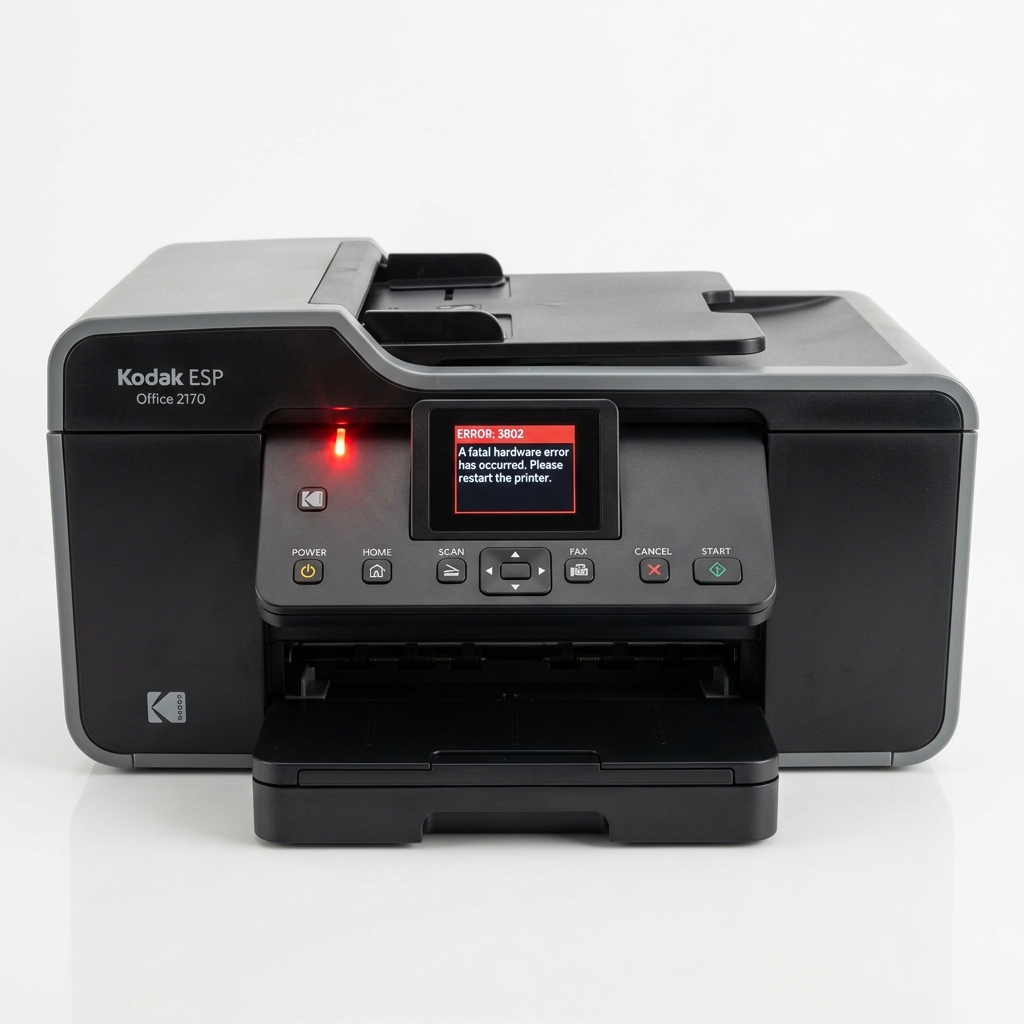
Kodak printer error 3802 is a common error code on ESP and Hero series printers. It represents an internal state lock, which happens when the printer's mainboard detects an unexpected voltage drop, a sensor timing discrepancy, or a momentary freeze in communication with the printhead.
Here is how to perform a hard reset to clear this error code.
What Error 3802 Actually Means
Unlike mechanical error codes (like paper jams), code 3802 is an electronic safety lock. Kodak printers are sensitive to input voltage fluctuations.
If the printer is plugged into a crowded power strip or surge protector, the initial current draw from the fuser or carriage motor can cause a brief voltage dip. The mainboard detects this dip and locks the printer under error 3802 to prevent data corruption or component damage.
Fix 1: The 60-Second Hard Reset
Because error 3802 is cached in the printer’s temporary RAM, a simple press of the power button will not clear it. You must perform a complete power reset to drain the internal capacitors:
⏱️ The 60-Second Power Drain Flow
Power Off ➡️ Unplug Rear Cable ➡️ Unplug Wall Adapter ➡️ Wait 60s ➡️ Connect Directly to Wall ➡️ Power On
- With the printer turned on and showing the error, unplug the power cord directly from the back of the printer.
- Unplug the power brick adapter from the wall outlet.
- **Wait exactly 60 seconds.** This allows the electrical charge inside the printer's mainboard capacitors to drain completely, clearing the cached error state.
- Plug the power adapter directly into a wall outlet. **Do not use a surge protector or extension cord** for this test.
- Plug the cable back into the printer.
- Power on the printer and check if the error is cleared.
Fix 2: Check for Carriage Restrictions
Sometimes, a physical block on the carriage rail mimics a power fault, triggering error 3802 if the motor strains to move the printhead. To check:
- Unplug the printer from power.
- Open the printer access door.
- Gently slide the printhead carriage back and forth along the metal rail. It should slide freely without sticking. If it catches, check for bits of paper, paper clips, or dust buildup.
Fix 3: Reseat the Printhead and Ink
An insecure printhead connection can also trigger error 3802 as the printer tries to communicate with the nozzles during startup.
- Follow our printhead reseating steps: open the cover, remove cartridges, unlatch the printhead unit.
- Wipe the gold contacts on the back of the printhead with a clean, dry microfiber cloth.
- Reinstall the printhead, pressing firmly until you hear the **loud mechanical snap**.
- Reinsert the cartridges and power on the printer.
When to Replace the Power Adapter
If error 3802 returns repeatedly, the external power brick (the adapter on the power cable) may be failing and unable to supply stable voltage. You can find replacement Kodak power adapters online. If replacing the power adapter does not resolve the issue, the mainboard itself has likely failed.
Related Kodak Troubleshooting Guides
Technical Explanation of Kodak Error 3802 (Printhead Resistance / Voltage Error)
Error 3802 is an electronic safety fault indicating an abnormal voltage reading or thermal resistance mismatch across the printhead's micro-resistors. Kodak printheads utilize microscopic heating resistors to boil ink and create droplets.
If ink leaks onto the rear copper contact pads, or if a short-circuit occurs across adjacent nozzle circuits, the DC controller detects an over-current condition and trips Error 3802 to prevent logic board damage.
Step-by-Step Contact Restoration & Recovery
- Remove Cartridges and Printhead:
Open the top access door. When the carriage slides to the center, remove both the black and color Series 10 or Series 30 ink cartridges. Lift the orange or black printhead latch lever and lift the entire printhead assembly out of the carriage cradle.
- The 99% Isopropyl Alcohol Contact Cleanse:
Examine the back of the printhead. You will see a grid of copper contact pads.
Ink mist and dried pigment often bridge the microscopic gaps between pads. Dampen a lint-free cloth or foam swab with 99% isopropyl alcohol (never water) and gently scrub the copper pads.
Clean the matching spring-loaded gold pins inside the printer carriage as well.
- Inspect for Burn Marks or Pinched Pins:
Look at the spring pins inside the carriage with a magnifying glass or flashlight. If any pin is bent flat, pushed in, or charred black, electrical connection is lost. Carefully straighten bent pins using a pair of non-conductive fine tweezers.
- Reseat Firmly and Power Cycle:
Allow the contacts to dry for 5 minutes. Lower the printhead back into the carriage, snap the latch down with firm pressure, reinstall the ink cartridges, and power cycle the machine.
Frequently Asked Questions
Does Error 3802 mean my Kodak printhead is permanently dead?
In roughly 60% of cases, Error 3802 is caused by surface ink contamination across the electrical contacts and can be resolved by thorough alcohol cleaning. However, if cleaning fails after multiple attempts, the internal nozzle heating resistors have burned out, requiring printhead replacement.
Are Series 10 and Series 30 printheads interchangeable?
No. 1 models) have different electrical pinouts and physical dimensions.