


The ASF Motor and Error 5700
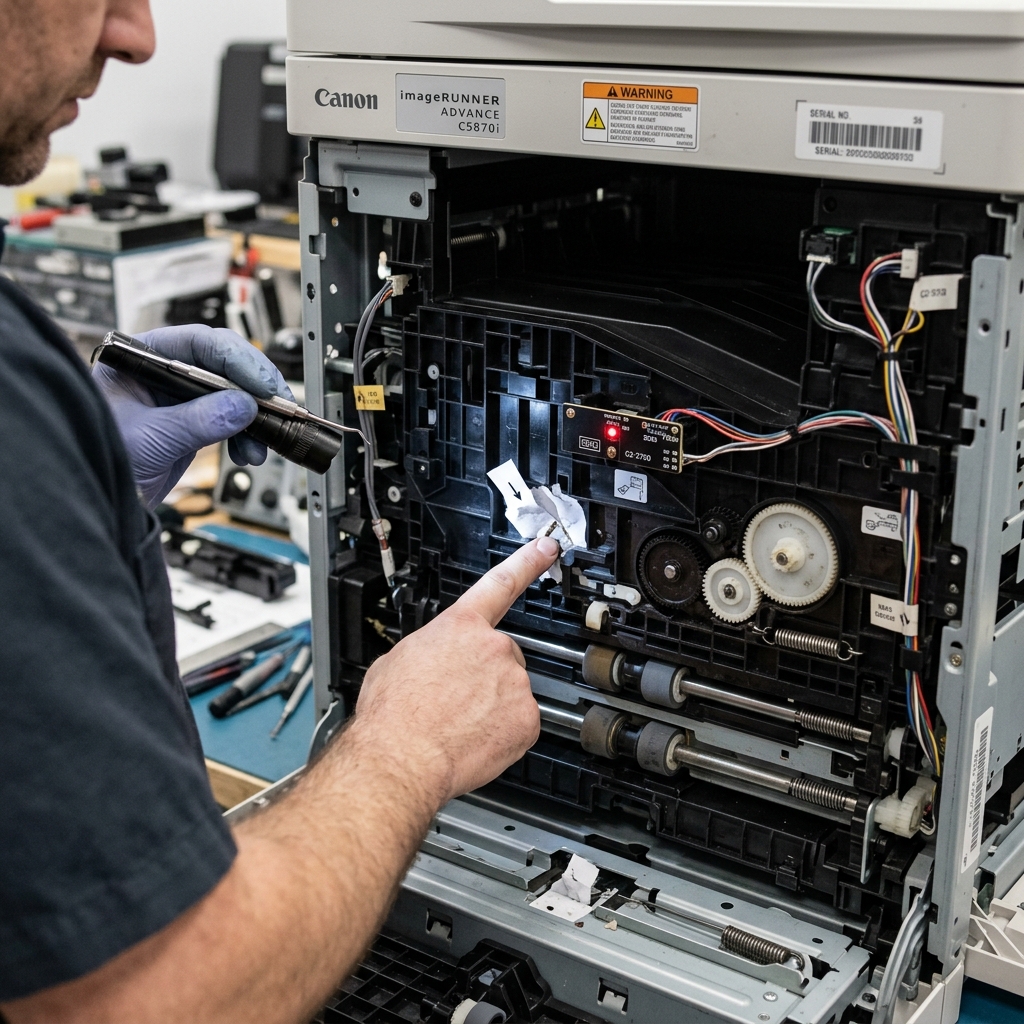
Canon's error 5700 is an ASF (Automatic Sheet Feeder) motor error. When you send a print job, the first thing the printer does is spin a small motor connected to rubber rollers.
These rollers reach into the paper tray, press against the top sheet, and pull it down into the print mechanism.
Error 5700 is triggered when the motherboard detects one of two conditions: either the ASF motor is stalled (it cannot spin at all), or the motor is spinning but the paper sensor downstream is not detecting any paper arriving. In other words, the rollers are spinning in thin air.
Fix 1: Cleaning the Pick-Up Rollers
The number one cause of 5700 is dirty rollers. Over time, microscopic paper fibers and dust coat the rubber rollers, making them perfectly smooth. When the rollers are too smooth, they spin against the paper without gripping it—like a bald tire on wet asphalt.
- Turn the printer off and unplug it.
- Remove all paper from the rear tray.
- Look into the rear paper feed slot. You will see one or two gray rubber rollers.
- Dampen a lint-free cloth with water (or isopropyl alcohol for stubborn buildup).
- Press the damp cloth firmly against one roller. With your other hand, manually rotate the roller by reaching behind it or by gently spinning the visible gear mechanism. Wipe the entire circumference of each roller.
- Let the rollers dry for 5 minutes. Reload paper and test.
Fix 2: Paper Stack Preparation
If the rollers are clean but the error persists, the paper sheets might be stuck together. Humidity causes sheets to cling.
- Take the entire stack of paper out of the tray.
- Fan the stack by holding one edge and riffling through it like a deck of cards. This introduces air between each sheet.
- Tap the bottom edge of the stack firmly on a flat table to perfectly align all edges.
- Reload the stack and adjust the paper guides so they are snug (but not crushing) against the edges of the paper.
Fix 3: The Worn Roller Problem
Rubber rollers have a finite lifespan. After approximately 10,000 to 15,000 pages, the rubber begins to harden and crack. A hardened roller cannot generate enough friction to grip paper, regardless of how clean it is.
If the gray rubber looks shiny, cracked, or feels hard to the touch (instead of soft and tacky), the rollers must be replaced. Canon sells replacement roller kits for most PIXMA models, typically priced between $10 and $20.
Installation usually involves removing a single clip or screw to slide the old roller off a metal shaft and sliding the new one on.
Understanding Canon Error 5700 / Support Code 5700 (Sheet Feeder Cam Sensor Fault)
Error 5700 indicates an ASF (Auto Sheet Feeder) Cam Sensor Error. Inside the rear paper feed mechanism, a plastic cam gear rotates to lower the pickup roller onto the paper stack and return it to its resting home position.
An optical interrupter sensor monitors the rotation of this cam. When the cam gear fails to reach its home position within a specific millisecond window, the logic board halts the machine with Error 5700.
Step-by-Step Mechanical Diagnostic & Clearing Guide
- Check for Foreign Objects in the Rear Feed Tray:
90% of Error 5700 occurrences are caused by small foreign objects (paperclips, pens, coins, staples) falling into the open vertical rear feed slot and jamming the ASF cam gear teeth. Unplug the printer, open the feed lid, shine a bright flashlight down the paper chute, and use tweezers to remove any foreign debris.
- Manually Rotate the ASF Drive Gears:
With power disconnected, look at the left side of the rear feed slot. You will see the white plastic ASF drive gear train.
Use your finger to gently rotate the largest gear downward. The paper feed pickup roller should lower and return smoothly.
If the gear is locked solid, a foreign object is wedged between the teeth.
- Inspect the Cam Sensor Optical Flag:
The ASF cam gear features a small black plastic actuator blade that passes through an optical photodiode sensor. If dust or paper fibers have clogged the sensor eye, blow clean compressed air into the left side of the rear feed assembly.
- Perform a Hard Power Drain:
Unplug the AC power cord for 10 minutes. Press and hold the Power button for 30 seconds while unplugged to reset the logic board's motor driver IC registers.
Frequently Asked Questions
Can a paper jam trigger Error 5700?
Yes. If a thick piece of cardstock jammed in the rear tray and was forcefully yanked out backward, the ASF cam gear can be forced past its optical stop, sticking in the locked position.
Is Error 5700 repairable without opening the printer casing?
In most cases, yes. Clearing foreign objects from the top feed chute and manually freeing the drive gears clears 5700 without full chassis disassembly.
