


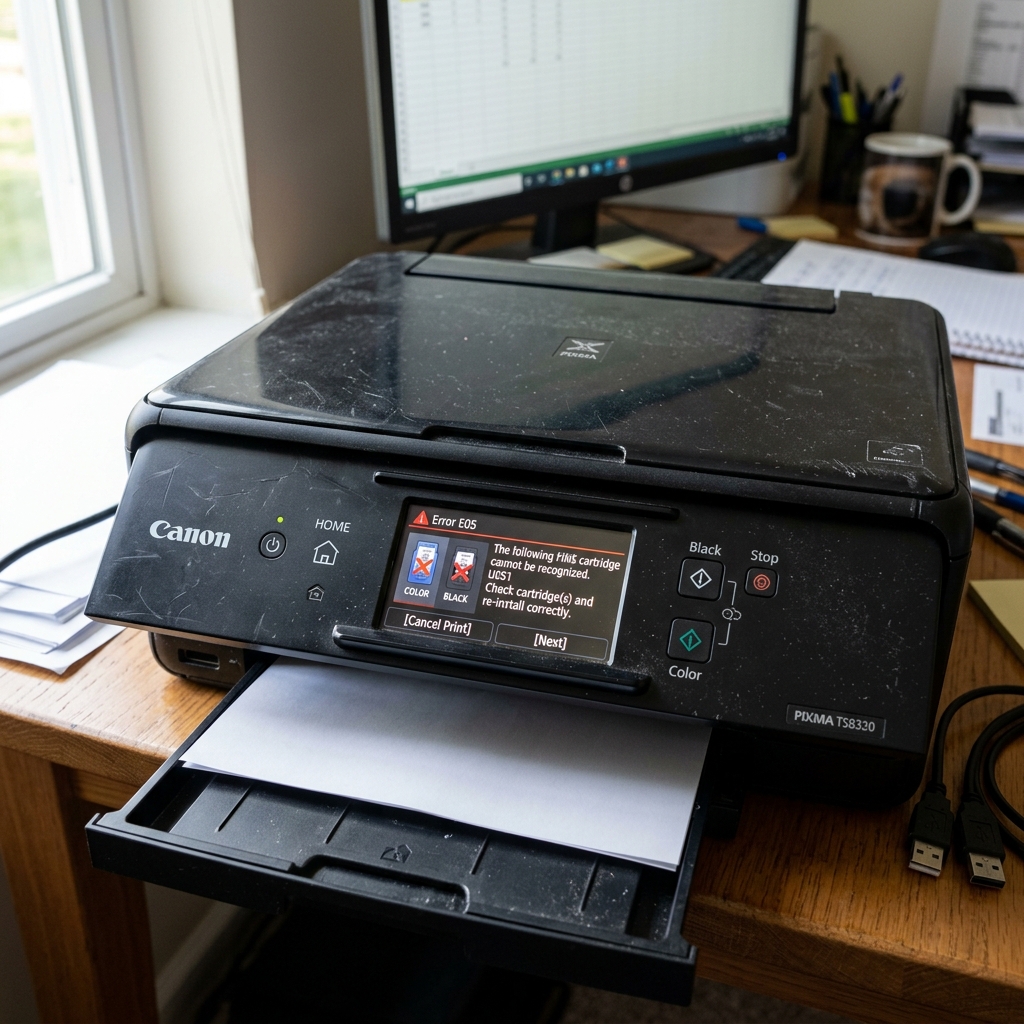
Understanding Error E05 (and 1401)
On Canon printers with an LED segment display, the code E05 flashes when there is a cartridge communication failure. On models with a full screen or on your computer monitor, this same issue is usually displayed as Support Code 1401.
The printer is telling you one of three things: The cartridge is physically missing, the cartridge is installed but not seated correctly, or the electronic chip on the cartridge is dead.
Fix 1: The Re-Seating Process
Canon FINE cartridges (like the 245/246 or 275/276 series) are combined printhead-and-ink units. They slide into a plastic slot and must be pushed upward to lock against the electrical pins in the back of the carriage.
If you installed a new cartridge but didn't push hard enough to hear a distinct "Click," the electrical pins are not touching the copper pads on the cartridge. The printer thinks the slot is empty.
- Open the access door and let the carriage slide to the center.
- Push down on the cartridges to release them, and pull them out.
- Slide them back in at a slight upward angle, and push firmly on the front face of the cartridge until it snaps into its locked position.
Fix 2: Cleaning the Contacts
The printer reads the cartridge through a small copper ribbon with dozens of tiny gold dots on the front of the cartridge.
If you touched this copper strip with your bare fingers during installation, the oils from your skin can act as an insulator, blocking the electrical signal. Similarly, if ink leaked out of the nozzle and smeared onto these dots, the signal will short out.
- Remove the problem cartridge.
- Take a clean tissue or a cotton swab lightly dampened with rubbing alcohol.
- Gently wipe the copper strip on the cartridge until it is clean and shiny.
- Take a dry cotton swab and wipe the matching gold pins inside the printer's carriage slot.
- Allow everything to dry for 60 seconds, then reinstall.
Fix 3: Cartridge Failure
Unlike standard ink tanks, Canon FINE cartridges contain their own microscopic heating elements and circuitry. If you are using a third-party refilled cartridge, or if a genuine cartridge suffered a static shock during shipping, the internal circuitry may be fried.
If cleaning the contacts does not clear the E05 error, the cartridge itself is dead and must be replaced with a new one. The printer is not broken; the "brain" inside the cartridge is.
Understanding Canon Error E05 / Support Code 1401 / 1403
On Canon PIXMA inkjet printers (such as the MG, TS, TR, and MP series), Error E05 (alternating "E", "0", "5" on the 7-segment LED or displaying Support Code 1401 / 1403 / 1485) indicates that the printer's FINE (Full-photolithography Inkjet Nozzle Engineering) cartridge is not recognized, is installed in the wrong carriage slot, or has dirty copper contact pads.
Exhaustive 4-Step E05 Fix Workflow
- The 99% Isopropyl Alcohol Contact Cleanse:
Remove both the black (PG-series) and color (CL-series) FINE cartridges. On the rear of each cartridge is a vertical grid of copper electrical contact pads.
Ink mist, dust, or skin oils create electrical resistance that prevents the carriage board from reading the cartridge's internal EEPROM. Clean the copper pads and the spring pins inside the carriage with a microfiber cloth dipped in 99% isopropyl alcohol.
Let dry for 3 minutes.
- Verify Correct Slot Assignment & Color Keying:
Canon cartridges are keyed: the Black cartridge (e.g., PG-245 / PG-260) MUST be installed in the LEFT slot, and the Color cartridge (e.g., CL-246 / CL-261) MUST be installed in the RIGHT slot. Swapping their positions triggers instant Error E05.
- Check the Cartridge Locking Cover Lever:
When seating Canon FINE cartridges, push the cartridge firmly into the slot and push the gray/black locking cover upward until it clicks securely into its detent. If the cover is not locked 100%, the cartridge sits at a slight angle, breaking electrical contact.
- Execute a Hardware Power Cycle & Buffer Drain:
Unplug the AC power cord for 5 minutes. Hold down the Power button for 20 seconds while unplugged to drain the motherboard memory. Reconnect power and reinstall the cartridges one at a time.
Frequently Asked Questions
What is the difference between Canon Error E05 and Support Code 1403?
E05 is the two-digit LED display code on entry-level models without LCD screens. Support Code 1403 is the exact same error displayed on color LCD screens and Windows error dialogs, signifying "Print head is damaged or not recognized".
Can a remanufactured Canon cartridge cause Error E05?
Yes. Remanufactured third-party cartridges use recycled OEM circuit boards.
