


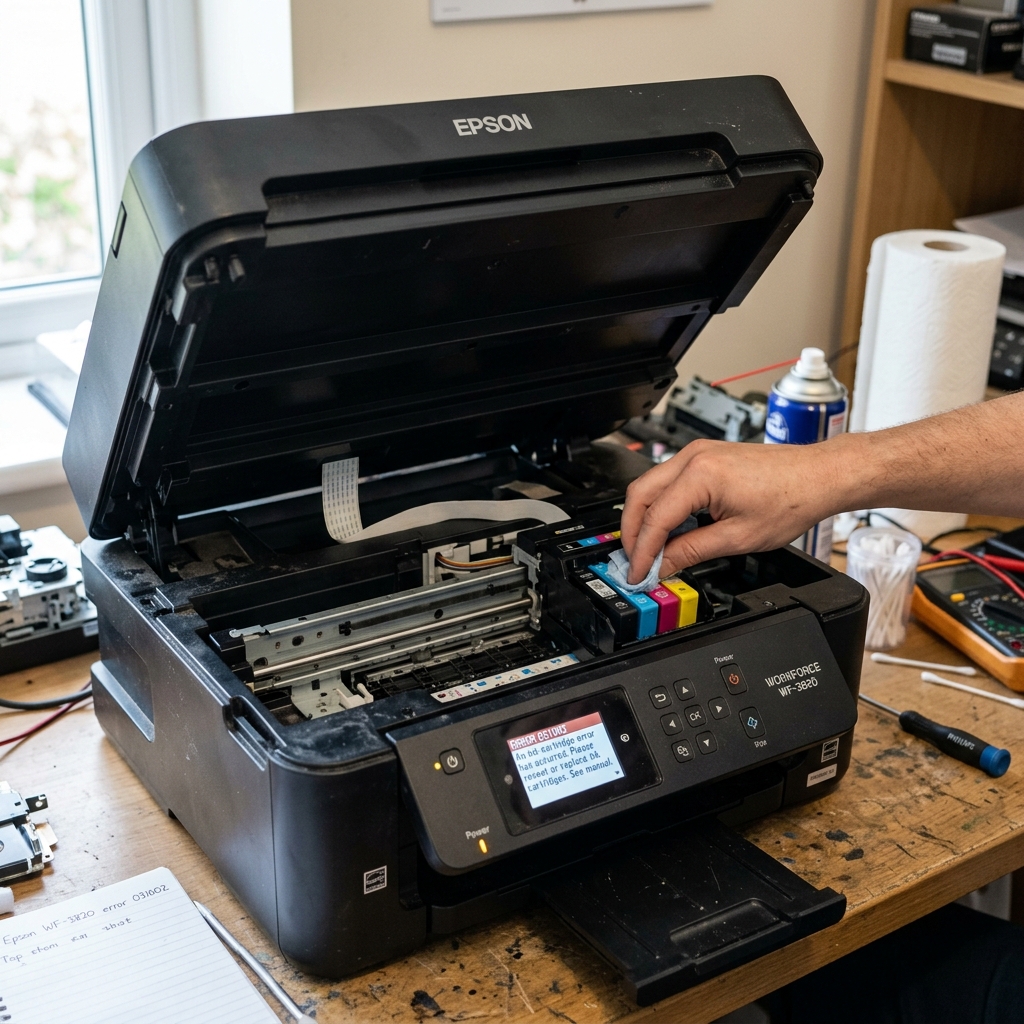
Decoding Error 031002
If your Epson printer flashes Error 031002 on its screen, you are dealing with a CR (Carriage Return) PID excess load error. This is highly specific: the printer is complaining that the motor responsible for pulling the printhead left and right across the page is working too hard.
When the motherboard detects that the carriage motor is drawing too much electrical current (because it's fighting friction) or that the optical sensor isn't detecting movement at the expected speed, it instantly cuts power to the motor and throws this error to prevent a fire.
Fix 1: Clearing the Track
The most common cause of 031002 is a physical obstruction. It doesn't take much—a single staple or a torn corner of a heavy cardstock page can wedge under the printhead.
- Turn the printer completely off and unplug it.
- Lift the scanner bed to expose the internals.
- Grasp the printhead carriage and manually slide it from the far right to the far left. It should glide with smooth, even resistance.
- If you feel a hard "bump" or a grinding sensation, shine a flashlight into the chassis at that exact spot. Look for debris under the rubber drive belt or resting on the metal rail.
- Use tweezers to extract any foreign objects.
Fix 2: Cleaning the Optical Encoder Strip
If the track is perfectly clear, the motor might be fine, but the sensor is blind. The printhead reads a thin, clear plastic ribbon with microscopic vertical lines on it (the Encoder Strip) to know exactly where it is on the rail.
If this strip gets coated in aerosolized ink mist or paper dust, the sensor thinks the carriage has stopped moving. The motherboard then maxes out the motor power trying to force it to move, triggering the excess load error.
- Locate the clear plastic strip stretched behind the metal rail.
- Take a clean microfiber cloth and apply a single drop of isopropyl alcohol or glass cleaner.
- Gently pinch the strip with the cloth and wipe from left to right. Do not pull hard, as it is held on by fragile springs.
- Wait 5 minutes for it to dry, then turn the printer on.
Fix 3: Lubricating the Carriage Rail
Over the years, the factory grease on the main metal carriage rail can dry up, turning into a sticky, gummy paste mixed with paper dust. This drastically increases the friction the CR motor has to fight.
Take a paper towel and wipe the old, dirty grease off the top and front of the metal rail. Then, apply a very small drop of White Lithium Grease or sewing machine oil to the rail.
Manually slide the printhead back and forth a dozen times to work the new lubrication into the bearings. Never use WD-40, as it dries out quickly and damages plastic components over time.
If the error persists after cleaning and lubricating, the CR motor itself has likely burned out internally and must be replaced.
Technical Diagnostics for Epson Error 031002 (Carriage PID Read Failure)
Epson Error Code 031002 (or 0x031002) is a low-level Carriage Optical Encoder Reading Failure / PID Position Error. During carriage movement, the carriage optical sensor reads the microscopic vertical hash marks on the linear encoder strip to calculate real-time velocity and acceleration.
If the optical sensor encounters a section of the strip where marks are unreadable (due to ink smudges, physical scratches, or paper dust), the feedback loop fails, triggering Error 031002.
Step-by-Step Resolution Protocol
- Clean the Linear Encoder Strip with Warm Distilled Water:
- Unplug the printer and lift the top lid.
- Locate the thin, clear plastic ribbon running horizontally behind the carriage.
- Moisten a clean microfiber cloth with warm distilled water.
- Gently pinch the strip between your thumb and index finger and wipe along its entire length from left to right.
- Inspect the cloth for black ink mist or yellow grease transfer. Repeat until the strip is crystal clear.
- Blow Clean Compressed Air into the Carriage Sensor Eye:
Behind the carriage body is the U-shaped black plastic photodiode sensor through which the encoder strip passes. Blow dry compressed air into the sensor slit to clear any dislodged paper dust fibers blocking the infrared beam.
- Verify the Tension Spring is Connected:
Check the far left mounting post of the encoder strip. Ensure the small metal tension spring has not unhooked or broken. The strip must be taut and perfectly level.
Frequently Asked Questions
What should I do if the encoder strip is physically scratched?
If the timing hash marks have been physically scratched off by a foreign object, the strip cannot be cleaned and must be replaced with a new OEM encoder strip.
Does cleaning the encoder strip with alcohol damage it?
YES. Chemical solvents like rubbing alcohol, acetone, and glass cleaner dissolve the printed timing lines, instantly ruining the strip.
