


The Quick Answer
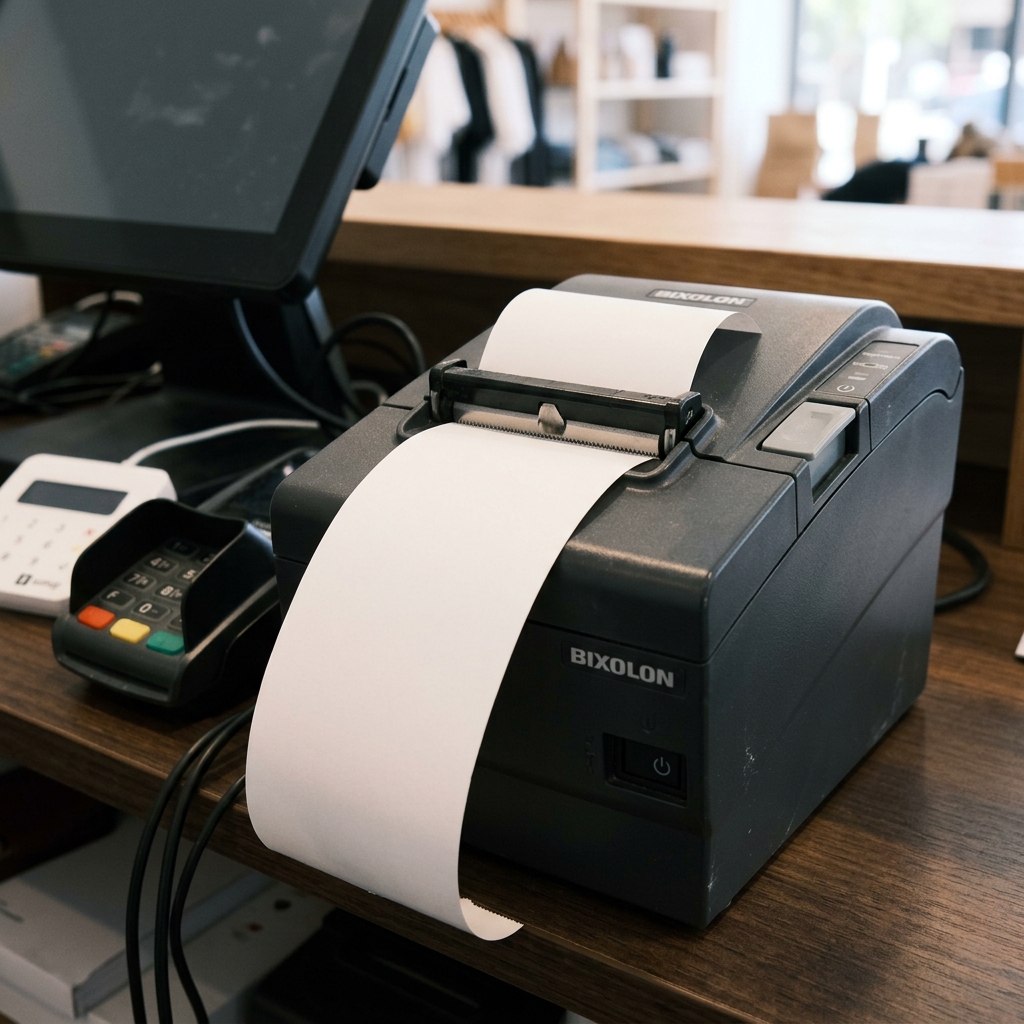
Is your Bixolon printer working normally, clicking its cutter, but producing totally blank receipts? Here is the 30-second mechanical fix.
Here's a symptom that trips up more people than almost any other: the Bixolon printer sounds like it's working perfectly — the motor runs, paper feeds, the cutter clicks, a blank receipt drops out — but the paper is completely blank. Nothing on it at all.
If that's what's happening, put the driver reinstall away for a moment. This particular symptom, in this exact form, almost never has anything to do with software. It's a physical, mechanical situation with one very common cause you can check in under 30 seconds.
The 30-Second Fix (Try This First)
The paper is loaded backward. Bixolon receipt printers are thermal — meaning they only mark on the heat-sensitive side of the paper. Load a roll with the sensitive coating facing away from the print head, and the printer will feed, cut, and dispense every receipt perfectly while printing absolutely nothing.
This is almost certainly what's happening if:
- The printer motor sounds normal
- Paper feeds and cuts cleanly
- The blank receipt looks identical in size and shape to a good one
- There's no error light on
How to fix it:
- Open the paper cover.
- Take out the current roll.
- Rub your fingernail firmly across a small section of paper on both sides.
- The side that leaves a visible dark mark is the thermal side — this side must face the print head (which is the top side on almost all Bixolon receipt printers).
- Reload the roll with the thermal side oriented correctly.
- Close the cover firmly and print a test.
If the receipt now prints correctly, you're done — this fix takes under a minute and resolves the vast majority of these cases.
If the Paper Is Loaded Correctly and It's Still Blank
If you've confirmed the paper is loaded thermal-side-up and receipts are still coming out blank, the next likely causes:
Non-Thermal Paper
It's not just direction — you might have the wrong type of paper entirely. Some receipt paper looks similar to thermal paper but isn't.
If your fingernail scratch test above didn't leave a mark on either side, you have plain paper, and no Bixolon thermal receipt printer will ever print anything visible on it.
Only use genuine thermal paper matched to your model's specifications. Bixolon's manual is explicit that non-thermal or non-recommended paper voids the warranty and can damage the print head.
Expired or Damaged Thermal Paper
Thermal paper has a shelf life. Rolls that have been stored in a hot environment, exposed to direct sunlight, or are simply too old will print faintly or not at all — even when loaded correctly. If you're using an old backup roll from storage and getting blank output, try a fresh roll before assuming a hardware issue.
Print Density Set to Zero (or Very Low)
Some Bixolon models let you adjust print density (usually a scale of 0-30). If this has been accidentally set to zero — through a menu change, a factory reset, or an unintended button press during setup — the printer applies no heat during printing, producing completely blank output.
For models with density adjustment through the printer menu:
- Enter the setting menu (varies by model — usually a Feed button hold sequence)
- Navigate to print density
- Set to a mid-range value (typically 15 or the default indicated in the menu)
- Save the setting and reboot the printer (for the SRP-E300, this specifically requires selecting "Exit and reboot printer" to save)
Print Head Contamination
A print head coated with adhesive residue, paper dust, or debris won't transfer heat effectively to the paper — producing either faint or entirely blank output. Clean it:
- Power off the printer.
- Open the cover and let the ad cool if it was recently in use.
- Clean gently with a cotton swab dampened in isopropyl alcohol.
- Let it dry fully before loading paper.
- Print a test.
Print Head Failure
Genuine print head failure is rare but does happen after years of use, or after damage from non-approved paper. If you've verified paper is correct and fresh, density is set correctly, and the head is clean — and output is still blank across multiple attempts — the print head may need service.
Contact Bixolon support for evaluation.
Why Software Fixes Won't Help Here
If the printer is receiving, processing, feeding, and cutting successfully — everything except actually marking the paper — the entire software chain is working. Driver reinstalls, USB port changes, and POS software fixes won't affect this symptom because the data is arriving at the printer just fine.
The printer is doing everything it's supposed to except one physical step: transferring heat to a heat-sensitive surface.
Save the software troubleshooting for symptoms where nothing prints at all, not for blank-output cases.
Frequently Asked Questions
How do I tell which side of thermal paper is the heat-sensitive side? Scratch it with your fingernail. The side that leaves a dark line is the thermal side, and it must face the print head.
My printer worked yesterday and today prints blank — same paper roll. What changed? Most likely one of three things: someone reloaded the paper backward, the print density setting was reset, or the print head has picked up contamination. Check in that order.
Can non-thermal paper damage my Bixolon printer? Yes. Using non-thermal paper voids the warranty and can damage the print head, since heat is being applied without a compatible receiving surface.
Why would print density reset itself? On some models, an incomplete settings-menu exit (not saving via "Exit and reboot") can revert density to defaults. On mobile printers, a fully depleted battery can occasionally cause settings to revert on next power-up.
Quick Checklist
- Paper is thermal (fingernail scratch leaves a mark)
- Paper is loaded thermal-side facing the print head
- Paper is fresh, not from a hot storage environment
- Print density is at a normal mid-range value, not 0
- Print head is clean of dust and adhesive residue
- Only genuine thermal paper matched to model specs is being used
Nine times out of ten, a Bixolon printer that feeds and cuts but doesn't print has paper loaded upside down. The other one time out of ten, it's density set too low, contaminated print head, or non-thermal paper. Almost never software — and almost never a broken printer.
